22 Chapter 1
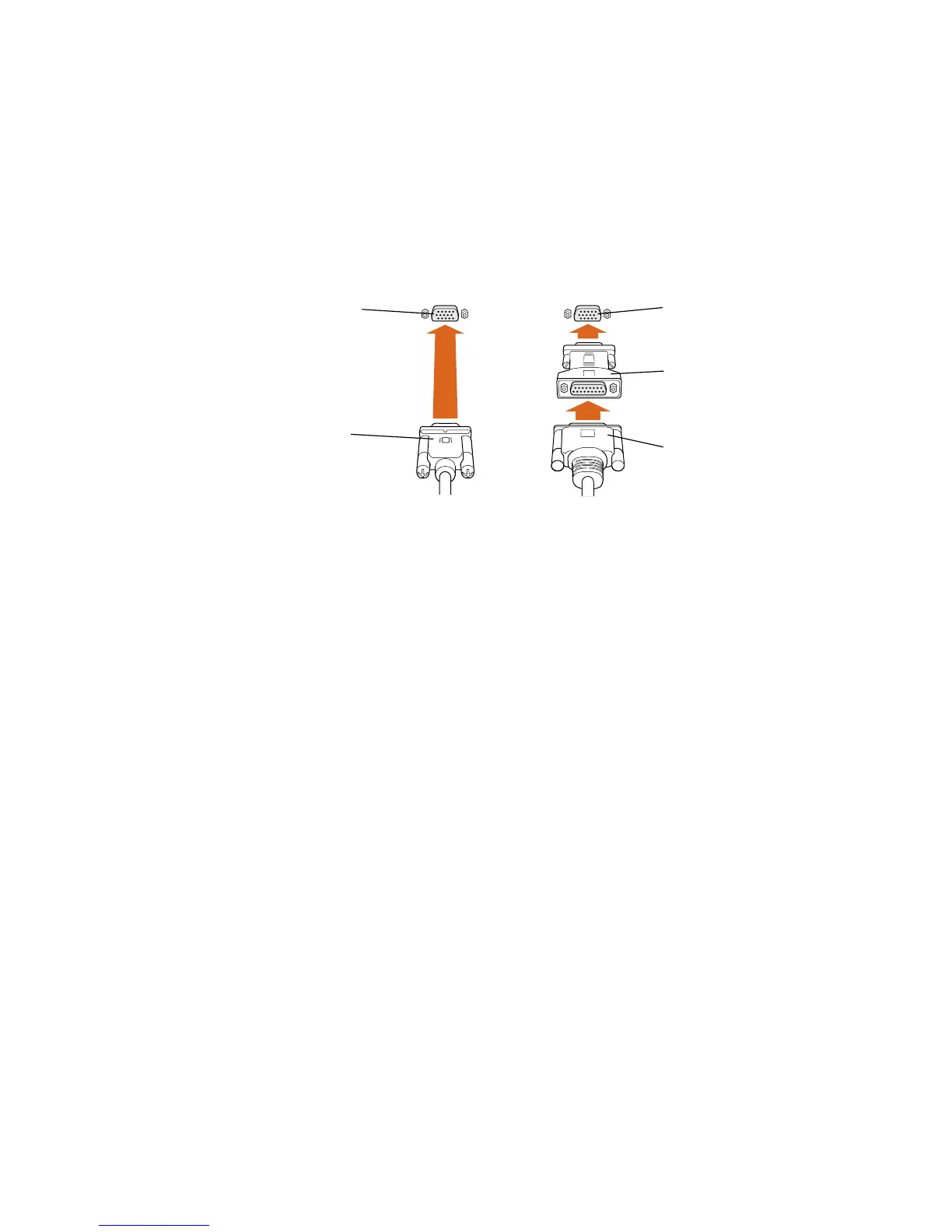
m If you have a monitor with a high-density D-Sub 15 (VGA standard) connector, connect
the monitor cable directly to the computer’s monitor port.
m Some Apple monitors have a DB-15 connector. If your monitor has a DB-15 connector,
attach the Mac-to-VGA adapter that came with your computer to the computer’s monitor
port and then attach the monitor cable to the adapter.
Mac-to-VGA adapter
(your adapter may
look different)
Connector on some
Apple monitor cables
(DB-15 connector)
Monitor port on
the computer
Connector on
VGA and some Apple
monitor cables
(D-Sub 15 connector)
Monitor port on
the computer



 To Next Page