Working Inside the Server 39
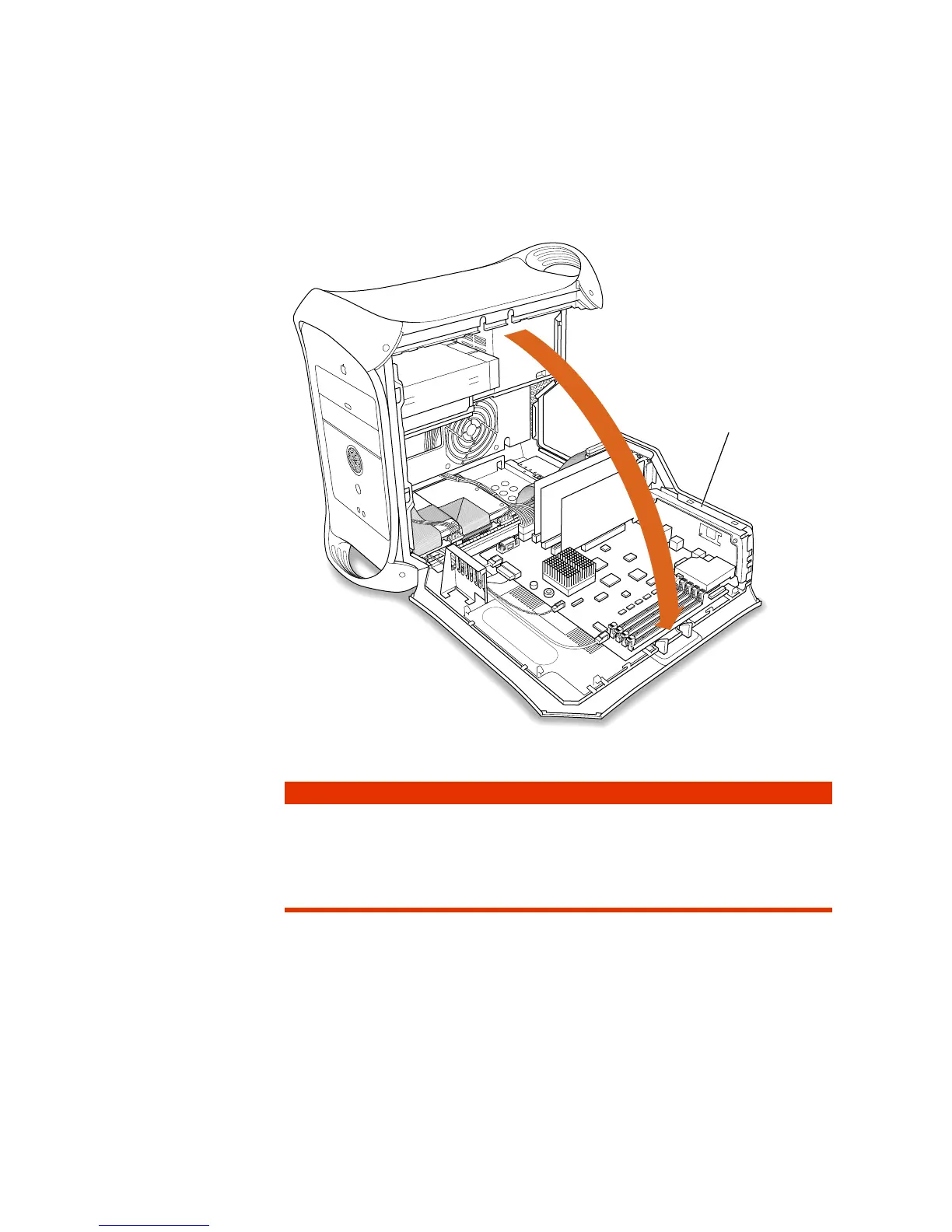
8 Gently lower the panel onto a clean, flat surface.
Lower the side of the computer onto a soft clean cloth to avoid scratching the case.
9 See the section that provides the instructions for the item you want to install or replace.
Gently lower the side
panel until it lies flat.
To install Go to the section
DRAM “Installing DRAM” on page 40
Internal storage device “Installing a Hard Disk or Other Internal Storage Device” on page 42
PCI expansion card “Installing a PCI Expansion Card” on page 52
New battery “Replacing the Battery” on page 55



 To Next Page