Working Inside the Server 41
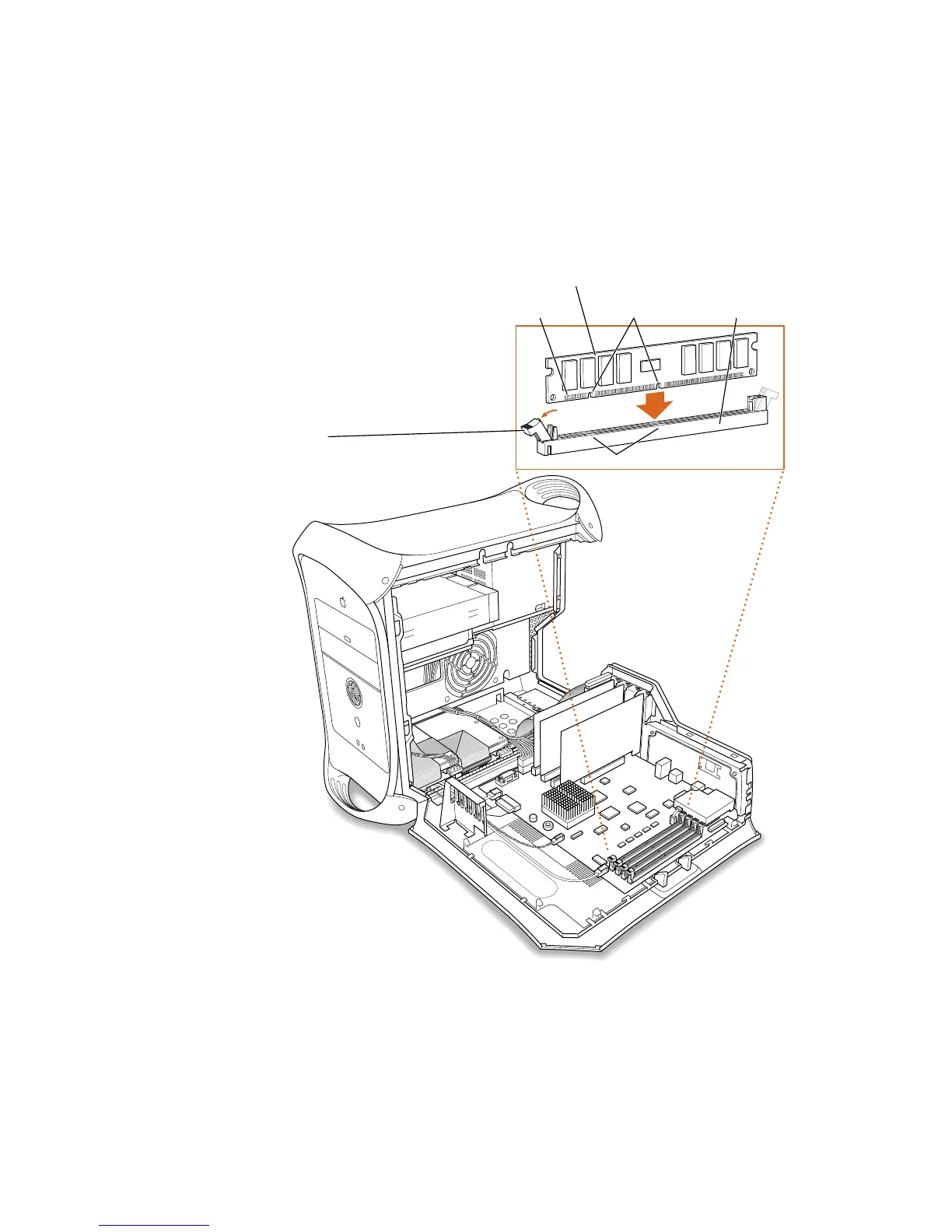
2 Align a DRAM DIMM in the DRAM slot as pictured and push the DIMM down until the
ejectors snap into place.
To remove a DIMM, gently push down on each of the slot’s ejectors until they open and
release the DIMM.
Important Do not touch the DIMM’s connectors. Handle the DIMM only by the edges.
DRAM DIMM (Your DIMM’s shape and components may vary.)
Ejector
(Your slot may have one or two ejectors.
They should be pushed outward and down
to be in the open position, as shown.)
The DRAM DIMM is designed to fit into the
slot only one way. Be sure to align the
notches in the DIMM with the small ribs
inside the slot. With the ejectors in the open
position (as shown), push down on the
DIMM until it snaps into place. The ejectors
will automatically close.
Connectors Notches DRAM slot (1 of 4)
Ribs (inside slot)



 To Next Page