25 -
iBook G4 (12-inch Mid 2005) Take Apart
Bottom Case
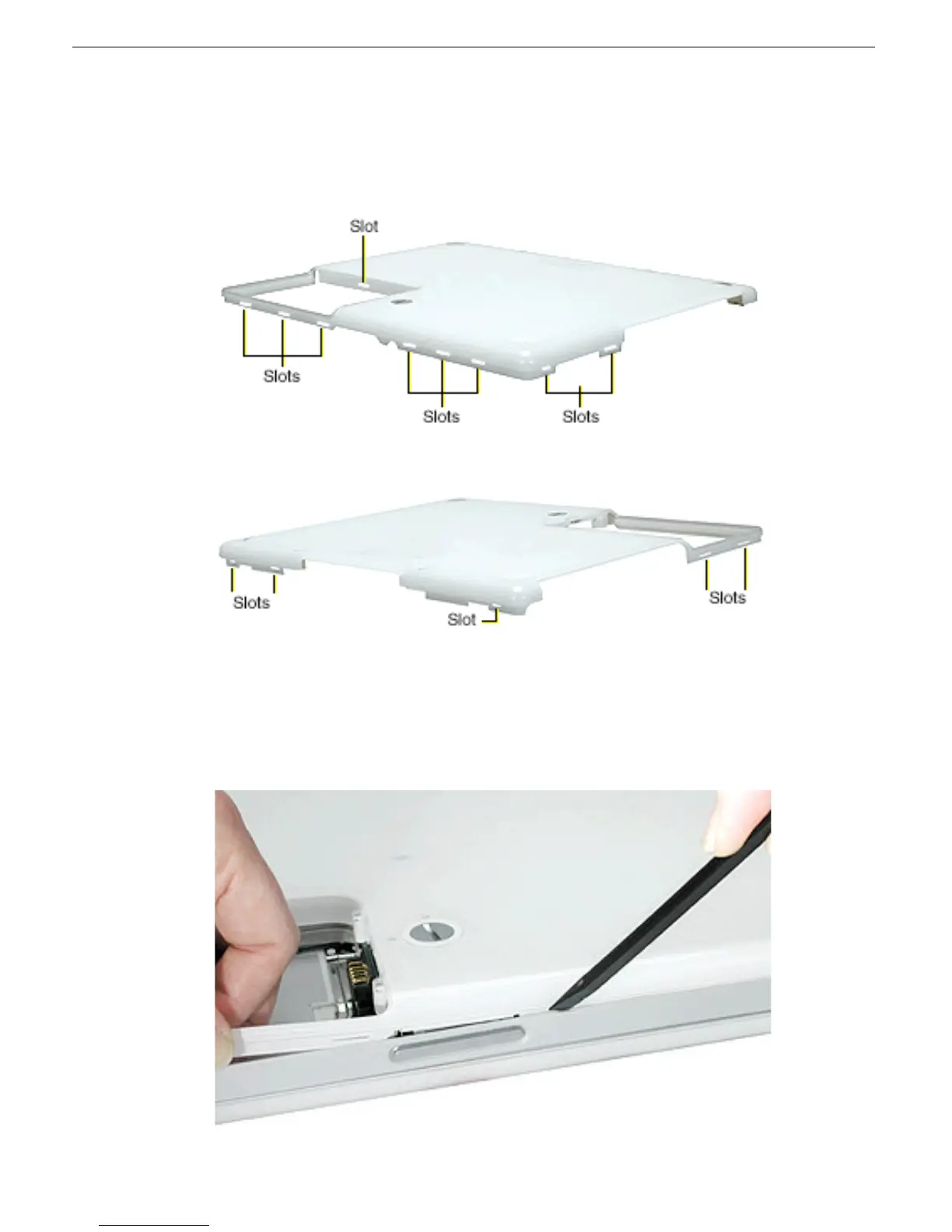
7. Note the locations of the slots on the bottom case pictured below. The computer frame
has tabs that fit into slots within the bottom case (six tabs in front; two on each side;
three in back). When using a black stick to pry off the bottom case, it helps to know
where the slots are as you free the tabs from the slots.
8. Starting at the battery compartment, use a black stick to carefully pry up the bottom
case from the computer.
Note:
You might find it helpful to use a plastic card such as a library card.



 To Next Page