iBook G4 (12-inch Mid 2005) Take Apart -
28
Bottom Case
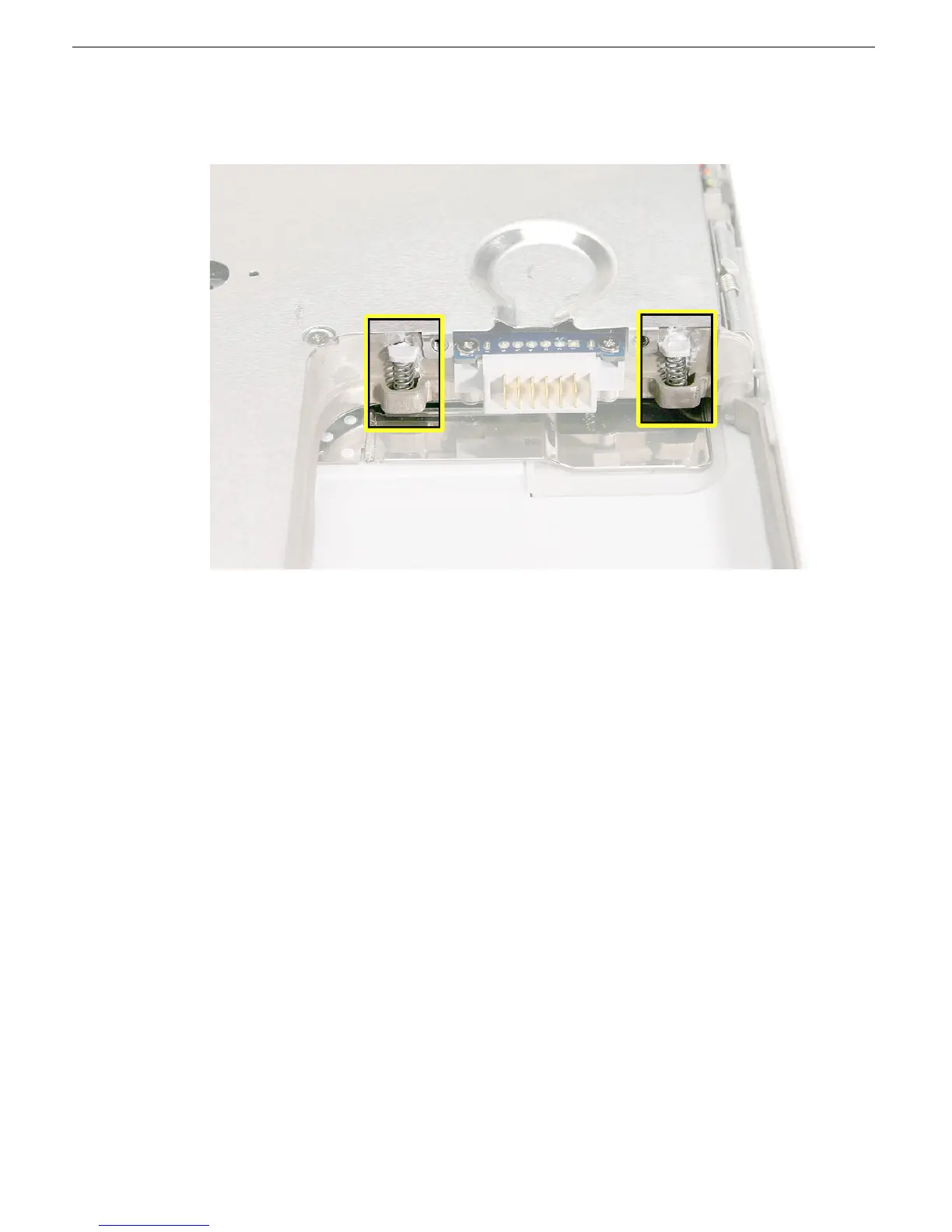
13. If you are replacing any additional parts at this time, remove the two springs from the
battery compartment so they do not fall out and get lost.
Note:
When reassembling the computer, make sure that the two springs in the
battery compartment are in place before installing the bottom case. Each spring has
a plastic cap on one end. The cap should fit securely on the spring, and the curved
side of the cap should be positioned against the inner frame. The springs have a
small amount of grease on them; do not wipe away the grease.
14. Install the replacement bottom case, and reassemble and test the computer.



 To Next Page