iBook G4 (12-inch Mid 2005) Take Apart - 38
Fan
Procedure
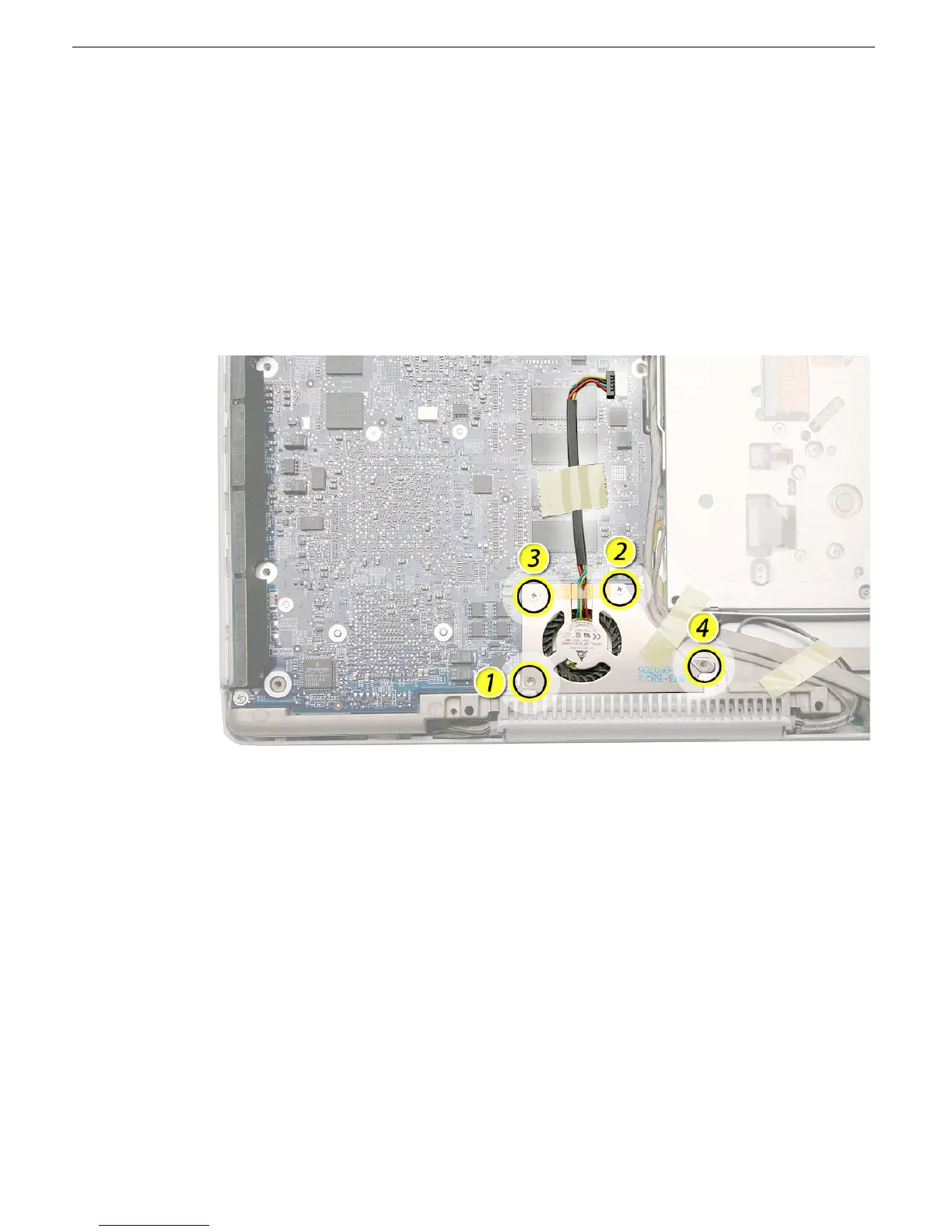
1. With the computer on a soft cloth, remove any tape that holds the fan and cable in
place.
2. Disconnect the fan cable from the logic board.
3. Remove the four identical 3.5-mm long screws from the fan.
Replacement Note: When reassembling the computer, the replacement fan might
include a piece of tape that secures the cable to the body of the fan. Make sure the
tape is not blocking the fan blade movement.



 To Next Page