41 - iBook G4 (12-inch Mid 2005) Take Apart
Top Case
Preliminary Steps
Before you begin, remove the following:
• Battery
• Keyboard and RAM shield
• AirPort Extreme Card
• Memory card
• Bottom case
• Bottom shield
• DC-in board
Procedure
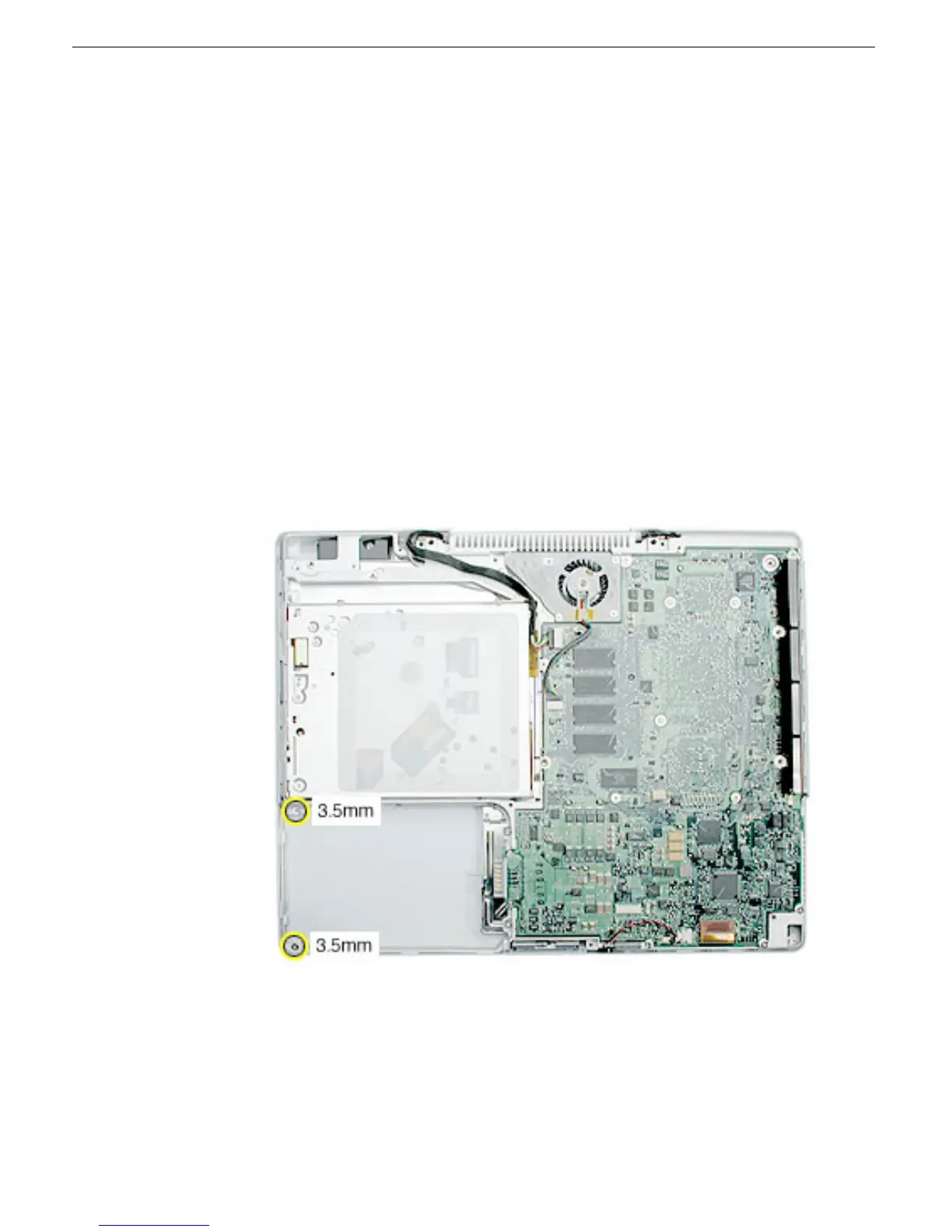
1. With the computer upside down on a soft cloth, remove the two screws from the
battery bay.
Note: Although the model pictured below is not the subject model, the highlighted
screws are the same.



 To Next Page