iBook G4 (12-inch Mid 2005) Take Apart - 42
Top Case
2. Turn over the computer.
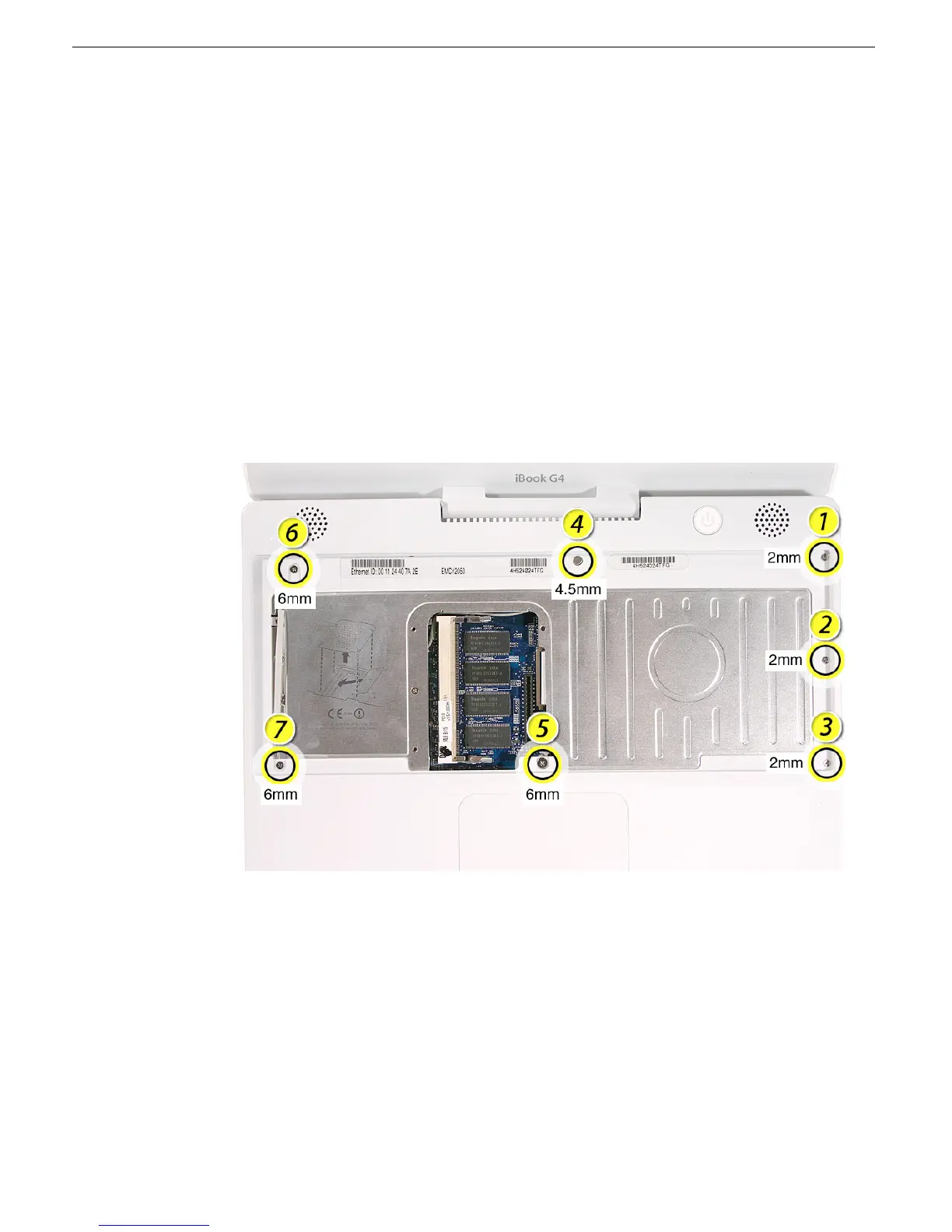
3. Remove the three identical 2-mm long screws from the keyboard well near the slot
load drive opening.
4. Remove the remaining screws in the keyboard well:
• Using a small flat-blade screwdriver, pry up the magnet. Then remove the 4.5-mm
long screw beneath it.
• 6-mm long screw with large screw head at upper left corner of keyboard well
• 6-mm long screw at lower left corner of keyboard well
• 6-mm long screw with large screw head near keyboard cable connector
Note: When reassembling the computer, be sure to install the magnet over the
screw.
Replacement Note: When reinstalling the top case screws, install them in the order
shown.



 To Next Page