45 - iBook G4 (12-inch Mid 2005) Take Apart
Top Case
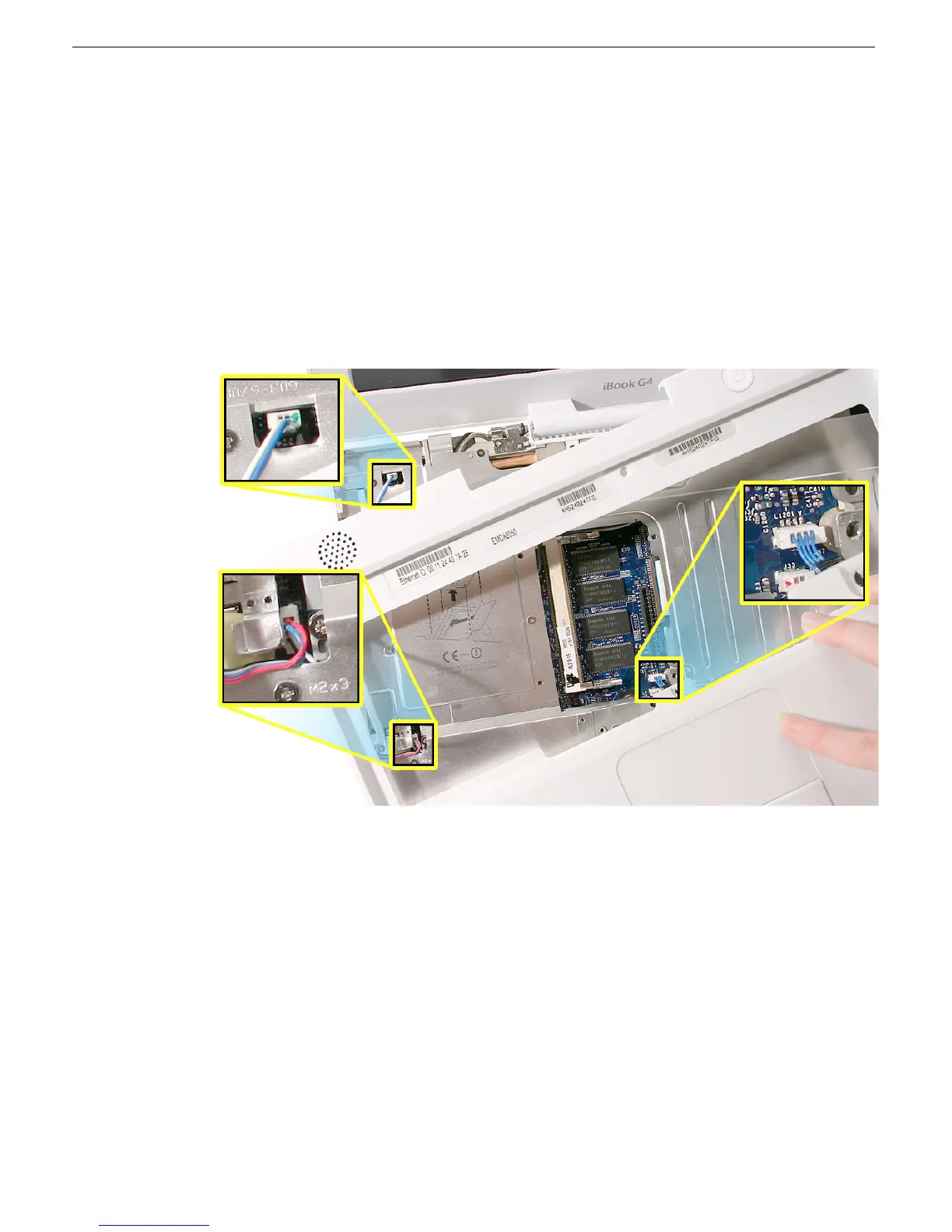
9. Warning: The top case is connected to the computer assembly with delicate
cables. Do not remove the top case until the cables are disconnected (see the
next steps).
Warning: When performing this step, make sure the speaker cable, trackpad
cable, and shorter power switch cable are not strained.
10. With the top case loosened and the cables still attached, position the top case so it is
somewhat off center and you can see all three connectors.
11. Use needlenose pliers or a black stick to carefully disconnect the cables from the logic
board.



 To Next Page