iBook G4 (12-inch Mid 2005) Take Apart -
4
General Information
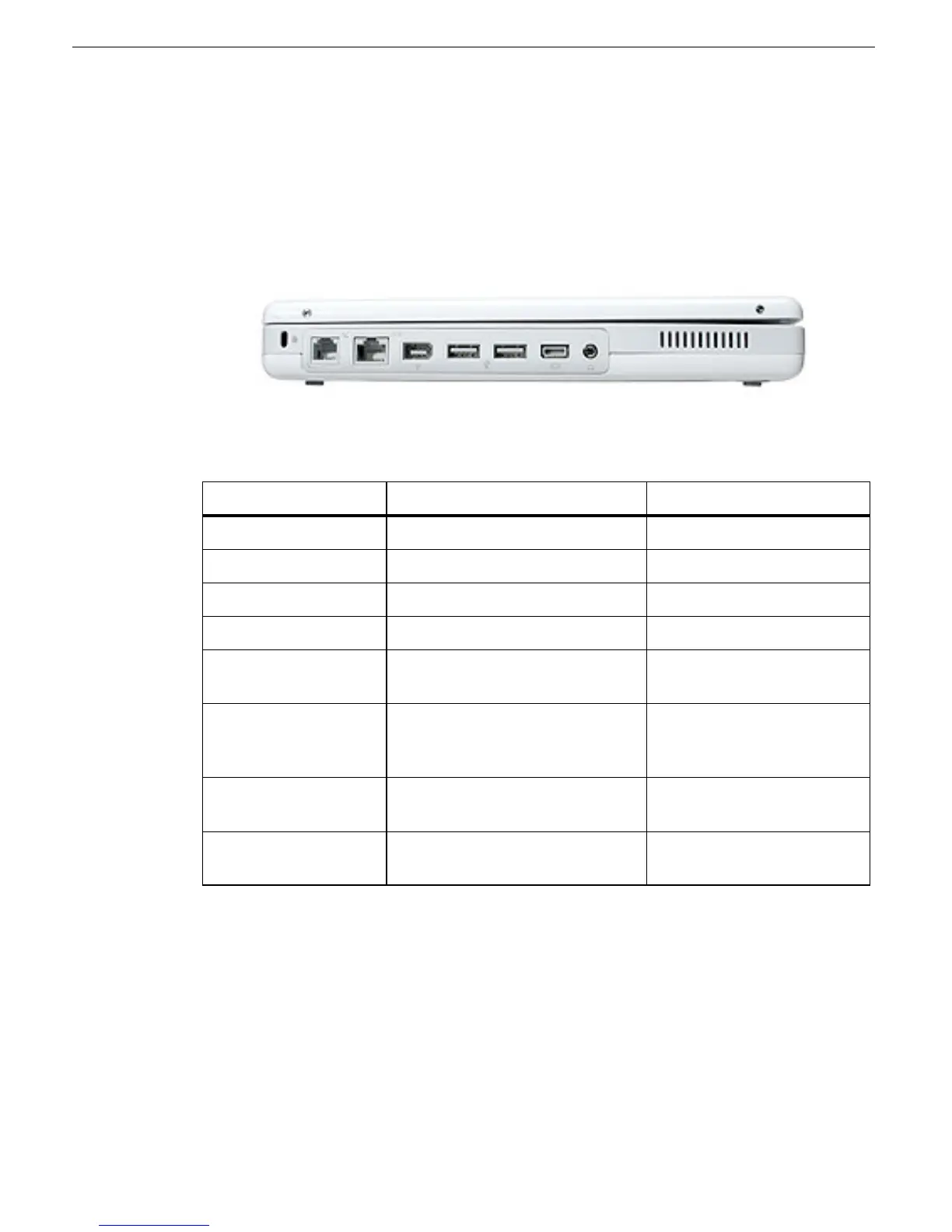
The ports on the left side of the computer are the same as the previous G4 model:
• RJ11 modem port
• Ethernet port
• FireWire port
• Two USB ports
• External display connector
• Headphone port
This table shows the product configurations at initial product introduction:
*
For servicing the 14.1-inch model, refer to the iBook G4 (14-inch Mid 2005) service
manual.
Procedures
If you are familiar with taking apart iBook G4 computers, you will notice some service
differences with this iBook model:
• AirPort and Bluetooth functions are combined on one card that is located under the top
shield.
Configuration Good Best*
Display Size 12.1 inch 14.1 inch
Video RAM 32 VRAM 32 VRAM
Processor 1.33 GHz 1.42 GHz
Optical Drive Combo (DVD-ROM/CD-RW) SuperDrive
Hard Drive 40 GB Ultra ATA
(60, 80, or 100 GB CTO)
60 GB Ultra ATA
(80 GB or 100 GB CTO)
Memory 512 MB RAM built in
(up to 1.5 GB DDR 333
SDRAM CTO)
512 MB RAM built in
(up to 1.5 GB DDR 333
SDRAM CTO)
AirPort Extreme/
Bluetooth
card installed card installed
Sudden Motion
Sensor (SMS)
yes yes



 To Next Page