5 -
iBook G4 (12-inch Mid 2005) Take Apart
General Information
• The procedures for the RAM shield, cables, hard drive, reed switch, and heatsink differ
somewhat from earlier models.
• The number and types of screws differ somewhat from previous models.
Note:
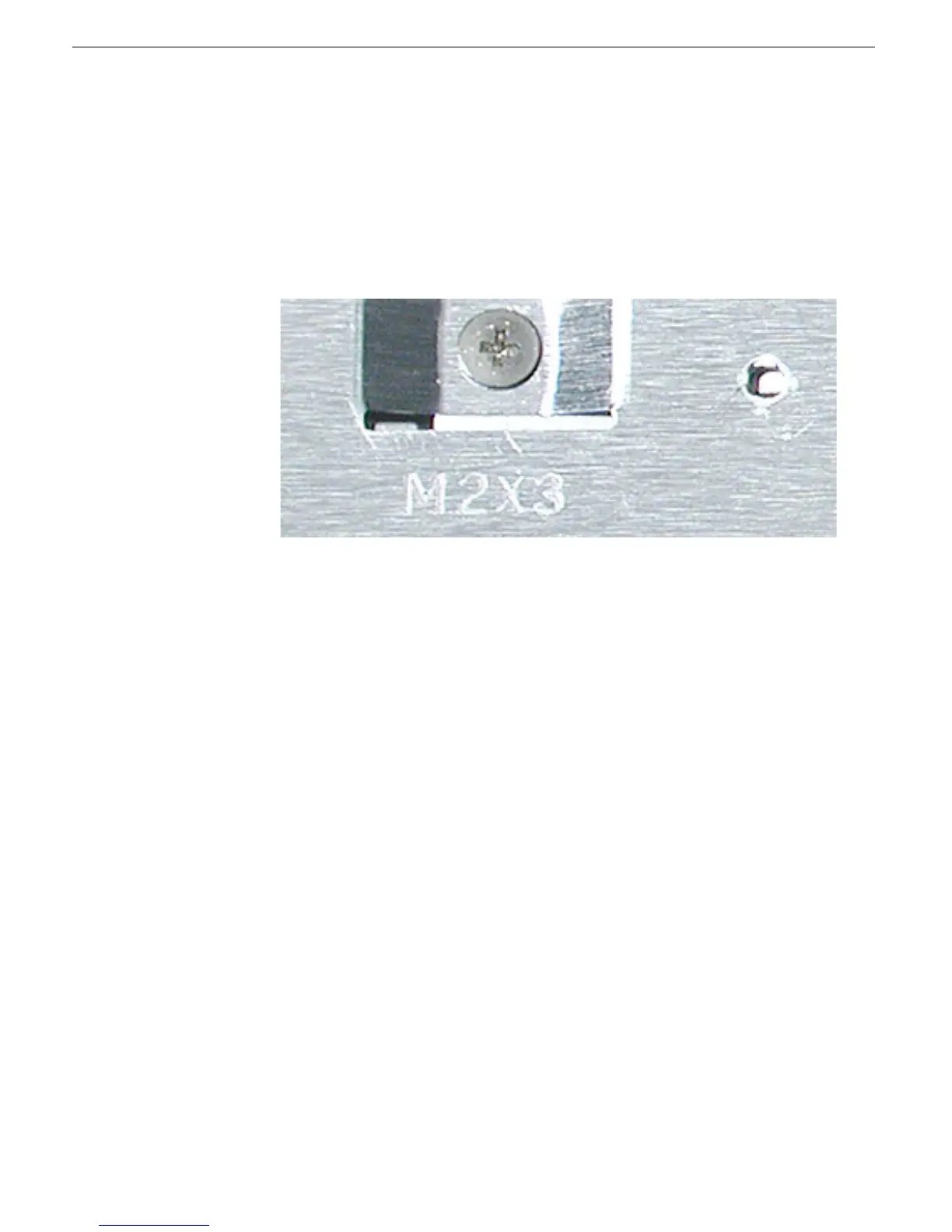
The top and bottom EMI shields are marked with screw identifiers for most of the
screw locations. The screw identifiers are in the form of "M2x_" where the last digit
indicates the approximate screw length. For example, a marking of "M2x3" indicates a 3.5-
mm long screw. Use the identifiers as a guide when reassembling the computer.
Tools
The following tools are recommended for the Take Apart procedures:
• Coin
• ESD wriststrap and mat
• Pin
• Magnetized #0 Phillips screwdriver
• Jeweler’s flat-blade screwdriver
• Soft cloth
• Torx T8 screwdriver
• 2.0 mm hex nut driver
• #4 hex nut driver
• Needlenose pliers
• Torx T6 screwdriver or 5/32 hex driver (for display housing)
• Black stick (or other nonconductive nylon or plastic tool)
Note:
To organize the screws you remove from the assembly, use a tray with divided
compartments (such as a plastic ice cube tray).
Serial Number Location
In this computer, the product serial number is located in two places:
• Battery bay
• Top case underneath the keyboard



 To Next Page