57 - iBook G4 (12-inch Mid 2005) Take Apart
Top Shield
• Memory card
• Bottom case
• Bottom shield
• DC-in board
• Top case
Procedure
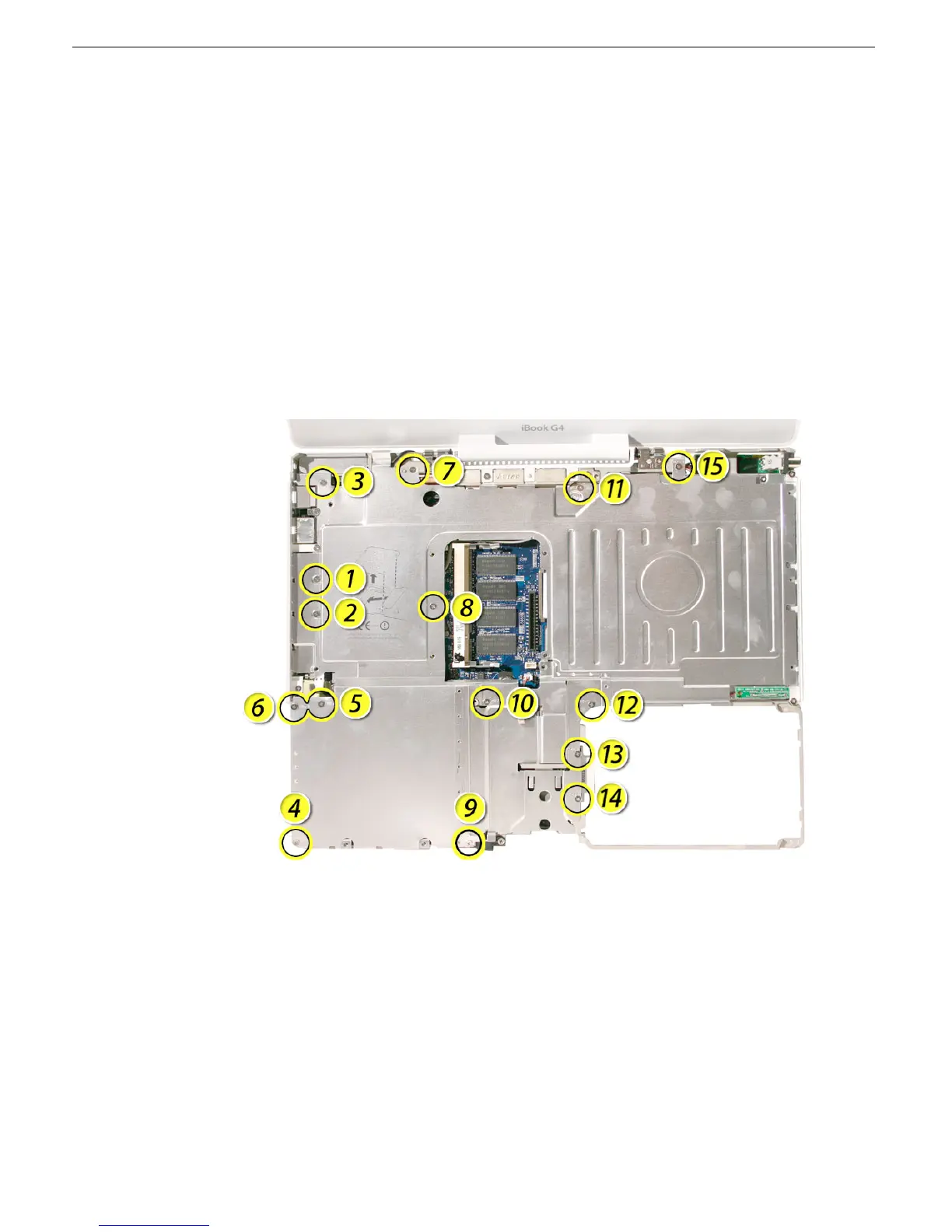
1. With the computer on a soft cloth, remove the fifteen 3-mm long Phillips screws:
Replacement Note: When replacing the shield, install the screws in the order shown.
Important: When replacing screw number 12, make sure the reed switch cable is not
blocking the screw opening.



 To Next Page