69 - iBook G4 (12-inch Mid 2005) Take Apart
Hard Drive
• AirPort Extreme Card
• Memory card
• Bottom case
• Bottom shield
• DC-in board
• Top case
• Top shield
Procedure
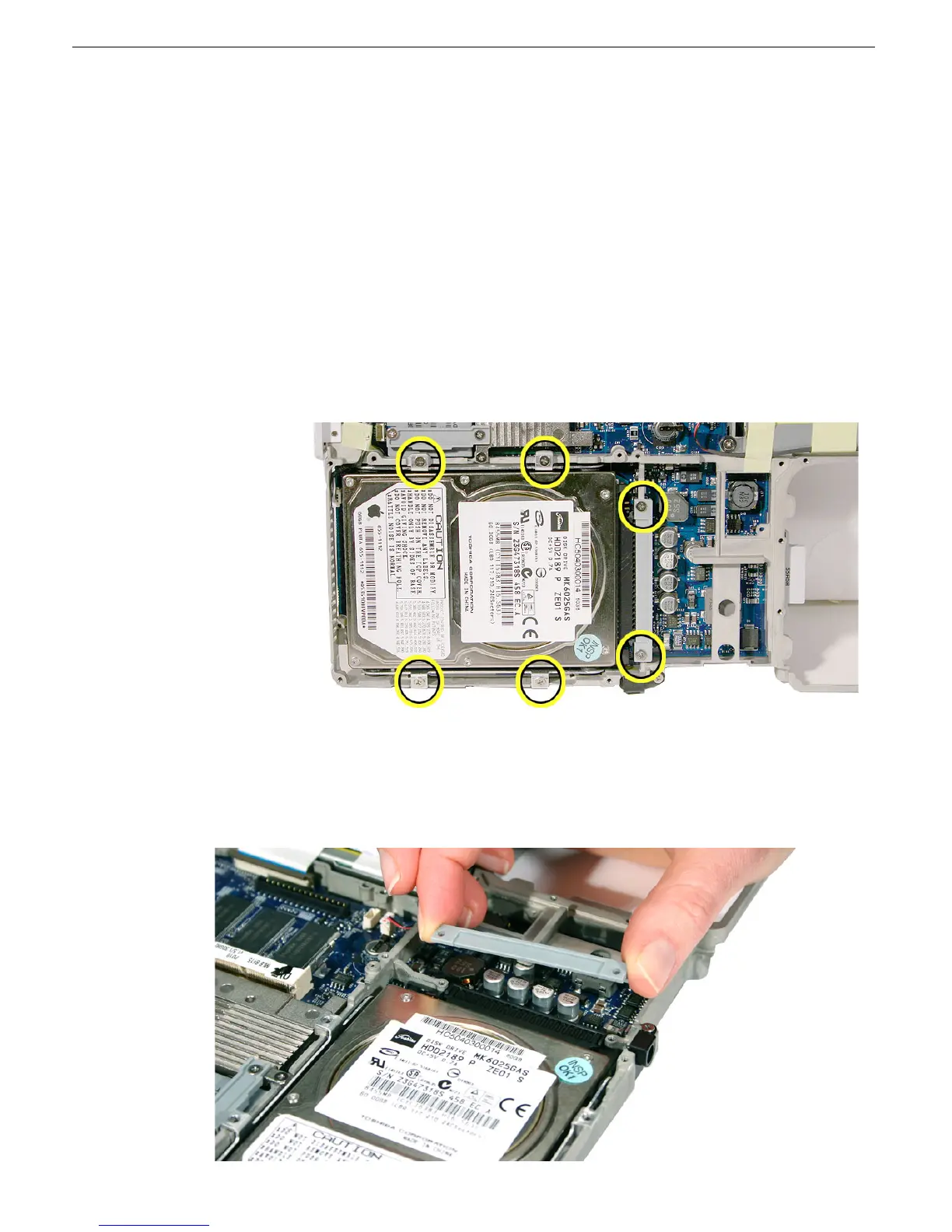
1. Remove the six identical 4.5-mm long screws:
• four from the hard drive brackets
• two from the holder over the hard drive connector
2. Lift off the holder from the hard drive connector.
Replacement Note: Be sure to reinstall the connector holder when replacing the
hard drive.



 To Next Page