iBook G4 (12-inch Mid 2005) Take Apart - 70
Hard Drive
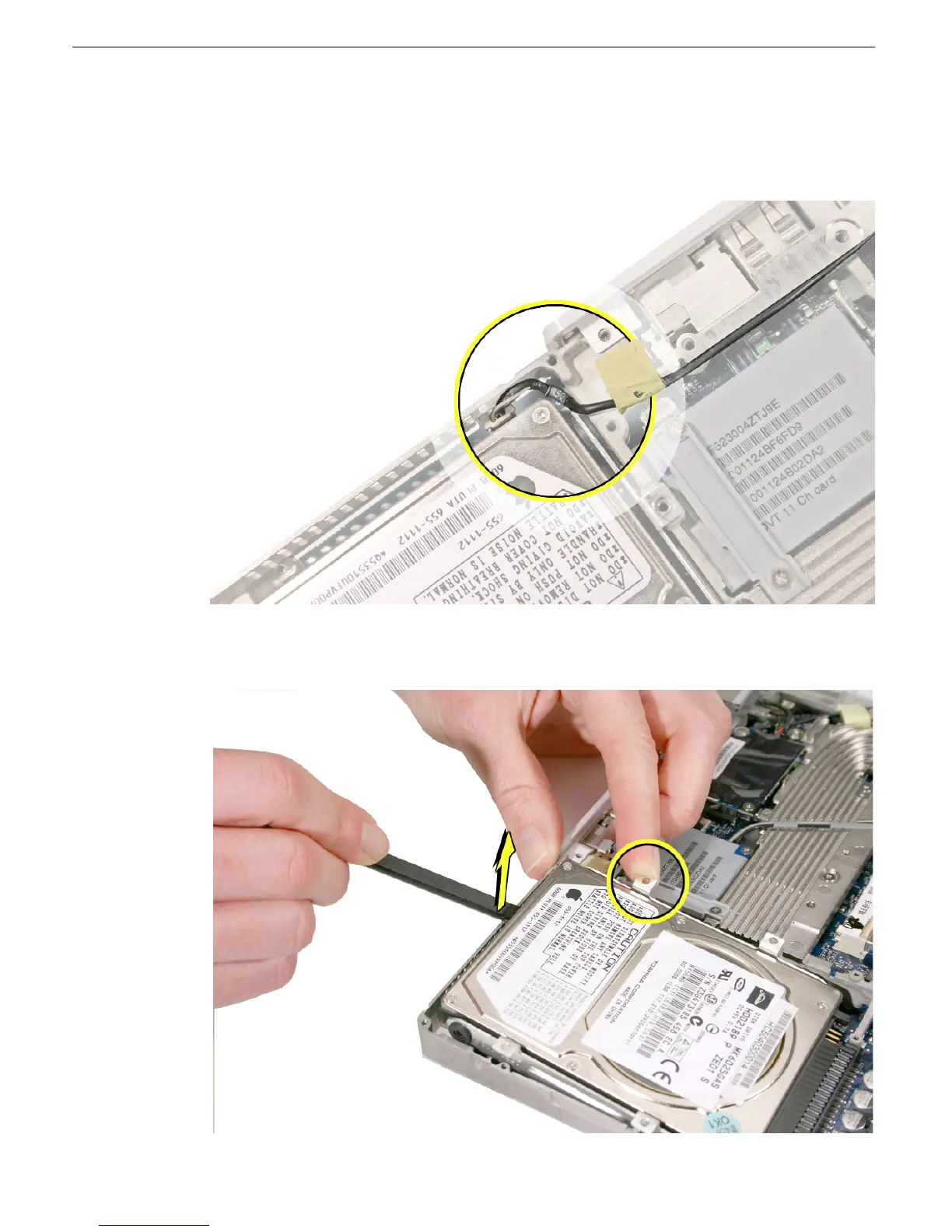
3. Check the position of the microphone cable at the upper left corner of the drive.
4. If the microphone cable is blocking the corner of the drive, use a black stick to carefully
move it aside.
5.
Press in on the upper bracket to clear it from the frame. While pressing on
the bracket, use a black stick to begin to lift up the end of the hard drive.



 To Next Page