77 - iBook G4 (12-inch Mid 2005) Take Apart
AirPort Extreme/Bluetooth Card
Procedure
Important: Deviating from these steps could result in a damaged card. Make sure you
read and understand all of the steps before removing or installing the card.
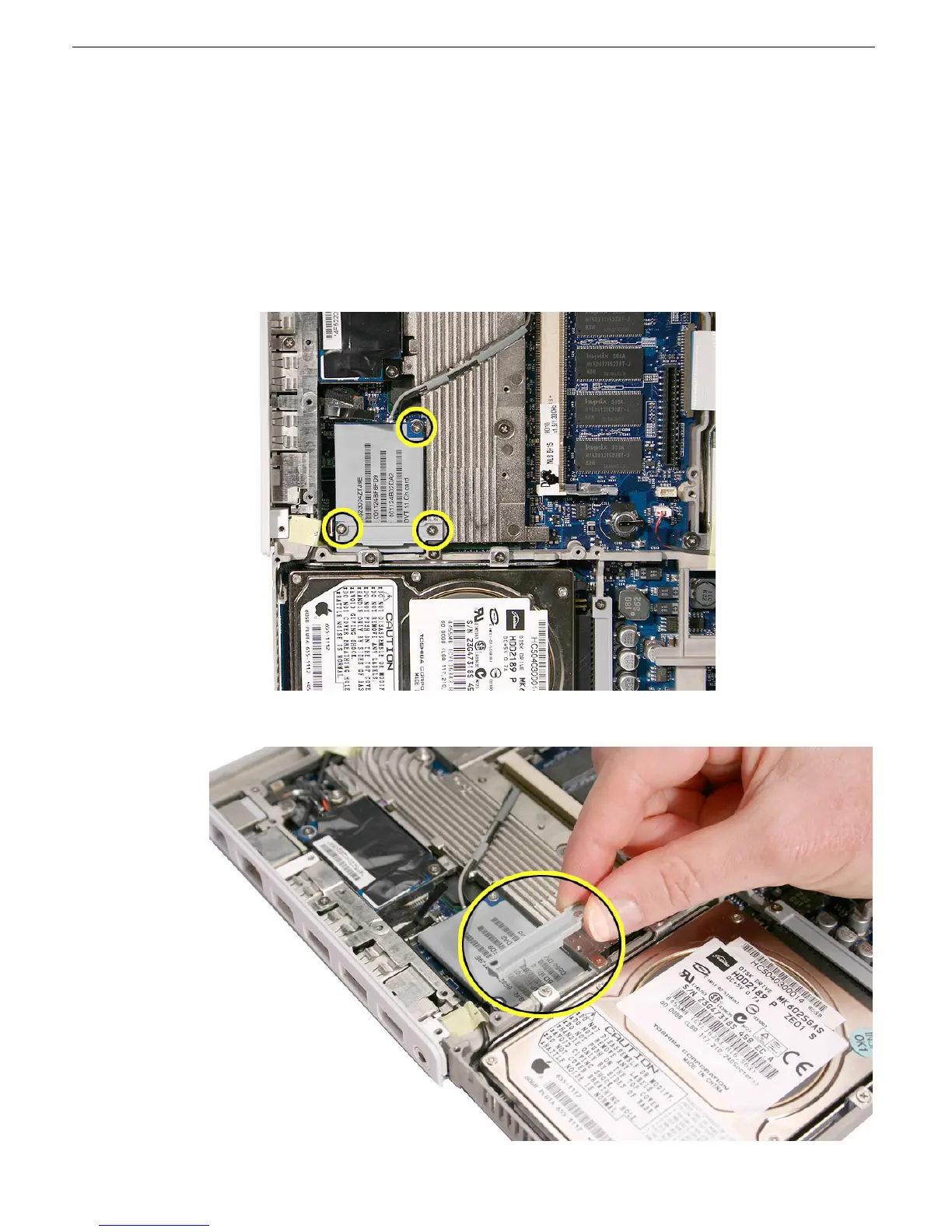
1. Remove the following screws:
• 3.5-mm long screw from the top right corner of card
• 3.5-mm long screw from right end of card holder
• 8-mm long screw from left end of card holder
2. Lift off the card holder.



 To Next Page