iBook G4 (12-inch Mid 2005) Take Apart - 78
AirPort Extreme/Bluetooth Card
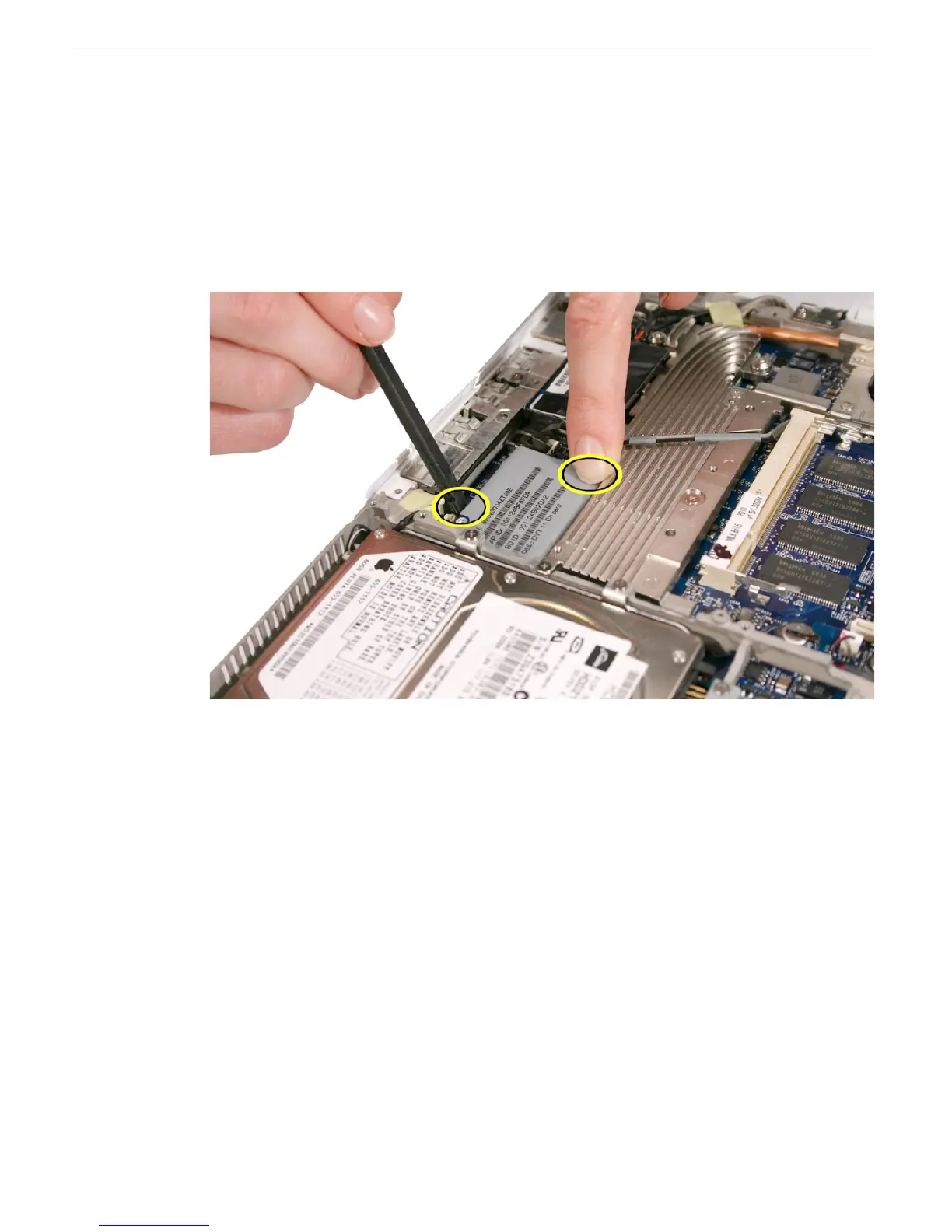
3. Caution: The card connector is delicate. Do not put pressure on the card, and do not
deviate from these instructions.
Important: To disconnect the card, press on the upper right corner of the card—only
where shown—as you use a black stick at the side of the card, near the card
connector, to slowly pop up the card. You should hear a soft "snap" when the card
disengages from the logic board. To avoid damaging the card, hold it by its edges,
and lift it straight up and off the connector on the logic board.
4. Peel up the tape, if present, that secures the antenna cables to the heatsink.



 To Next Page