7 -
iBook G4 (12-inch Mid 2005) Take Apart
Battery
3. Disconnect the power cord and any other cables connected to the computer.
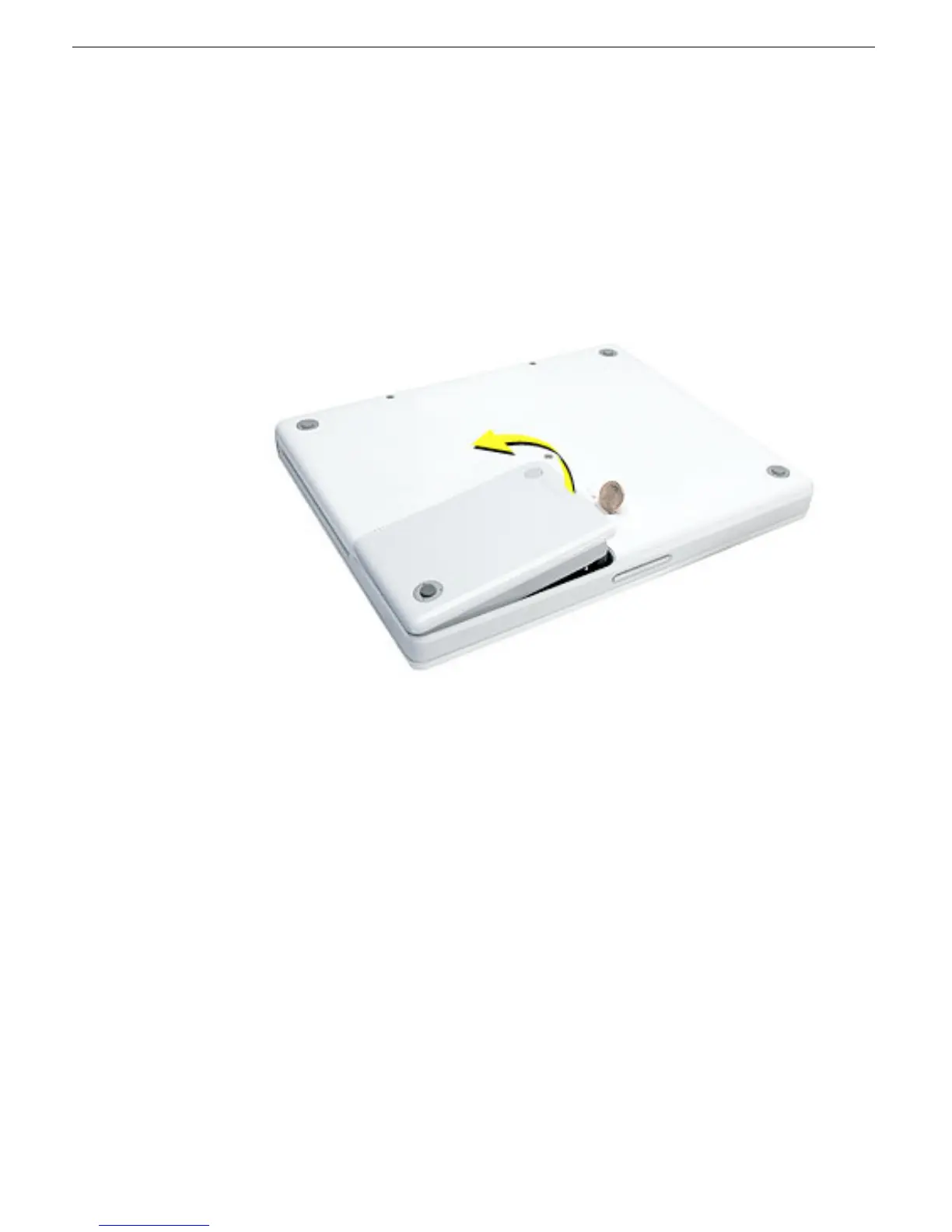
4. Close the computer, turn it over, and locate the battery latch.
Use a coin to turn the battery latch 1/4 turn clockwise to unlock the battery. Gently
remove the battery.
Removing the battery will prevent you from accidentally turning on the computer.
Warning: Removing the battery before shutting down the computer may result
in data loss.
5. Install the replacement battery.
6. Reconnect the power cord and any other cables that were connected and restart the
computer.
Note: You may need to reset the date and time (using the Date & Time control panel
in System Preferences).
Warning: Never turn on the computer unless all of its internal and external
parts are in place and it is fully reassembled. Operating the computer when it is
missing parts can damage the computer or cause injury.



 To Next Page