87 - iBook (14.1 LCD 16 VRAM) Take Apart
Antenna Board
3. Warning: When lifting the antenna board, be careful not to strain or pinch the
cables.
Replacement Note: The antenna board is held to the bezel assembly with double-
sided tape on each end of the board. Use new double-sided tape when installing the
replacement antenna board.
Use a black stick to pry up the antenna board, but do not remove it yet.
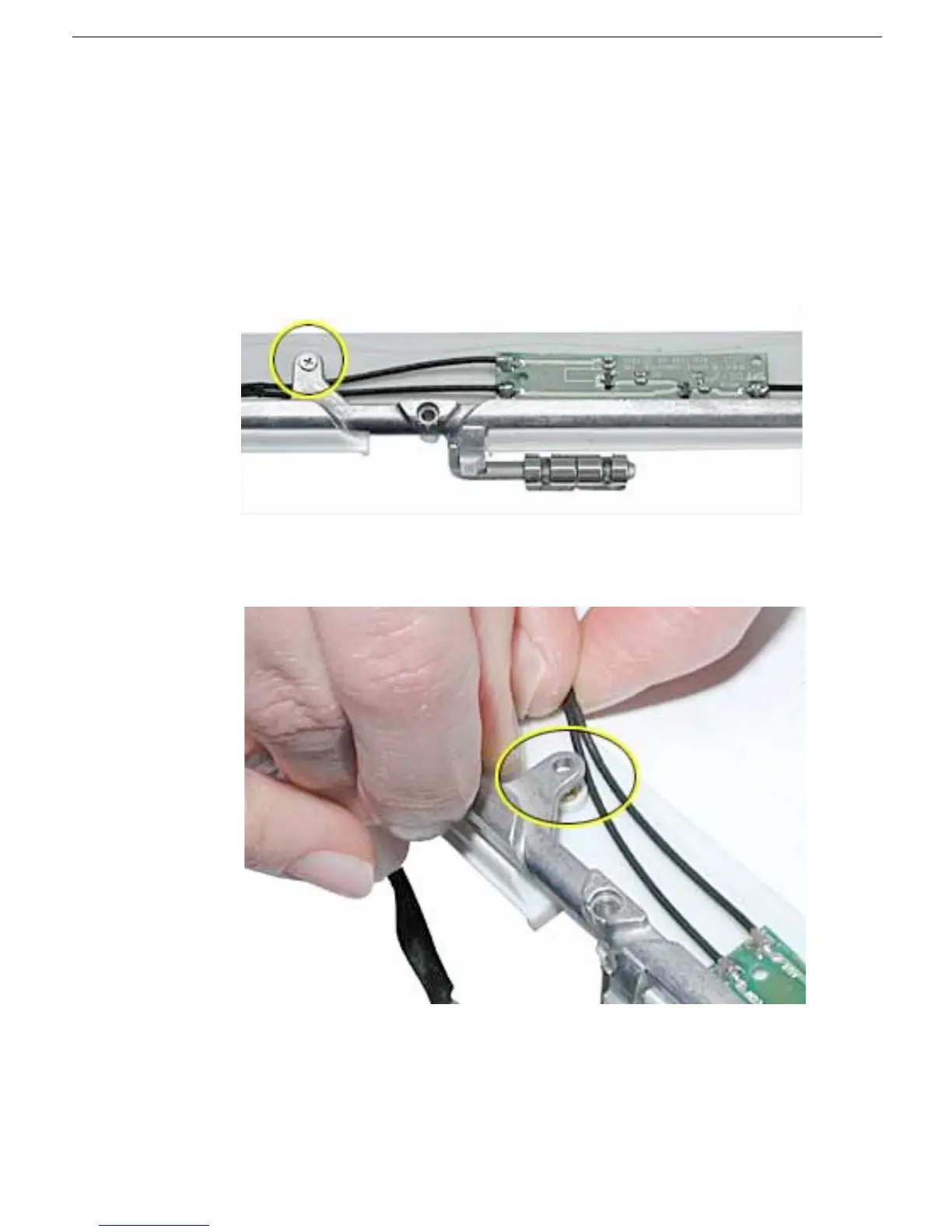
4. Remove the 4.5-mm long Phillips screw from the bezel brace.
5. Lift up the bezel brace and release the cables from under the brace.



 To Next Page