59 - iBook (14.1 LCD 16 VRAM) Take Apart
Optical Drive
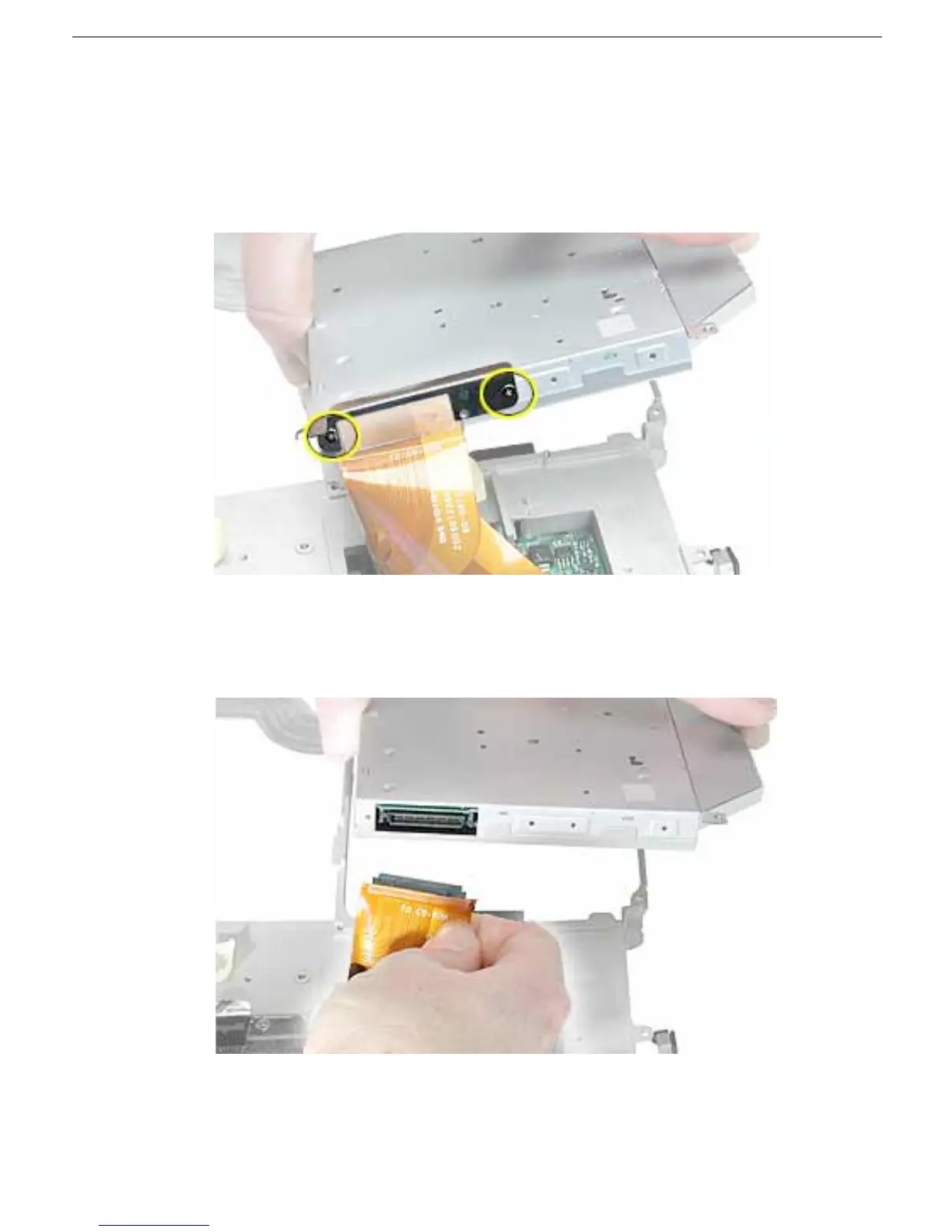
10. Remove the two screws holding the cable bracket to the optical drive.
11. Remove the cable bracket.
Note: When reassembling the computer, transfer the cable bracket to the
replacement drive.
12. Disconnect the flex cable.
Note: When reassembling the computer, transfer the flex cable to the replacement
drive. The connector is labeled "TO CD-ROM" on the flex cable.
13. Install the replacement optical drive, and reassemble and test the computer.
Note: When installing the replacement optical drive, press the bezel onto the drive
after the optical drive is installed in the computer.



 To Next Page