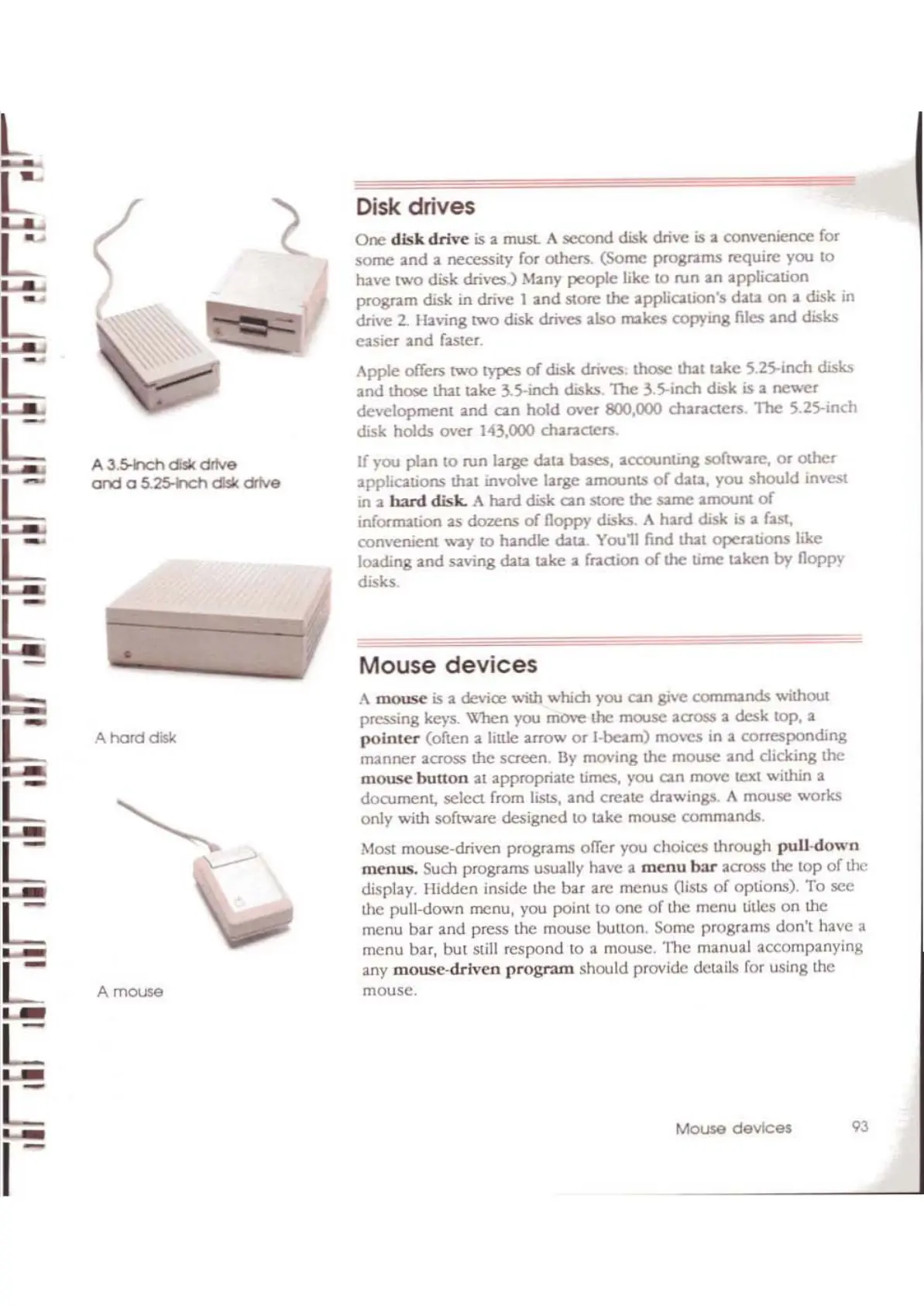
A
3.5-hch
d:sk
dftve
and
a
S.25-h:h
d:sk drive
•
A
hard
disk
A
m0U>8
Disk drives
One
disk
drive
is
a
mUSL
A
second
disk drive
is
a convenience for
some
and
a necessity for Olhers.
(Some
programs
require you
to
have
two
disk drives.) Many
people
like
to
ron
an
application
program
disk in drive 1
and
store
the application'S dau.
on
a disk in
drive
2.
Ilaving
two
disk drives also
rNkes
copying files
and
disks
easier
and
faster.
Apple
offCJS
two
types
of
disk dnvcs; those that
uke
5.25-inch disla.
and
those that u.ke 3.5-inch disks
1l\e
3.5-inch disk
is
a
f1C\"cr
development
and
can
hold
over
800,000 challlClers,
"The
5.25-inch
disk holds
over
143,000 characters.
If you plan
to
run large
cb.ta
bases,
accounting
software,
or
olhcr
applications that involve large
amounts
of
cb.u,
you
should
invest
in a
h:lnl
disk.
A hard disk can store the
same
amount
of
infor-mation as
dozens
of
floppy diSks. A
hard
disk is a fast,
convenient
way
10
handk::
cb.u.
You11
find that opellltions like
loading
and
saving cb.u.
uke
a fraction
of
the
time
ukcn
by
floppy
disks
.
Mouse
devices
A
mouse
is
a device wi\h which you can give
commands
wiihout
pressing keys.
When you move the ffiO.ISC across a
desk
lOp,
a
pointer
(often a
JjuJc
aITOW
or
I-beam) moves in a
corresponding
manner
across
the
screen.
By
moving the
mouse
and
clicking the
mouse
button
at appropriate times, you can move text within a
document,
select from lists,
and
create drawings. A mouse works
only with software
designed
to
uke
mouse
commands.
Most mouse-driven programs offer you choices
ihrough
pull-down
menus.
Such programs usually have a
menu
bar
across the
top
or
the
display.
llidden
inside the bar arc
menus
OislS
of
options).
To
sec
the pull-down menu, you point
10
onc
of
the menu titles
on
the
menu
bar
and
press the mouse button. Some programs
don't
have a
menu bar,
but
still
respond
10
a mouse.
'lhc
manual accompanying
any
mousc-drlven
program
should provide details ror using the
mouse.
Mouse devices
93



 To Next Page