Sening
up
your
l\pplcCKlne
is
lhe
first
step toward working with and
enjoying your computcr. Whcther your tasks include a major
corporate budgct
or
a
ICllcr
home, you'll find that the Apple
lIc
and
some
good
computer programs make work and study easier and
more productive. You don't have to wait until you've "mastered"
your computcr to cnjoy
il.
You can start enjoying
it
now, as you
acquaint yourself with thc computer's parts and
how
they work
togethcr.
If you've never used a computer before, don't worry;
setup
is not
difficult. Just follow the step-by-step instructions in this chapter.
The chapter shows
)'ou how to plug in your Apple lie and connect
lhc monitor and gives you guidelines for installing
peripheral
devices.
Periphcral devices (also called simply peripherals
or
devices) include disk drives, printers,
modems-any
piece
of
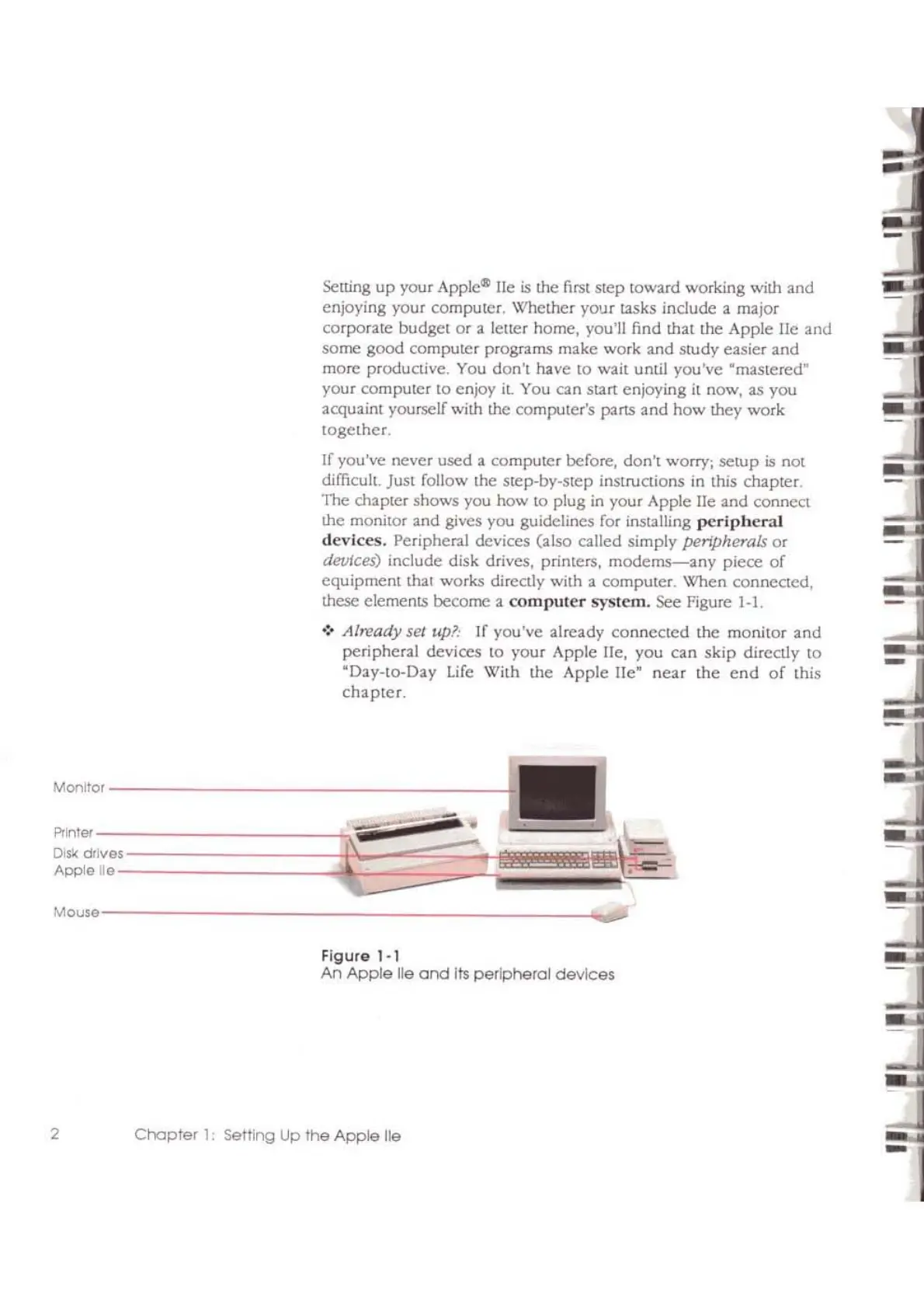
equipment that works directly with a computer. When connected,
these elements become a
compuler
system.
See Figure
1-1
.
•:.
Already
sel
Itp.~·
If you've already
connected
the monitor
and
peripheral devices to your Apple lie, you
can
skip
directly to
"Day-to-Day
Life
With the Apple lie"
near
the
end
of
this
chapler.
Figure
1·1
An
Apple
lie
and
Its
peripheral devices
Chapter
1:
Se1tirlQ
Up
the
Apple
lie
Monitor
----------------------1
Mouse-------
~'
...
~
..
..
2



 To Next Page