Slots
and
devices
9
Slots
ond
devices
The purpose
of
this section
is
to help you determine which interface
cards
go
in which slots. Some devices don't work
when
connected to
a wrong slot.
Begin by determining me position ror your disk drive
controller
cud(s).
Once
that's done, you
can
simply
check
your
device manual(s) for recommended slots.
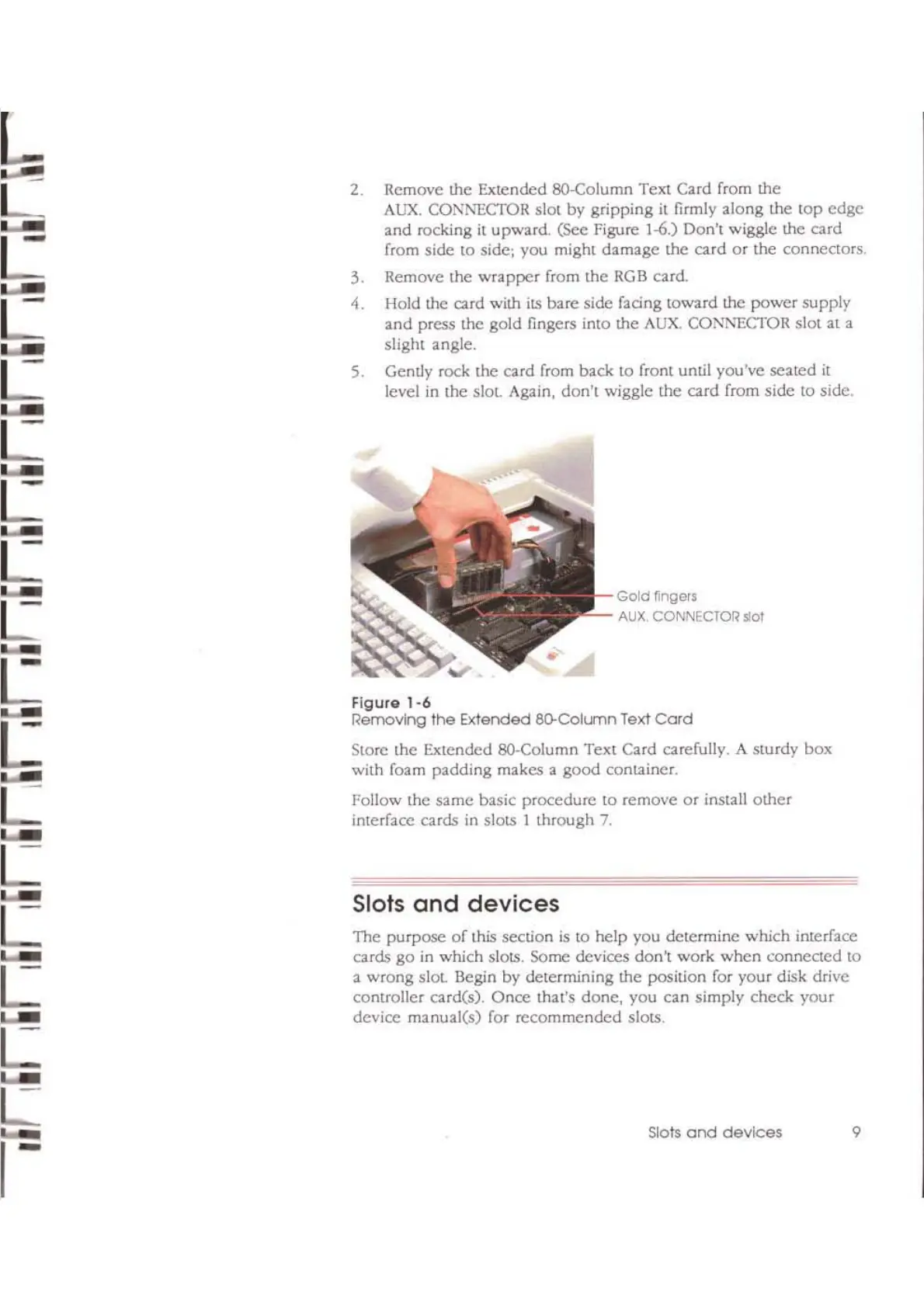
Gold
Mgers
AUX
CONNECTOR slot
Figure
1-6
Removing
the
Extended ao-CollrTln Text
Card
Store the Extended 8O-Column Text Card cardully. A sturdy box
with foam padding makes a
good
container.
Follow the
same
basic procedure to remove
or
install
other
interface cards in slots I through 7.
2. Remove the Extended 8O-Column Text Card from the
AUX.
CONl\'ECTOR slot by gripping
it
firmly along me top
edge
and rocking
il
upward.
(SCe
Figure 1-6.) Don't wiggle !he card
rrom side to side; you might damage me
card
or
the conneClors.
3. Remove the wrapper rrom the
RGB
card.
-1.
Hold the card wim its bare side
fadng
toward the power supply
and press the gold fingers into me AUX. COi\'1\'ECTOR slot at a
slight angle.
5.
Gently rock the card rrom back to front until you've seated
it
level
in
the
sial
Again, don't wiggle the card from side to side.



 To Next Page