The
AUX.
CONNECTOIl
slol
The
AUK
COi\'I\'ECTOR slot
is
reserved for video
and
RAM
cards,
like the
Extended SO·Column Text Card.
(AUX.
is
an abbreviation
for auxiliary.)
If
you buy an
RGB
color monitor and card, replace
the Extended SO-Column Text Card with the RGB card.
Werning
NevEl!"
p10ee a
cord
designed
for
slots
1 through 71n
the
AUX.
CONNECTOR slot.
Doing
so
could
damage
the
card
and
the
slot. The
AUX.
CONNECTOR
slot
has
a different
length
than
slots
l1hrough
7.
Installing
interface
cards
Once
you have assigned a slot to
each
interface card, install the
cards, beginning with the highest-numbered slot
and
working
downward. (This order
seems to leave the most room
when
you're
installing the last cards.)
The normal sequence
of
steps when installing an interface card
is
I.
Scleclthe
opening
of
the appropriate size nearest the slot.
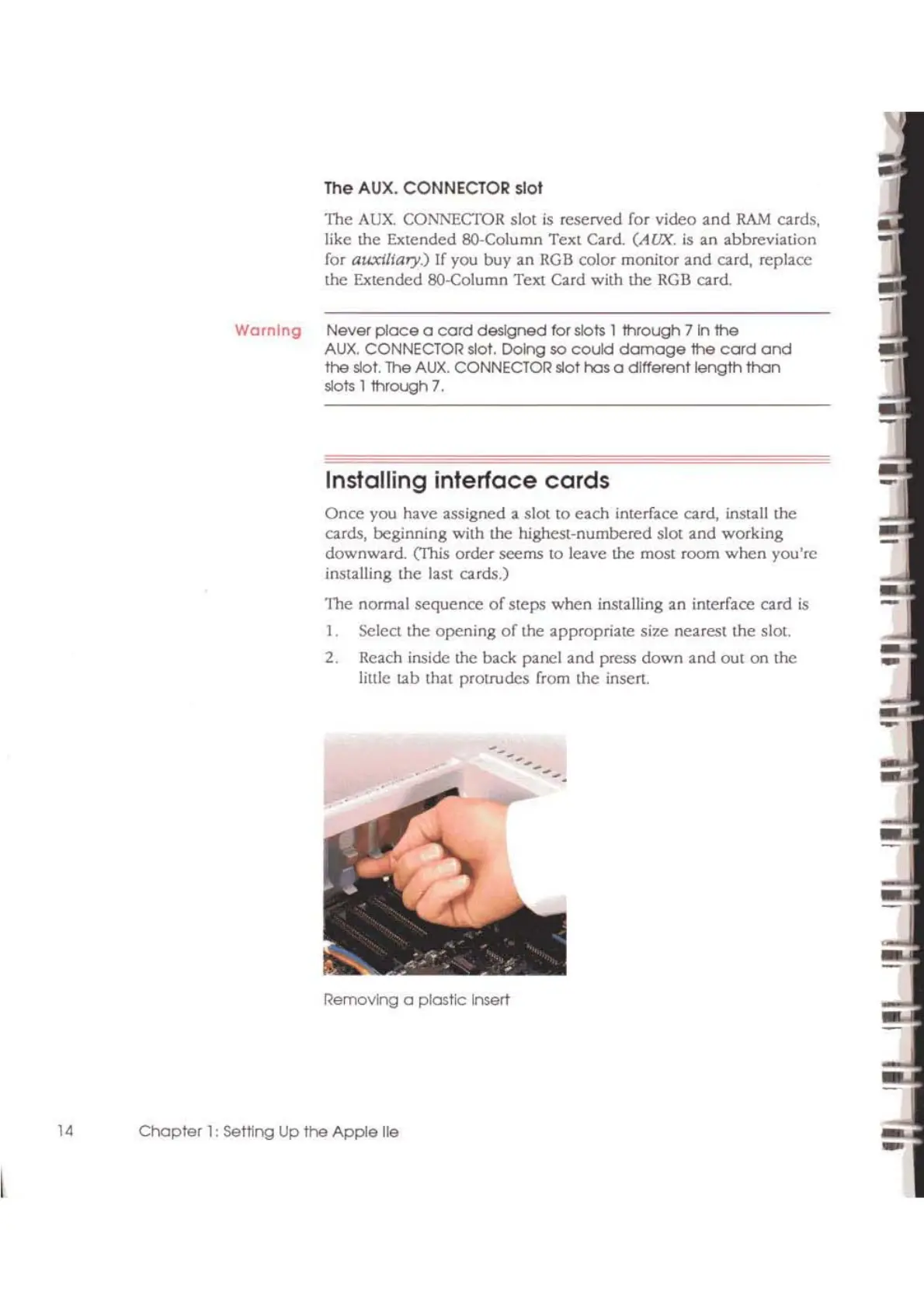
2. Reach inside the back panel and press down
and
out
on
the
little tab that protrudes from the inscrt.
Removing a plastic insert
14
Chapter
1:
settlng
Up
the
Apple lie



 To Next Page