EasyManua.ls Logo

Apple IIe - Page 180

Apple IIe
320 pages
Print Icon
To Next Page IconTo Next Page
To Previous Page IconTo Previous Page
Loading...
180
Apple
lie
Users
Handbook
Never
touch
the
actual exposed surface
(brown
or
grey)
of
the
diskette.
Handle
only
the
diskette's black plastic
cover
. A
scratch,
fingerprint,
dirt,
or
grease
mark
can cause a loss
of
data.
Inserting
and Removing a Diskette
Before
a
diskette
can
be
inserted,
the
drive
door
must
be
opened
. This
is
accomplished
by
gently
pulling
outward
on
the
drive
door
lever.
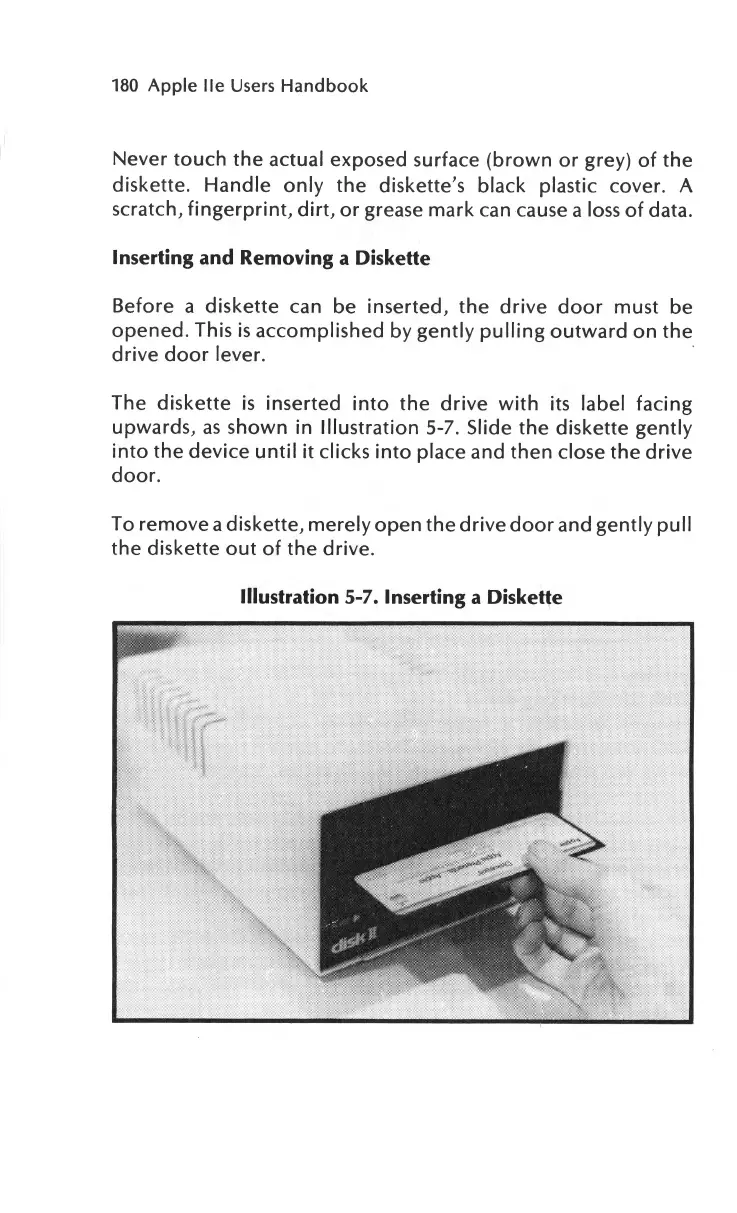
The
diskette
is
inserted
into
the
drive
with
its label
facing
upwards,
as
shown
in
Illustration
5-7. Slide
the
diskette
gently
into
the
device
until
it
clicks
into
place and
then
close
the
drive
door.
To
remove
a diskette,
merely
open
the
drive
door
and
gently
pull
the
diskette
out
of
the
drive
.
Illustration
5-7.
Inserting
a Diskette

Other manuals for Apple IIe

Related product manuals