EasyManua.ls Logo

Apple IIe - Page 227

Apple IIe
320 pages
Print Icon
To Next Page IconTo Next Page
To Previous Page IconTo Previous Page
Loading...
Apple
lie
Graphics
227
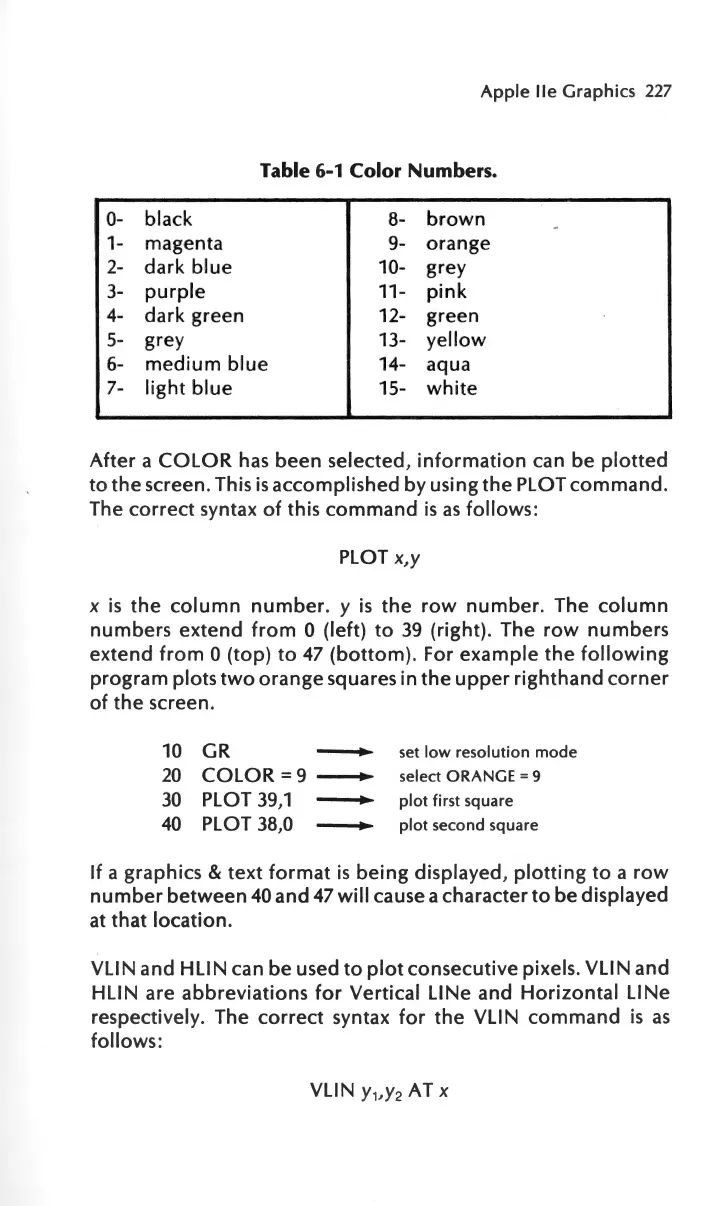
Table 6-1 Color Numbers.
0-
black
8-
brown
1-
magenta
9-
orange
2-
dark
blue
10-
grey
3-
purple
11
-
pink
4-
dark
green
12-
green
5-
gre
y 13-
yellow
6-
medium
blue
14-
aqua
7-
light
blue
15-
white
After
a
COLOR
has
been
selected
,
information
can
be
plotted
to
the
screen. This
is
accomplished
by
using
the
PLOT
command.
The
correct
syntax
of
this
command
is
as
follows
:
PLOT
x,y
x
is
the
column
number.
y
is
the
row
number
. The
column
numbers
extend
from
0 (left)
to
39
(right)
.
The
row
numbers
extend
from
0
(top)
to
47
(bottom).
For
example
the
following
program
plots
two
orange
squares
in
the
upper
righthand
corner
of
the
screen.
10 GR
-
set
low
resolution
mode
20
COLOR
=9
-
select ORANGE = 9
30
PLOT
39,1
-
plot
first square
40
PLOT 38,0
-
plot
second square
If
a
graphics
&
text
format
is
being
displayed,
plotting
to
a
row
number
between
40
and
47
will
cause a
character
to
be
displayed
at
that
location.
VLIN
and
HLIN
can
be
used
to
plot
consecutive
pixels.
VLIN
and
HLIN
are
abbreviations
for
Vertical
LINe
and
Horizontal
LINe
respectively. The
correct
syntax
for
the
VLIN
command
is
as
follows
:
VLIN
y,,y
2
AT x

Other manuals for Apple IIe

Related product manuals