EasyManua.ls Logo

Apple IIe - Page 230

Apple IIe
320 pages
Print Icon
To Next Page IconTo Next Page
To Previous Page IconTo Previous Page
Loading...
230
Apple
lie
Users
Handbook
Line 10 clears
the
screen
and
enables
low
resolution
graphics.
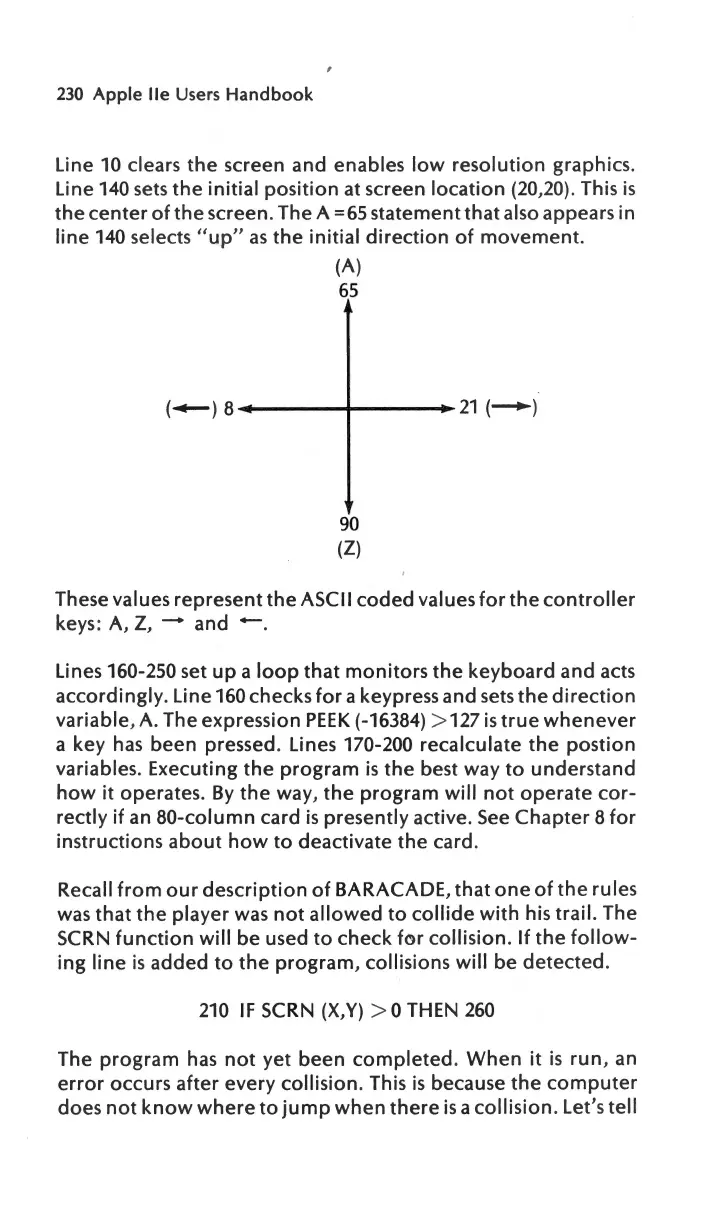
Line 140 sets
the
initial
position
at screen
location
(20
,
20
).
This
is
the
center
of
the
screen. The A =65
statement
that
also appears in
line
140 selects "
up
"
as
the
initial
direction
of
movement
.
(A)
65
90
(Z)
These values
represent
the
ASCII
coded
values
for
the
controller
keys: A, Z, - and
-.
Lines 160-250 set
up
a
loop
that
monitors
the
keyboard
and acts
accordingly.
Line 160 checks
for
a keypress and sets
the
direction
variable,
A. The expression
PEEK
(-16384) > 127
is
true
whenever
a key
has
been
pressed. Lines 170-200
recalculate
the
postion
variables. Executing
the
program
is
the
best way
to
understand
how
it
operates.
By
the
way,
the
program
will
not
operate
cor-
rectly
if an
80-column
card
is
presently
active.
See
Chapter
8
for
instructions
about
how
to
deactivate
the
card.
Recall
from
our
description
of
BARACADE,
that
one
of
the
rules
was
that
the
player
was
not
allowed
to
collide
with
his
trail.
The
SCRN
function
will
be
used
to
check
for
collision
.
If
the
follow-
ing
line
is
added
to
the
program,
collisions
will
be
detected.
210
IF
SCRN (X,Y) > 0 THEN
260
The
program
has
not
yet
been
completed
.
When
it
is
run,
an
error
occurs
after
every
collision.
This
is
because
the
computer
does
not
know
where
to
jump
when
there
is
a
collision.
Let
's
tell

Other manuals for Apple IIe

Related product manuals