EasyManua.ls Logo

Apple IIe - Page 254

Apple IIe
320 pages
Print Icon
To Next Page IconTo Next Page
To Previous Page IconTo Previous Page
Loading...
254
Apple
I
le
Users
Handboo
k
The
computer
cannot
be made
to
do
useful
work
unless
it
can
be
given
instructions.
This
is
done
by
changing
the
contents
of
memory.
To exte
nd
the
metaphor
a
bit
further,
(since)
the
Apple
lie
is
a
half-finished
canvas,
it
can
understand
BASIC
commands,
store
copies
of
programs
on
disk and
perform
numerous
other
input
and
output
functions
.
However,
if
one
just
randomly
dabbed
his
paint
brush
around
the
computer's
memory,
a
nicely
started
painting
could
be
ruined.
There are a
few
places
not
to
play
around.
The most
important
of
these is
page-zero
. Page-zero
is
where
BASIC and DOS store
important
variables
about
themselves. For
example
,
the
location
of
the
BASIC
program
is
stored
in
page-zero.
If
page-zero
must
be accessed (usually because
of
the
6502's
indirect
addressing
techniques), locations
F9
to
FD
can always be used safely.
Keeping
this
cautionary
note
in
mind,
here
is
how
to
change
the
contents
of
memory.
First,
open
the
location
to
be changed.
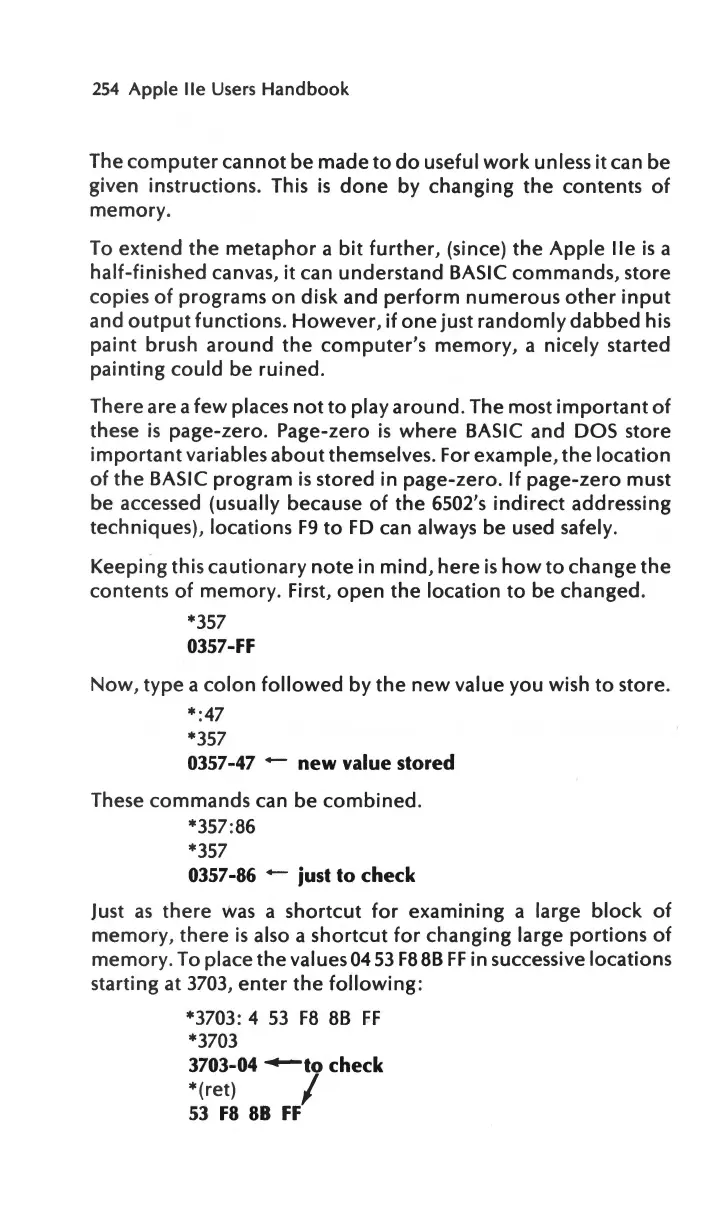
*357
0357-FF
Now,
type
a
colon
followed
by
the
new
value
you
wish
to
store.
*:
47
*357
0357-47 - new value stored
These
commands
can be
combined.
*357:86
*357
0357-86 - just
to
check
Just
as
there
Was
a
shortcut
for
examining
a large
block
of
memory
,
there
is
also a
shortcut
for
changing
large
portions
of
memory.
To place
the
values
04
53
F88B
FF
in successive locations
starting at
3703
,
enter
the
following:
*3703: 4
53
F8
8B
FF
*3703
3703-04
-to
check
*(ret) /
53
F8
88
FF

Other manuals for Apple IIe

Related product manuals