3 | P a g e
Open the Smart Cover to wake up the iPad. Connect the Dock Connection cable to the bottom of the iPad and plug the
USB connection into your computer.
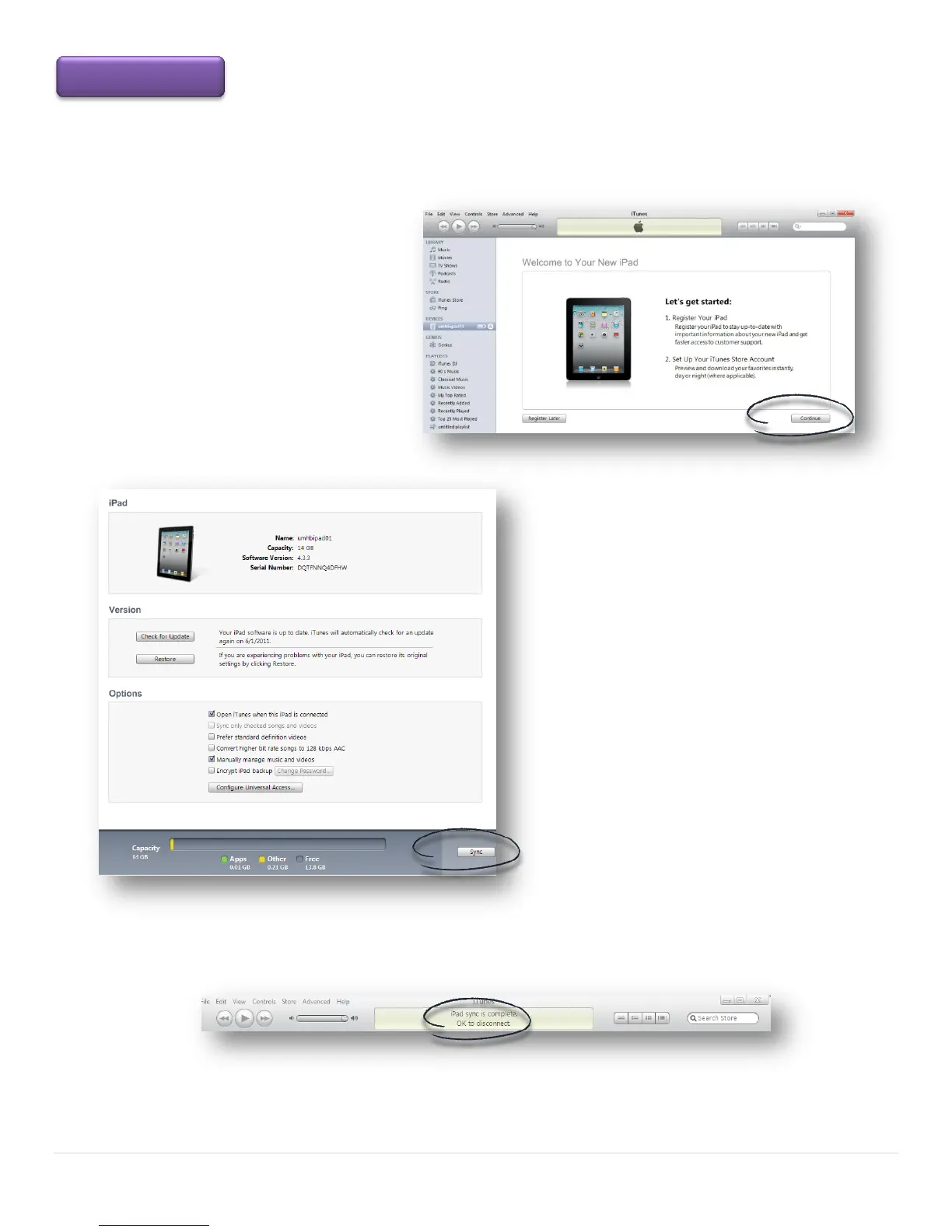
Your computer will recognize the Apple
Mobile Device Driver. The ITunes page
opens. The Let’s get started window
will appear the first time you connect
to a new computer. Click the Continue
button.
This page displays the iPad Name, additional
user Options and the Restore button. When
ready, click the Sync button located at the
bottom right corner or the page
The iPad will display Sync in Progress for only a few seconds and iTunes displays the status on the computer.



 To Next Page