5 | P a g e
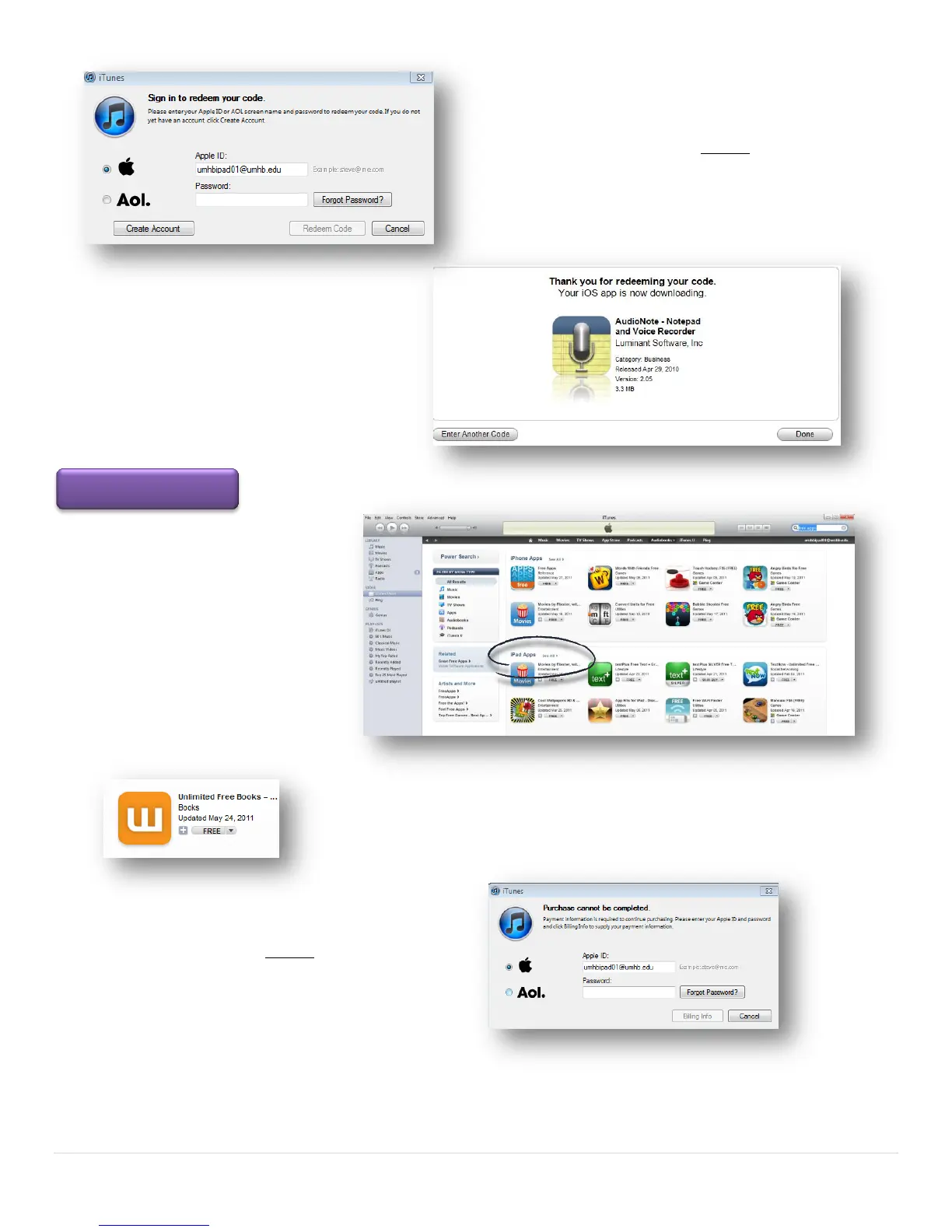
You will be asked to enter your password.
The password is Umhb1845 (exactly the way you see it
here unless you changed the password).
Click the Redeem Code button
On the next page click the Done or Enter
Another Code button.
On the iTunes page, go to the Apps
Tab/iPad and search free apps.
On the iPad Apps section choose see
all.
Most of the apps on this page are free. Click on the Free button. The app will
download.
You may be asked to enter your password
The password is Umhb1845 (exactly the
way you see it here unless you changed the password).
Now you are ready to begin transferring the paid or free apps to your iPad.



 To Next Page