6 | P a g e
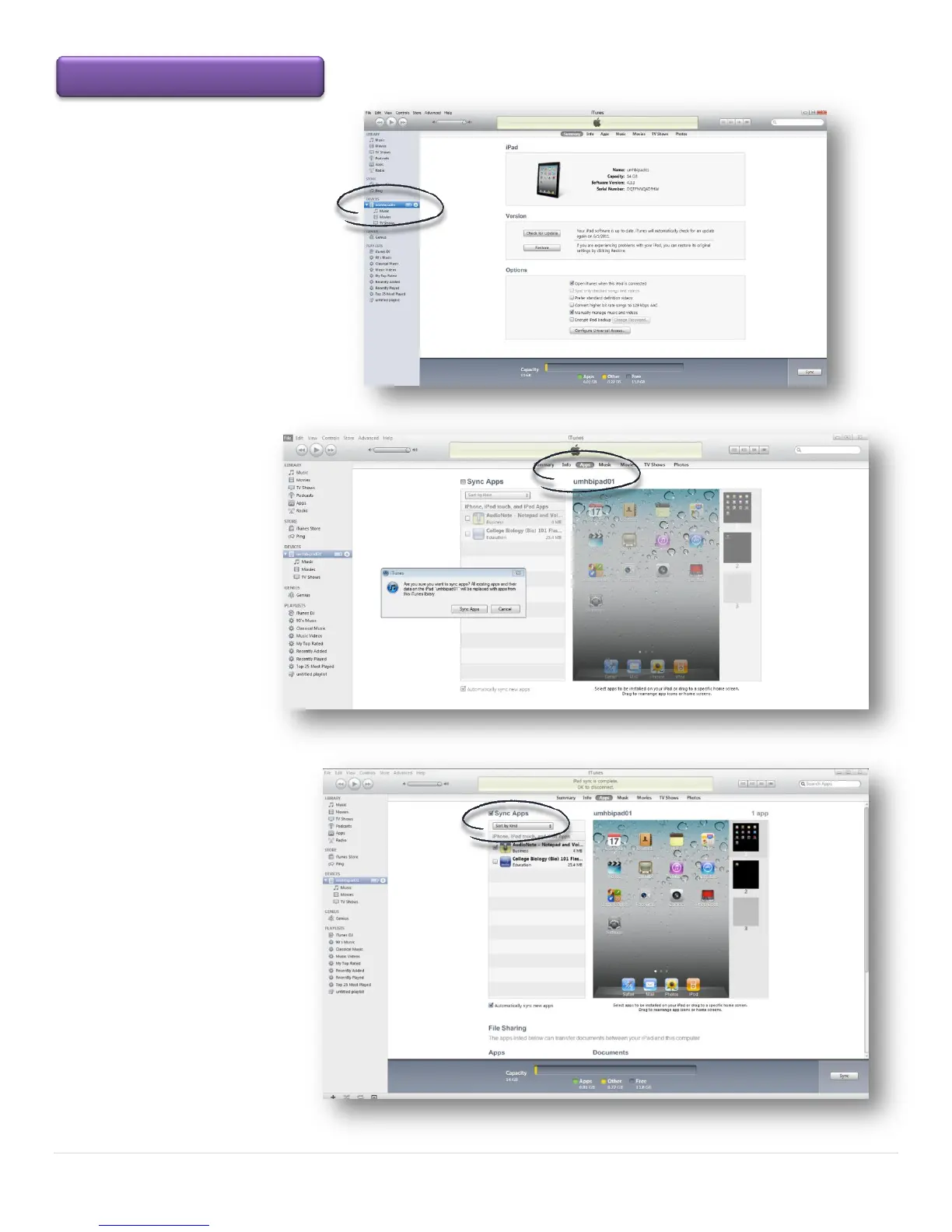
Select your iPad from the sidebar on
the iTunes page
Click on the Apps tab on
the iTunes page.
Check Sync Apps and all Apps
that apply. Click on the Apply
button. In a few seconds you will
see the status bar indicating the
sync is complete. The new App
Icon will appear on your iPad
Transferring Apps to the iPad



 To Next Page