Transferring Songs, Videos, and Other Stuff to Your iPad
|
125
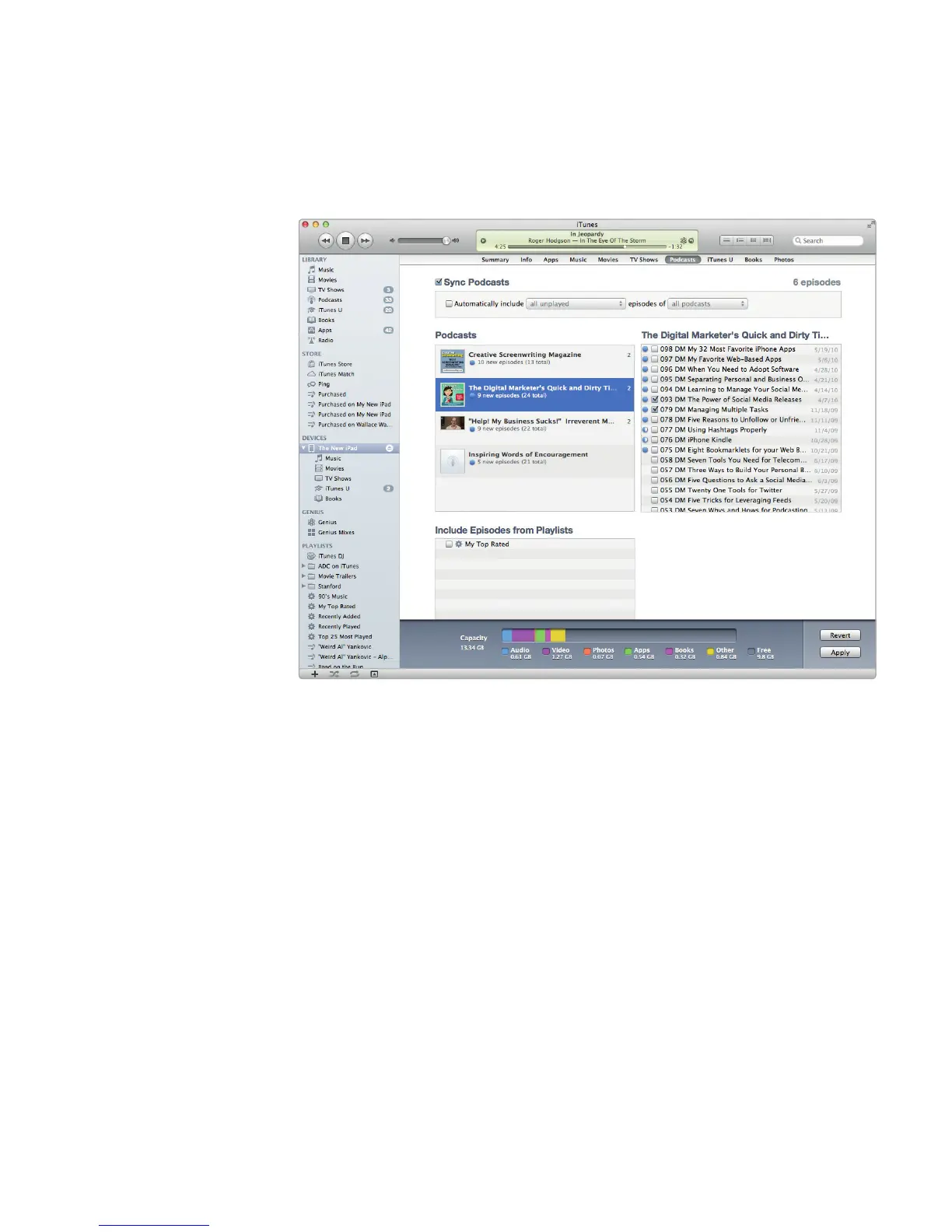
To synchronize podcasts with your iPad, follow these steps:
1. Connect your iPad to your computer with the USB cable, and run the iTunes
program on your computer.
2. Choose your iPad in the sidebar, and then click the Podcasts tab. The Pod-
casts screen appears, as shown in Figure 16-2.
3. Check (or uncheck) the Sync Podcasts checkbox. If you uncheck the Sync
Podcasts checkbox, you won’t be able to choose any other options. If you
check the Sync Podcasts checkbox, you’ll be able to select which podcasts
and which episodes to transfer.
4. (Optional) Check the Automatically include checkbox, and select an option
in the pop-up menu to choose the podcasts to transfer, such as all unplayed
podcasts or the most recent podcasts. Then select an option in the episodes
of pop-up menu to transfer all podcasts or selected podcasts. If the Auto-
matically include checkbox is unchecked, you can click each podcast and
individually select episodes from each podcast.
5. (Optional) Click Sync to start transferring your selected podcasts to youriPad.
FIGURE 16-2: The Podcasts tab lists all stored podcasts available on
your computer.



 To Next Page