178
|
Chapter 21
Setting Up FaceTime
Perhaps one of the more practical uses for the iPad’s cameras is to chat with some-
one through a videoconference using FaceTime. To use FaceTime, both you and
the other person need an iPad, iPhone, iPod touch, or a Mac with a webcam, and
Wi-Fi access.
To call someone who has an iPhone, you simply need that person’s iPhone
number. To call someone who has an iPad, iPod touch, or Mac, you need to use
that person’s email address, which they have assigned as their FaceTime ID.
Before you can make a FaceTime call, you must assign an email address
to your iPad’s FaceTime account. When you set up your iPad, you likely chose an
email address that FaceTime will use automatically. This is your Apple ID, which
you also use for purchases in the iTunes store. However, you can define additional
email addresses by following these steps:
1. From the Home screen, tap Settings. The Settings screen appears. (If you
start FaceTime without setting up an account, you’ll be prompted to enter an
existing Apple ID.)
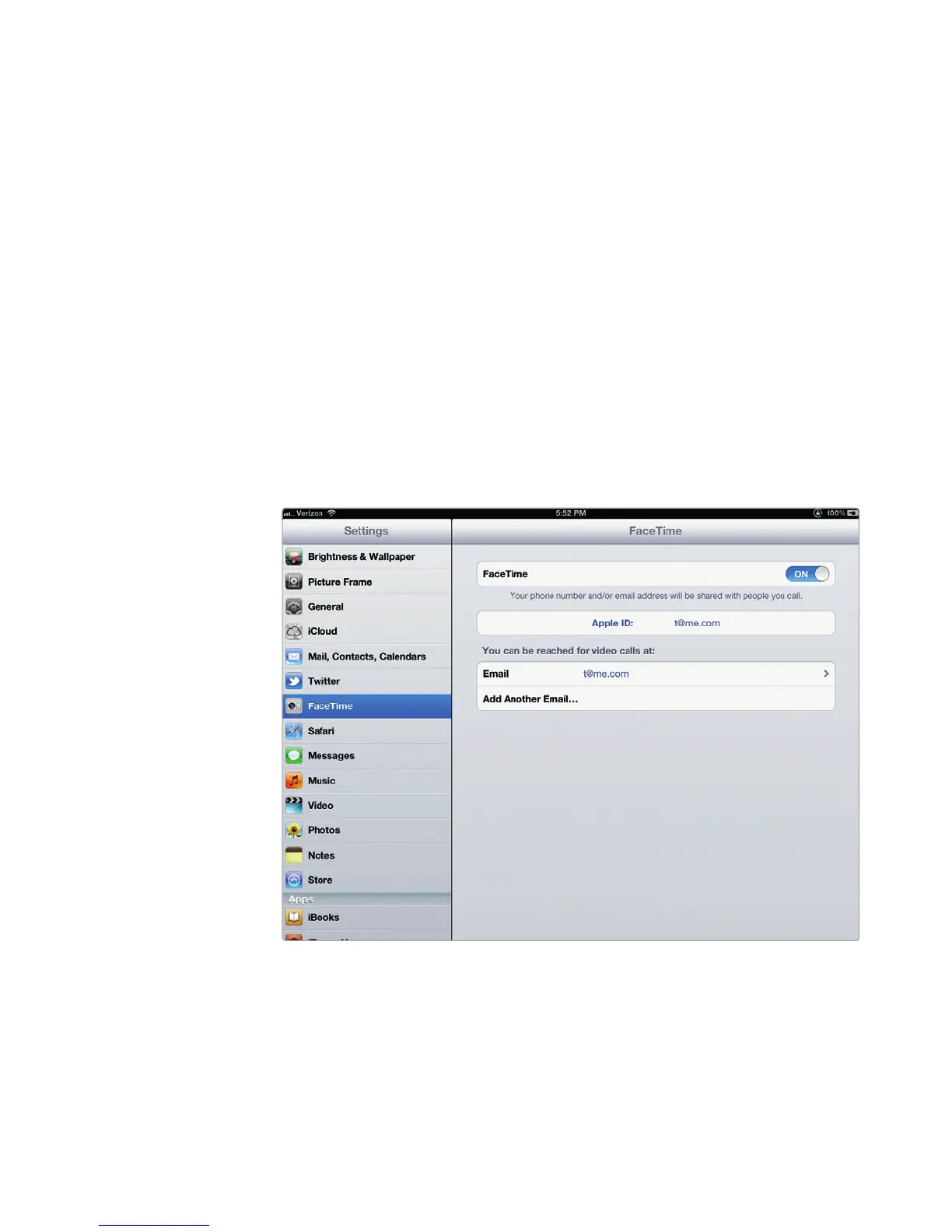
2. Tap FaceTime. The FaceTime settings screen appears, as shown in Figure 21-4.
3. Tap Add Another Email. Another Email field appears.
4. (Optional) Type another email address someone can use to contact you
through FaceTime.
FIGURE 21-4: The FaceTime settings screen



 To Next Page