14
|
Chapter 2
Dimming Screen Brightness
The iPad needs power to run its display, so the dimmer you keep your screen, the
less power you’ll consume. To adjust the screen brightness:
1. From the Home screen, tap Settings. The Settings screen appears.
2. Tap Brightness & Wallpaper. The Brightness & Wallpaper settings screen
appears, as shown in Figure 2-6.
3. Drag the Brightness slider to the left to make the screen dimmer.
Turning Off Bluetooth
Bluetooth is primarily used to connect an iPad wirelessly to a headset or keyboard.
If you don’t use Bluetooth devices such as an external keyboard, turning off Blue-
tooth can save power and increase your iPad’s battery life. To turn off Bluetooth,
follow these steps:
1. From the Home screen, tap Settings. The Settings screen appears.
2. Tap General. The General settings screen appears.
3. Tap Bluetooth. The Bluetooth settings screen appears.
4. Tap the Bluetooth on/off switch to change it to read OFF.
5. Press the Home button to return to the Home screen.
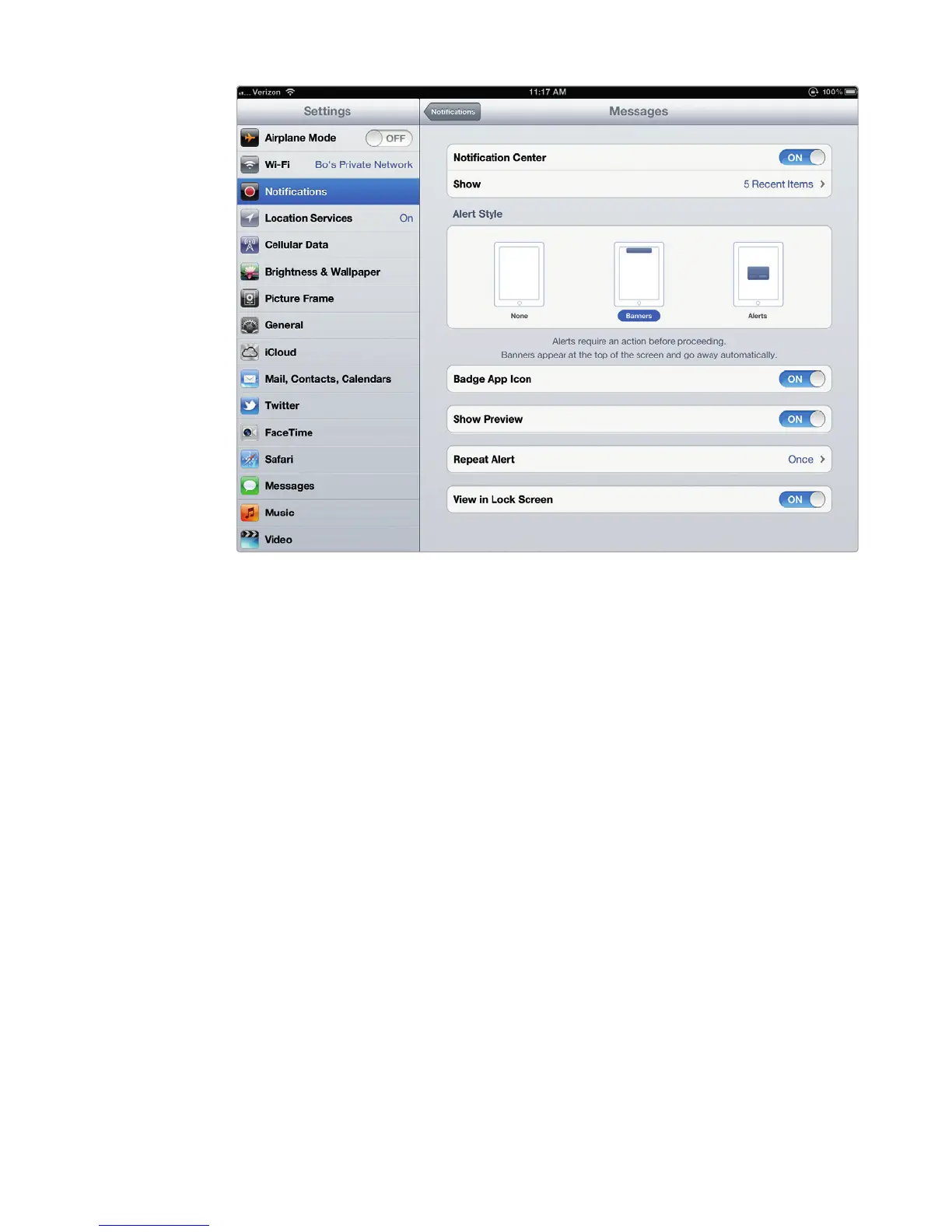
FIGURE 2-5: You can define how notifications appear within each app.



 To Next Page