iPad General Troubleshooting — Visual Mechanical Inspection 29
2010-04-30
Liquid Damage
The iPad warranty excludes coverage for damage caused by liquid. To help determine if an iPad
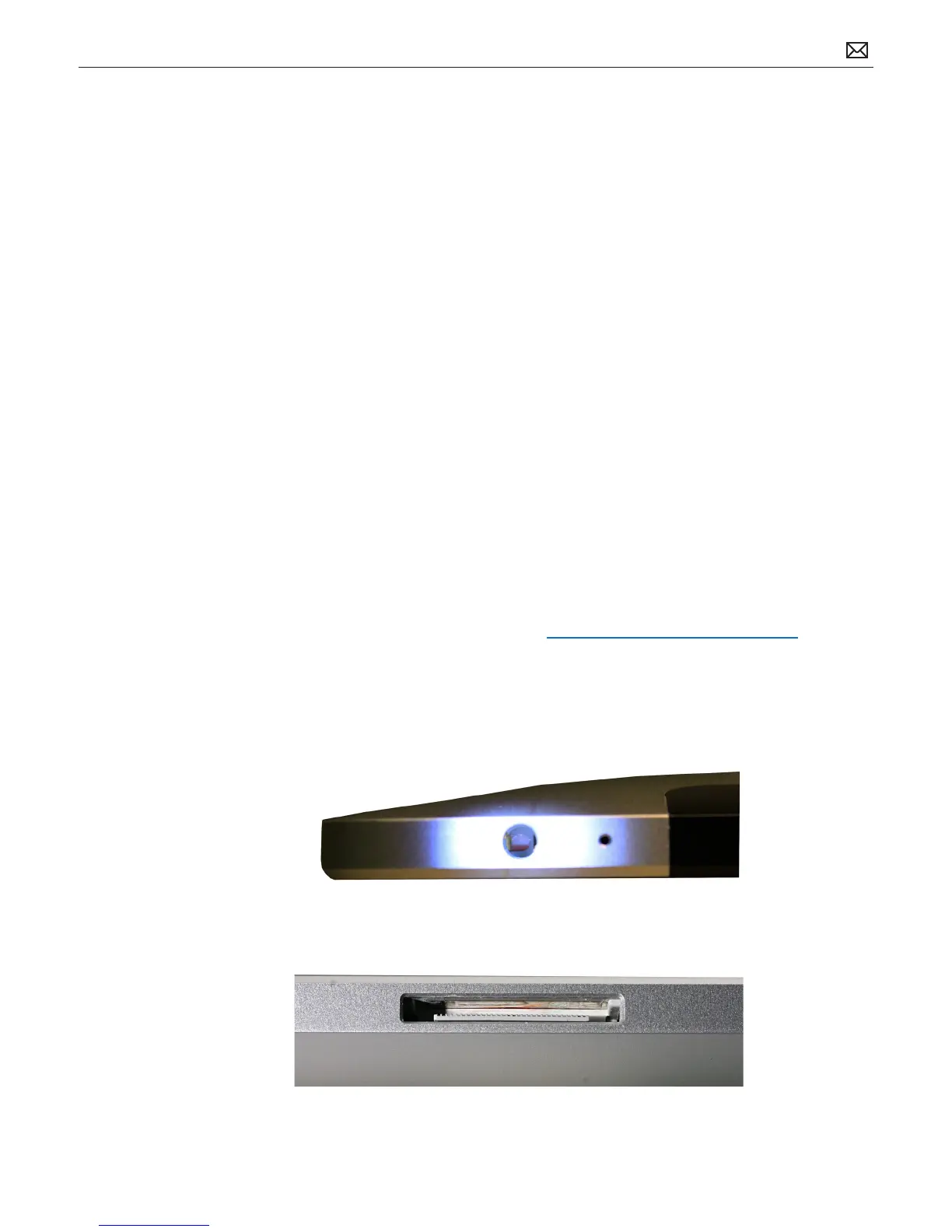
has been in contact with liquid, two liquid contact indicators (LCIs) are installed on the iPad at
the following locations:
• At the bottom of the headphone jack
• In the 30-pin connector port (requires holding the product at a 45 degree angle to view)
Use a lighted otoscope to look into the headphone jack and 30-pin connector slot for activated
LCIs. They turn red on contact with liquid.
If an LCI is activated, follow these guidelines:
• Ask the customer whether the product has been in contact with liquid, and if so, did the
issue with the product occur at or soon after that event. If the customer conrms that the
issue correlates with the product being in contact with liquid, explain that failure caused by
liquid contact is not covered under Apple’s one-year limited warranty—or, if applicable, the
AppleCare Protection Plan (APP)—and deny coverage.
• If there is clear evidence that the internal components of the product have been in contact
with liquid, for example the product is dripping with liquid or there is evidence of liquid or
liquid residue behind the product display, deny coverage.
• Claims that are eligible for warranty or APP coverage, and have not been denied as
described in the above situations, should be processed as normal.
Note: An iPad with an issue caused by liquid contact is not eligible for OOW paid service.
Refer to “About Liquid Damage and iPad” at http://support.apple.com/kb/HT4086.
Activated LCI Images
You may need to use an otoscope, magnifying loupe, and bright light to view the LCI at the
bottom of the audio jack. In the image below, the LCI has turned red, indicating liquid contact.
The LCIs on the 30-pin port appear along the top of the port. Look for a red or pinkish color.



 To Next Page