the built-in speaker, even when iPhone is in silent mode. In some areas, the sound effects
for Camera and Voice Memos are played, even if the Ring/Silent switch is set to silent.
For information about changing sound and vibration settings, see .
Use Do Not Disturb. You can also silence calls, alerts, and notifications using Do Not
Disturb. Swipe up from the bottom edge of the screen to open Control Center, then tap .
See .
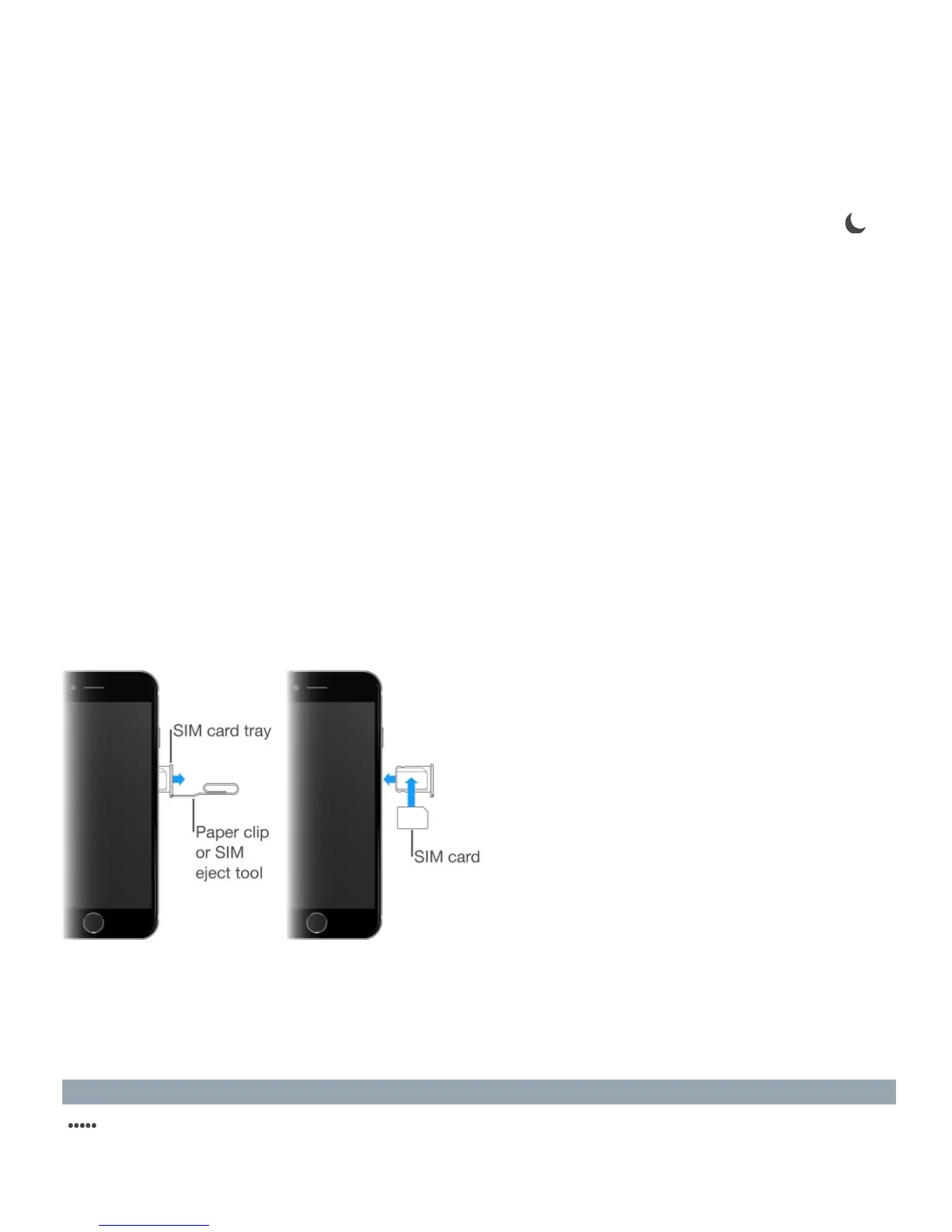
SIM card
If you were given a SIM card to install, install it before setting up iPhone.
Important: A Micro-SIM card (iPhone 4s) or a Nano-SIM card (iPhone 5 and later) is
required to use cellular services when connecting to GSM networks and some CDMA
networks. iPhone that’s been activated on a CDMA wireless network may also use a SIM
card for connecting to a GSM network, primarily for international roaming. Your iPhone is
subject to your wireless service provider’s policies, which may include restrictions on
switching service providers and roaming, even after conclusion of any required minimum
service contract. Contact your wireless service provider for more details. Availability of
cellular capabilities depends on the wireless network.
Status icons
The icons in the status bar at the top of the screen give information about iPhone:
Status icon What it means
Cell signal
You’re in range of the cellular network and can make
and receive calls. If there’s no signal, “No service”
appears.



 To Next Page