16 Chapter 2 Lesson 2: Transferring Music to iPod mini
2 Plug the power adapter in to a working electrical outlet for at least two hours.
If you have a Macintosh, you can also charge the iPod mini battery by connecting
iPod mini to your computer (see below). If you have a Windows PC, in most cases you
can charge the iPod mini battery by connecting iPod mini to your computer. If the
battery is charging, the battery icon on the iPod mini screen animates.
Rechargeable batteries have a limited number of charge cycles and may eventually
need to be replaced. Battery life and number of charge cycles vary by use and settings.
For more information, go to www.apple.com/batteries.
Connecting iPod mini to Your Computer
You connect iPod mini to your computer to transfer music to iPod mini and organize
music on iPod mini.
To connect iPod mini to your computer:
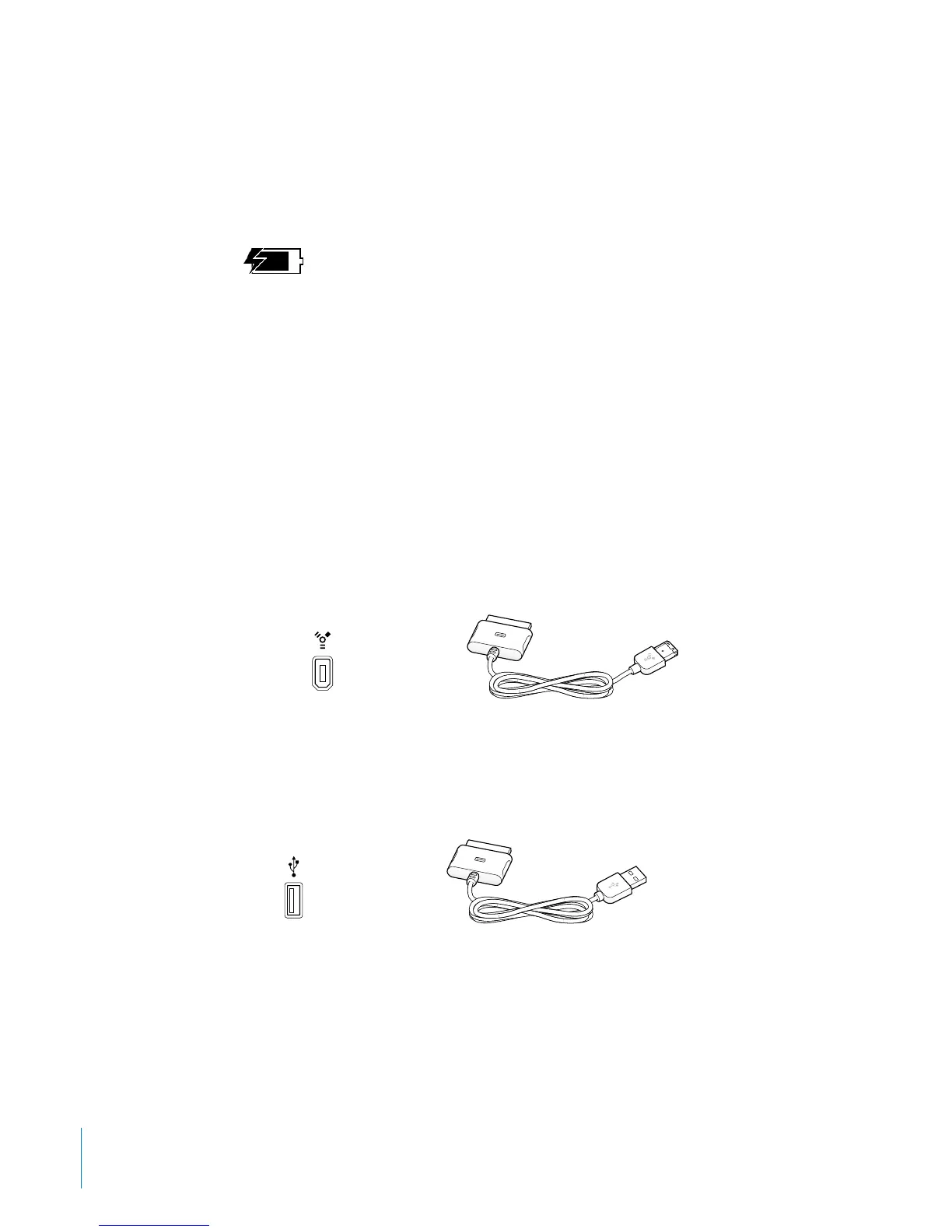
1 Determine which cable to use to connect iPod mini to your computer.
• If your computer has a 6-pin FireWire port, you can use the iPod Dock Connector to
FireWire Cable.
Note: All iPod-compatible Macintosh computers can use this cable.
• If your computer has a high-power USB 2.0 port, you can use the iPod Dock Connector
to USB 2.0 Cable.
Battery charging
6-pin FireWire 400 port iPod Dock Connector to FireWire Cable
iPod Dock Connector to USB 2.0 Cable
USB 2.0 port



 To Next Page