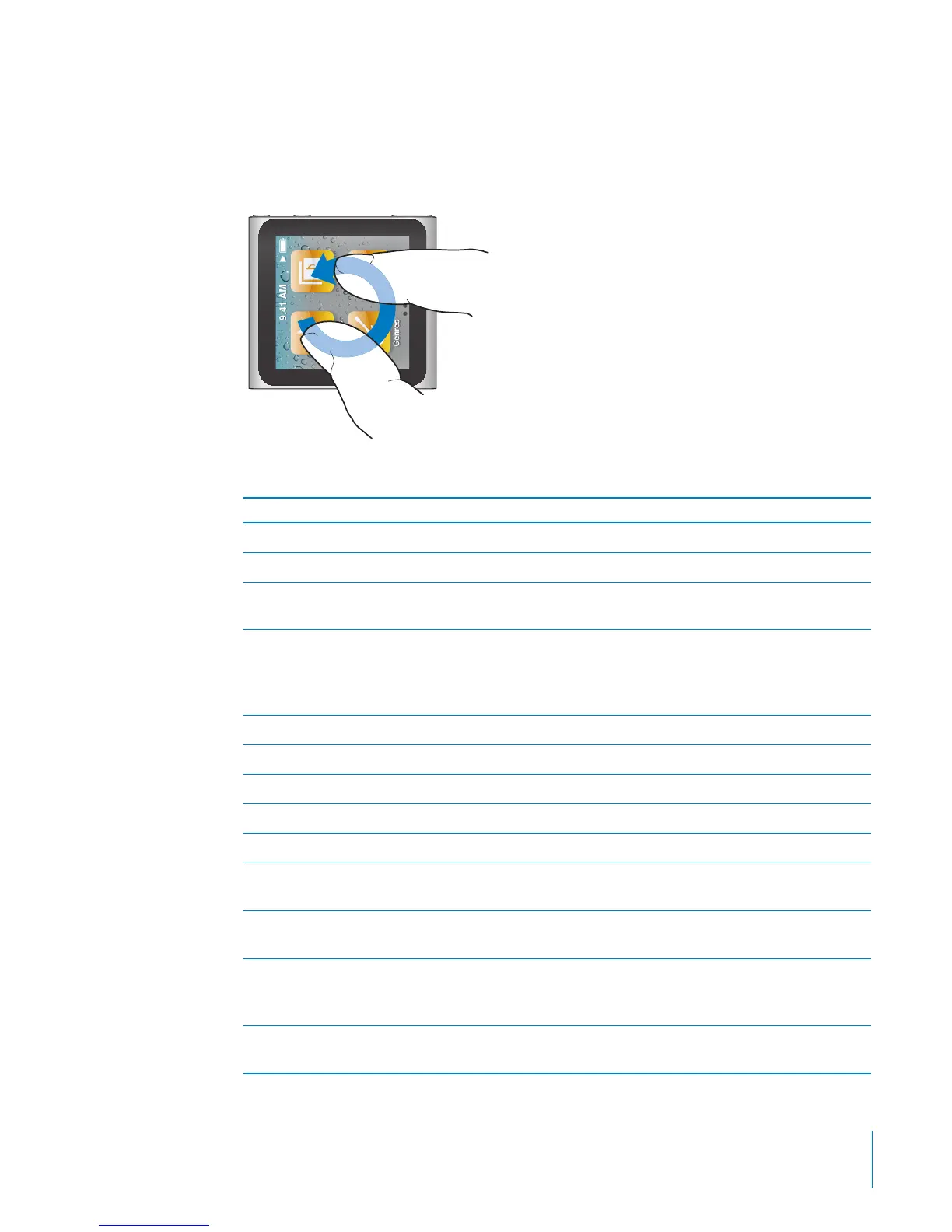
Rotate
You can rotate the screen so it’s easier to see when you clip iPod nano to something.
Place two ngers on the screen and rotate in the direction you want the screen to
move, until the screen faces the way you want.
Here are more iPod nano controls and gestures:
To Do this
Wake iPod nano from sleep or standby mode Press the Sleep/Wake button.
Turn o the screen Press the Sleep/Wake button.
Turn on the backlight Press any button, or tap the screen if the backlight
is dimmed.
Reset iPod nano (if it isn’t responding) Press and hold the Sleep/Wake button and the
Volume Down button until the screen goes dark.
The Apple logo appears after a few seconds, and
then the Home screen.
Choose an item Tap the item.
Go to the previous screen Swipe right.
Go to the next screen Swipe left.
Go to the top of a list Tap the status bar at the top of the screen.
See all of a song, artist, or album name Swipe left across the name.
Go directly to the Home screen Swipe right, or touch and hold anywhere except
on an icon or control.
Use the pedometer On the Home screen, tap Fitness, then tap
Pedometer.
Record a voice memo Connect the Apple Earphones with Remote and
Mic (sold separately). Then, on the Home screen,
tap Voice Memos.
Find the iPod nano serial number On the Home screen, tap Settings, then tap About.
Or, look on the open edge of the iPod nano clip.
13
Chapter 3 Basics



 To Next Page