Xserve Logic Board -
6
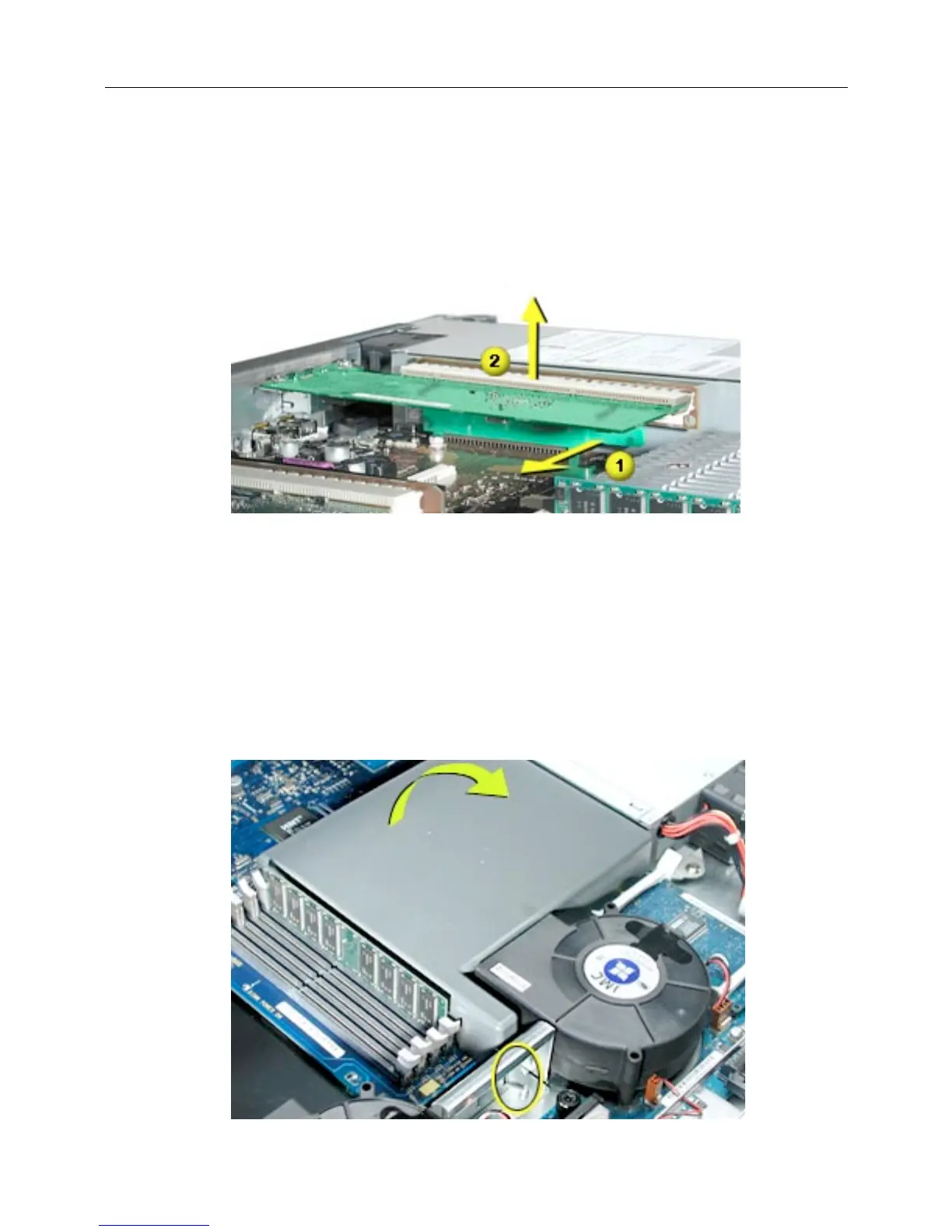
2. Pull the clip on the riser forward to release the riser from the logic board connector.
(Figure 6)
3. Disconnect the riser from the logic board and remove the riser and card from the
server.
Figure 6
Heatsink and Processor, Version 1
Note:
There are two versions of the Xserve heatsink and processor. The first version
includes a plastic duct that covers the heatsink. If there is no duct, skip to Version 2.
1. Release the latch on the heatsink duct from its slot, slide the duct away from the
blower, and lift the end of the duct as shown.
(Figure 7)
2. Remove the duct from the server.
Figure 7



 To Next Page