QuickBooks for Mac 2014 User’s Guide 140
Ordering items you’ll pay for later
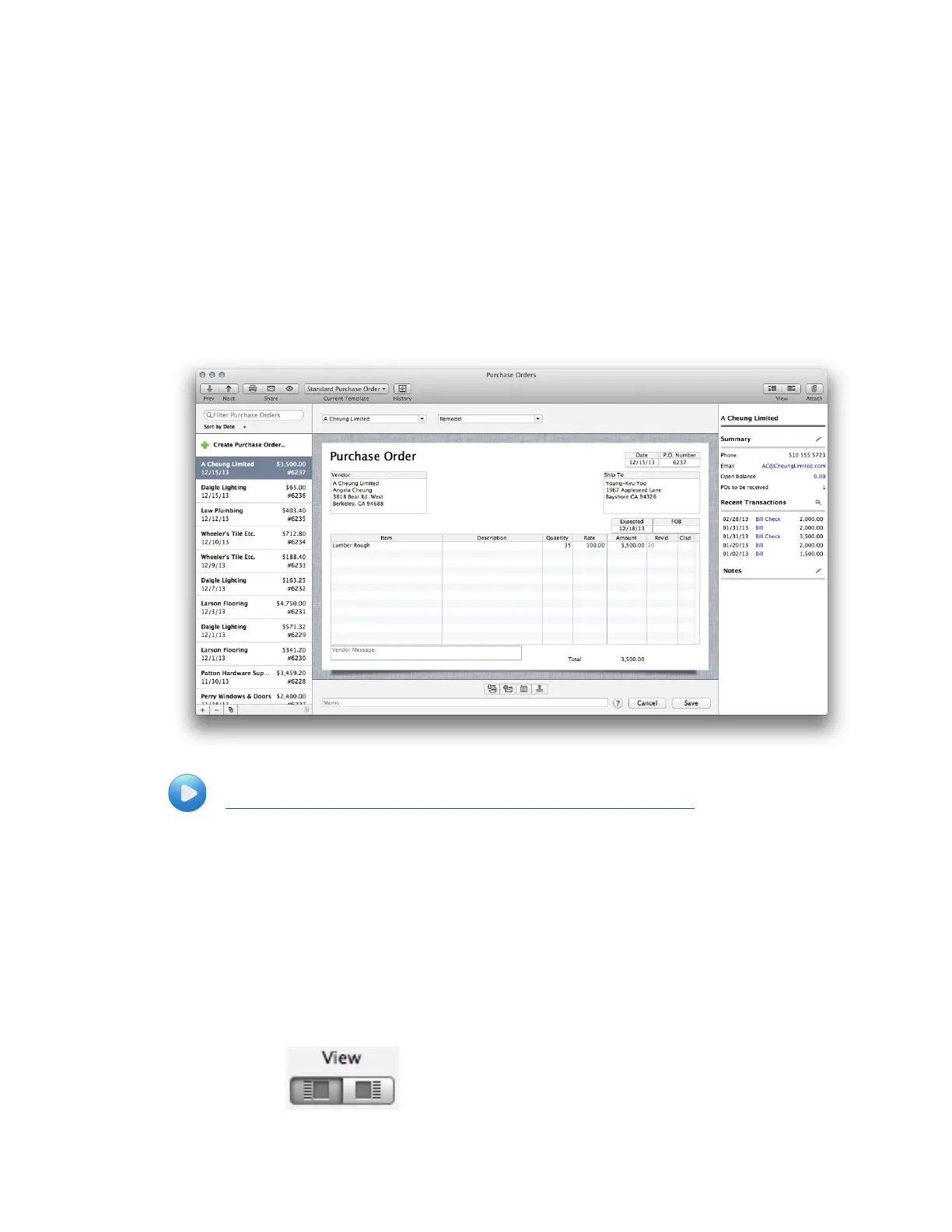
To order goods or services to be paid for at a later time, use a purchase order (PO). QuickBooks uses POs to track
outstanding orders for you. Then, when you receive the items or the services, you can mark them as received on the
purchase order. Also, when you get the bill, you can just use the purchase order to enter the bill.
When you use POs to buy goods, QuickBooks keeps track of which goods are on order so you'll know when they're
due to be received. Usually, you'll use a PO to buy inventory goods, but you can also use POs for non-inventory
items — for example, to order office supplies for your business.
See how to use POs to order and receive goods:
http://www.qblittlesquare.com/2011/03/tracking-orders-for-the-items-you-need/
To create or edit a purchase order
1 If you haven't already, turn on inventory and purchase orders. (QuickBooks > Preferences >
Inventory)
2 Choose Vendors > Create Purchase Orders. You can also create purchase orders using the Vendor
Center and Transaction Center.
3 To create a new PO, click the "Create Purchase Order" on the left panel or click the + at the bottom of
the list. To edit a PO, select a PO in the list on the left panel. (If you don't see this list, click the Left
View.)



 To Next Page