QuickBooks for Mac 2014 User’s Guide 194
Sales tax
If you sell stuff, sales tax is part of your life. Ugh. Oh, I mean, lucky you! OK, I tried to be upbeat, but there’s really
no way around the fact that sales tax takes a bite out of your donut. But QuickBooks can make it easier for you,
even if you have to deal with many tax rates in multiple
jurisdictions.
Before I go on, here are a couple of things you should
know:
• It’s important you understand the sales tax rules for
your area. You can learn what these are by contacting
the sales tax agencies that will collect sales tax from
you. Not sure who the agencies are? Your state’s web
site is a good place to start searching for information.
• When you set up a company that charges sales tax, or
when you enter your first sale, QuickBooks
automatically creates a current liability account called
Sales Tax Payable. The Sales Tax Payable account
keeps track of as many tax agencies as you need.
So, working with sales tax in QuickBooks…here we go.
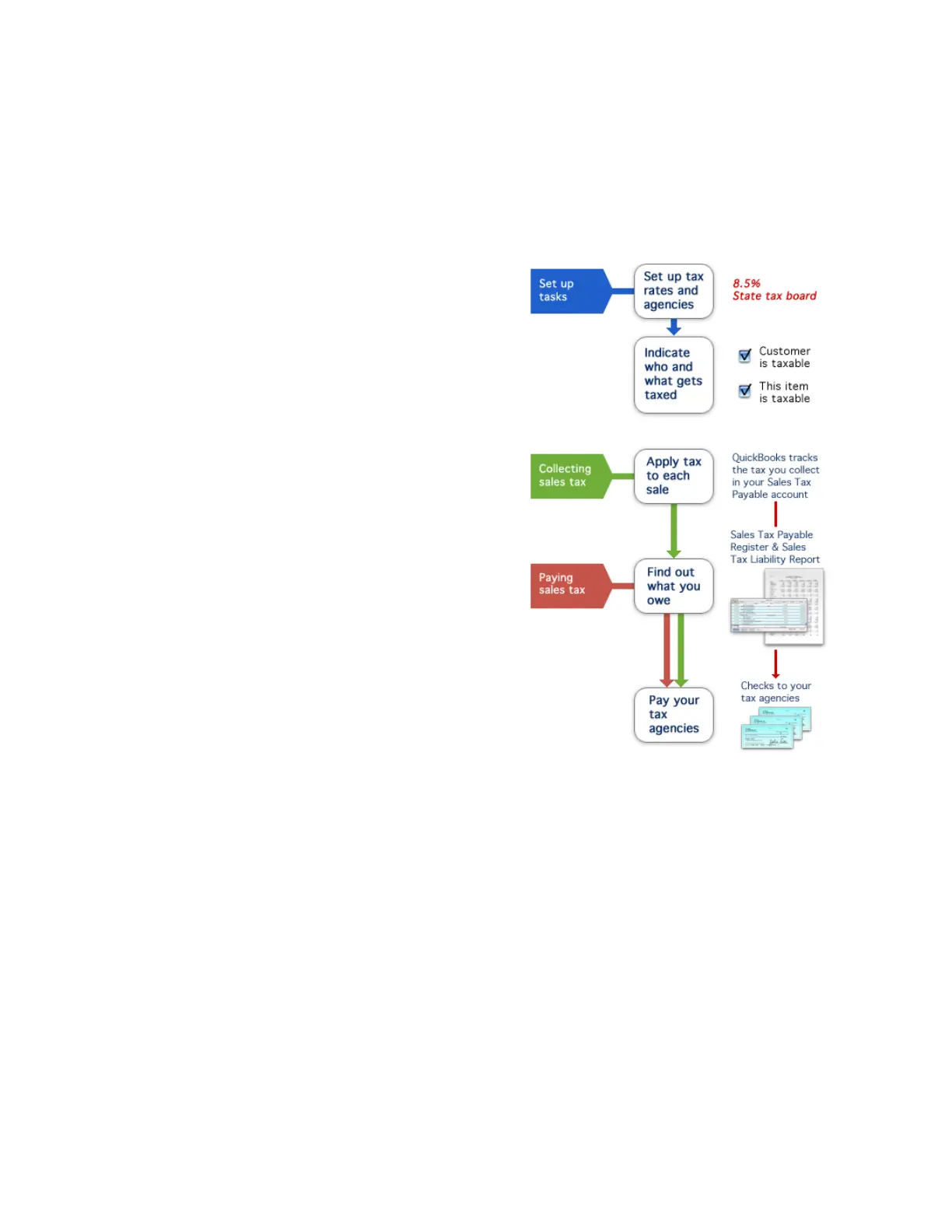
Set up tax rates and agencies
Before you can charge and track sales tax, you must let
QuickBooks know which agencies you collect tax for, and
at what rates. You do this by creating tax items. A tax item
represents a single tax rate payable to a single agency. In
your Items list, add an item and for the type, choose Sales
Tax Item. (If you need help with adding items, check the
Help in QuickBooks.)
If you collect for more than one agency, create a separate tax item for each agency. You can then group the items
together so that your customers will only see a single tax rate on your sales forms.
Indicate who and what gets taxed
After you set up your tax rates and agencies, QuickBooks still needs to know which customers you collect tax from,
and which items you charge tax for when you make a sale. Once you enter this information, QuickBooks
automatically calculates sales tax whenever you sell a taxable item to a taxable customer.
For each item and customer, there’s a Taxable checkbox. It’s up to you to know if you need to use it or not. If
your customer is purchasing items from you for resale, they may not be taxable. Also, the items you sell—products
and services—may or may not be taxable. You may sell services that are not taxed and products that are. Again,
this is where knowing the rules for the tax agencies is important. That will guide you as to whether something is
taxable. Either way, if an item or a customer is taxable, be sure you use that Taxable checkbox.



 To Next Page