QuickBooks for Mac 2014 User’s Guide 230
You must have a valid email address for anyone you try to send email to. If you do not have an email address
for the recipient saved in the customer or vendor list, you can add an address on the Select Forms to Email
window. Click twice in Email Address column next to the name and enter the email address. You will be asked if
you want to use this email address once or if you want to save it in the customer or vendor list.
Note: The time it takes for QuickBooks to send a document as a PDF depends on the size of the form, your
computer's speed, and your Internet connection speed. Try keeping the design of your custom templates simple.
Remove or replace large images in your template. You can also use a standard form template that comes with
QuickBooks.
Restoring Your Company File from a Backup
Sometimes things just don’t go well—files get messed up, computers crash. But don’t worry—it’s easy to get
QuickBooks going again.
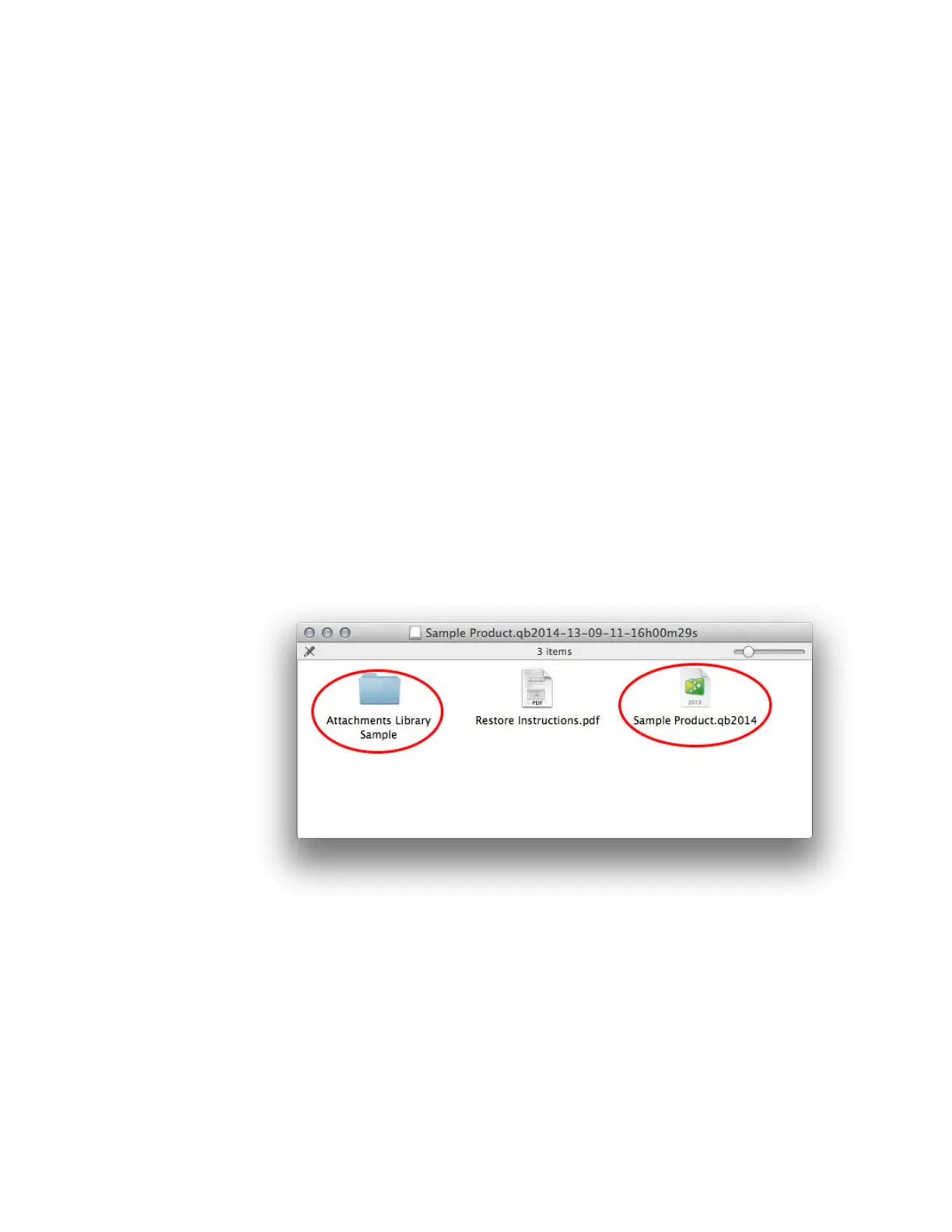
Each disk image (.dmg file) QuickBooks creates when it backs up your data includes a copy of your company file
and your Attached Documents Library (if you use and back up attachments).
Here’s how you do it:
1 Go to your backed up disk image and double-click it to mount it.
2 Drag the company file (with the .qb2014 extension) where you want it to be.
3 Drag the Attached Documents Library folder where you want it to be.
Tip: We recommend that you put your Attached Documents Library in the same place as your
company file.
4 Open your company file.
5 Go to QuickBooks > Preferences.



 To Next Page