QuickBooks for Mac 2014 User’s Guide 26
Also, you cannot work in your company file while your accountant has it. (Well, technically you can, but when you
open the file your accountant sends back, you end up losing any changes you’ve made in your copy of the file.)
Using QuickBooks in multiuser mode
In QuickBooks for Mac 2014, you can run QuickBooks in multiuser mode. This means more than one user can work
on your company file from different computers at the same time. Why would you want to do that? Well, you may
have an employee who does basic tasks like sending out invoices and keeping customer information up-to-date
while you take care of the larger tasks like payroll and paying vendors. In single user mode, you have to stop
working in your company file so your employee can work in it. This can be inconvenient and slow you down. In
multiuser mode you both can work in your company file at the same time.
How does it work?
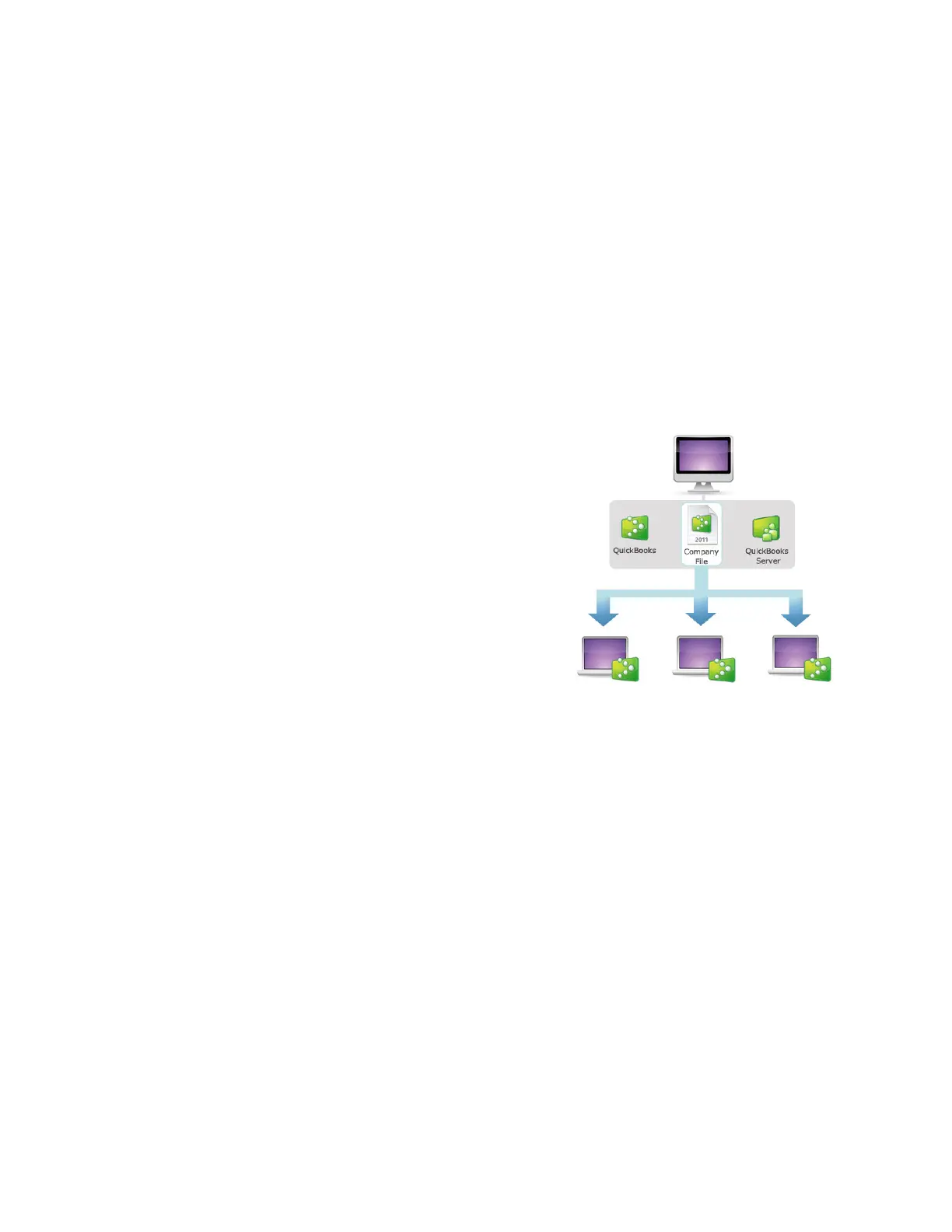
One computer is set up with QuickBooks Server, QuickBooks, and
your company file. Then, with QuickBooks Server running, the
company file is shared with other computers on the same
network. When other users open QuickBooks on their computer,
they will be able to open the company file and work on it.
Note: You must buy a multiuser license of QuickBooks, add users
to your current license, or buy multiple copies of QuickBooks to
use it in multiuser mode. To add users, open QuickBooks and
choose QuickBooks > Manage License > Buy Additional Licenses.
What do you need?
• A license of QuickBooks with more than one user. You can buy QuickBooks for more than one user or you
add user seats to the license of QuickBooks you already have (QuickBooks > Manage Licenses > Buy Additional
Licenses). In addition, QuickBooks will also allow for different registered copies of QuickBooks to work together.
• One computer to use as the QuickBooks Server. This computer will host the company file for all your
QuickBooks users. Find out what you should consider when picking which computer to user for your server.
!



 To Next Page