QuickBooks for Mac 2014 User’s Guide 74
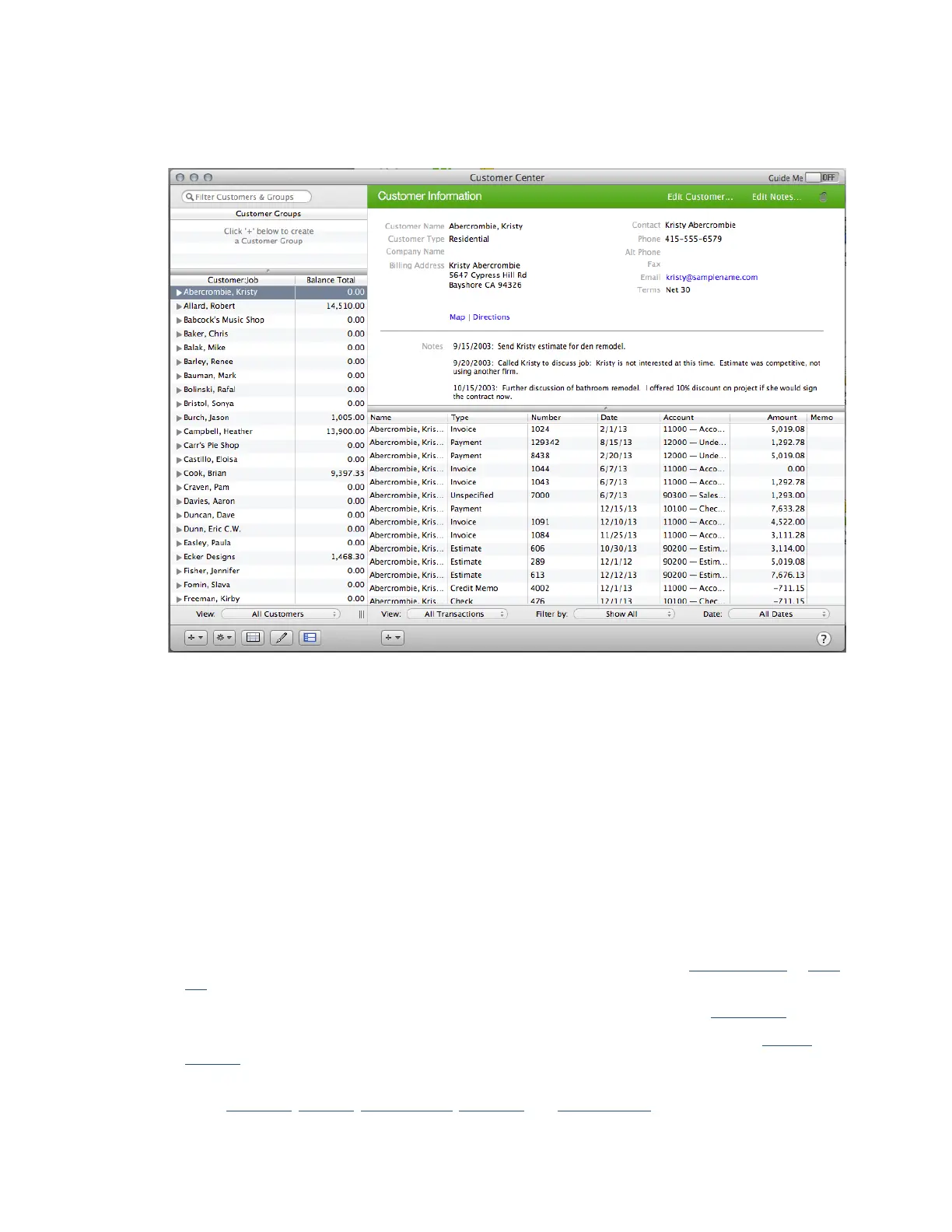
Note: You can click Expand to expand the Customer:Jobs list to the full Customer Center.
Tip: Control-click a customer or job name to choose common tasks from a shortcut menu.
To open the Customer Center:
o
Choose Customer > Customer Center.
How do I use it?
Select a customer or job name on the left side of the center to view information about the customer and
associated jobs. As you click on a customer or job name, the right side of the Customer Center displays the
information associated with your selection.
You can perform many tasks within the Customer Center:
• Add a customer or job. Click the + menu at the bottom of the center and choose Add Customer or Add
Job.
• Add a customer group. Click the + menu at the bottom left of the center and choose New Group.
• Import your existing contacts. Click the + menu at the bottom of the customer list and click Import
Multiple.
• Create a transaction. Click the + menu at the bottom of the transactions area to
create estimates, invoices, sales receipts, payments, and credit memos.



 To Next Page