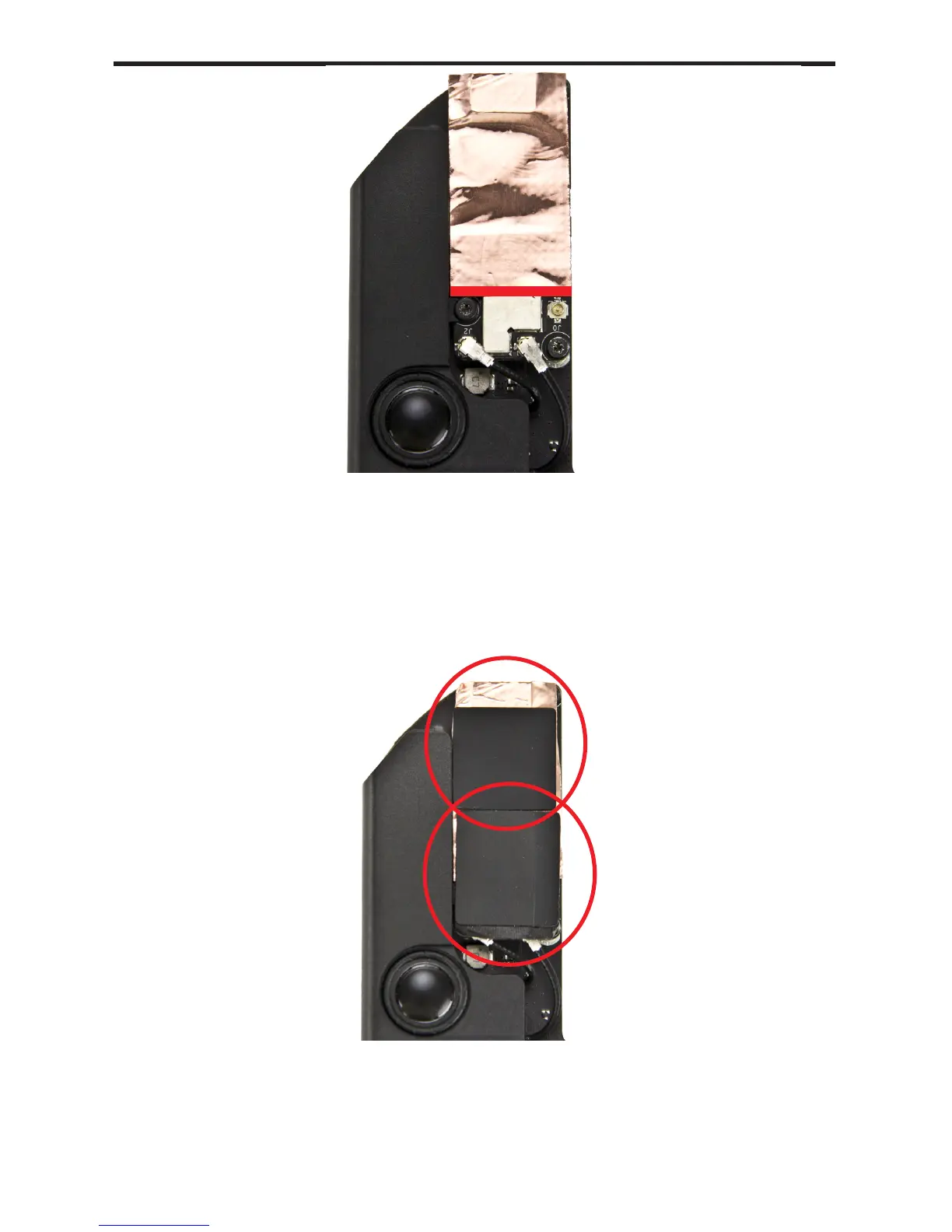
Apply the two original EMI shielding stickers back onto the Airport/
Bluetooth card on top of the newly applied shielding material. As shown
in the picture, the sticker with the ap should be placed at the bottom,
with the ap facing to the right.
Follow the steps in reverse order to reassemble.
Remove the paper backing from the EMI shielding material provided in
your OWC Bluetooth shielding kit. This will allow the shielding material
to stick to the Airport/Bluetooth card. Apply the shielding material
to the Airport/Bluetooth card as shown above, making sure to keep
the material above the line in the picture. This will leave room for the
Airport antenna to be plugged into the card later (step 11)
3 Shielding
③
Mac mini 2012 Bluetooth Shielding Instructions
④



 To Next Page