4 -
Mac mini Take Apart
General Information
Thermal Pad
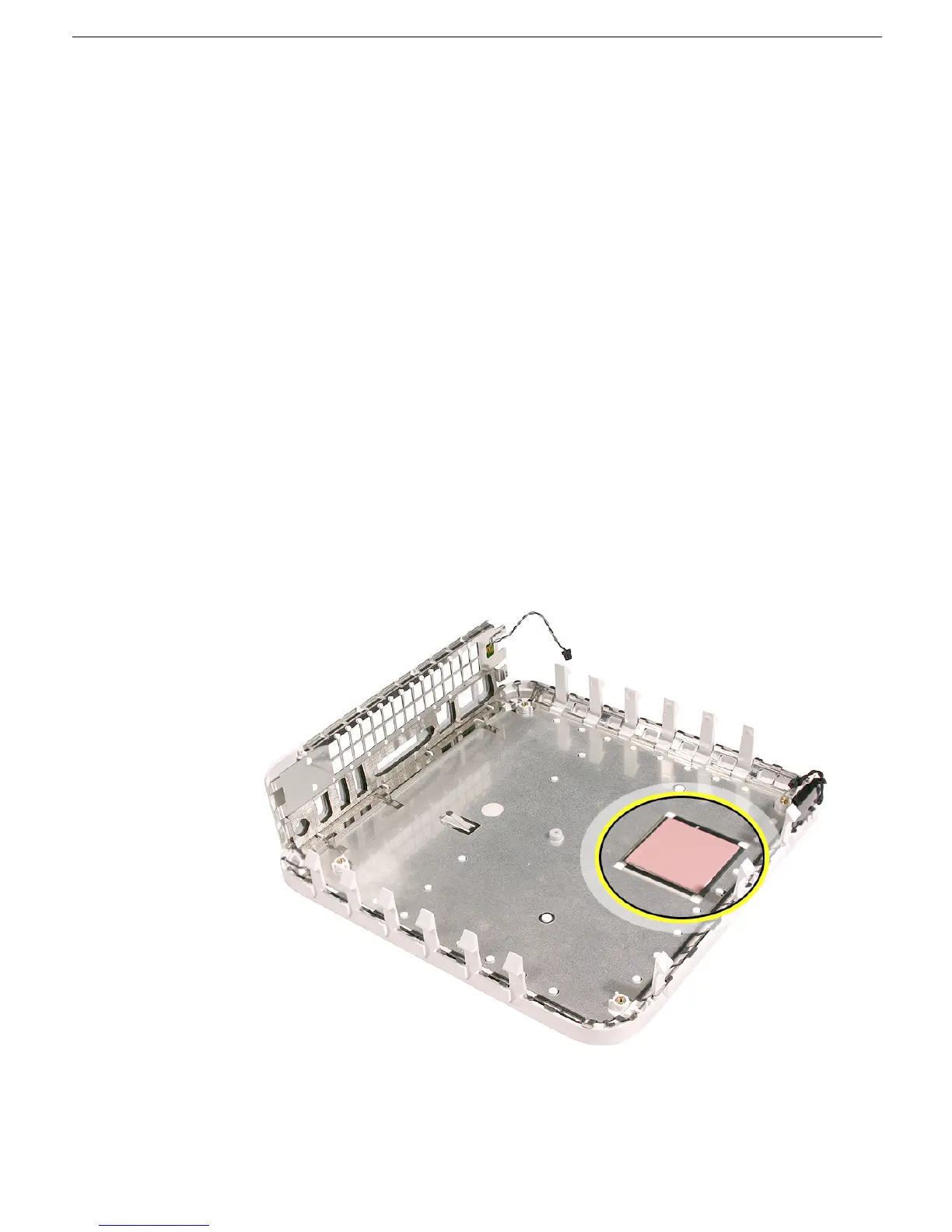
The thermal pad is located on the bottom housing. A new thermal pad is included with the
logic board and the bottom housing, and the pads can be ordered separately as a kit (part
number 922-6749).
Replace the pad when:
• the logic board or the bottom housing is replaced
• the pad is torn, withered, or damaged
Important:
Never use thermal paste in place of the thermal pad. You must replace the
thermal pad with a new identical pad.
Procedure
1. Remove the original pad from the bottom housing or the logic board using a black stick
or other nonconductive nylon tool.
2. Remove the protective backing on the new thermal pad.
Note:
Avoid unnecessary
contact with either side of the thermal pad as dirt and body oils reduce the thermal
pad's conductivity.
3. Place the new thermal pad on the bottom housing (as shown). Make sure the thermal
pad has even contact with the bottom housing. There should be no air pockets.
4. Replace the logic board.



 To Next Page