72 - Mac mini Take Apart
Hard Drive
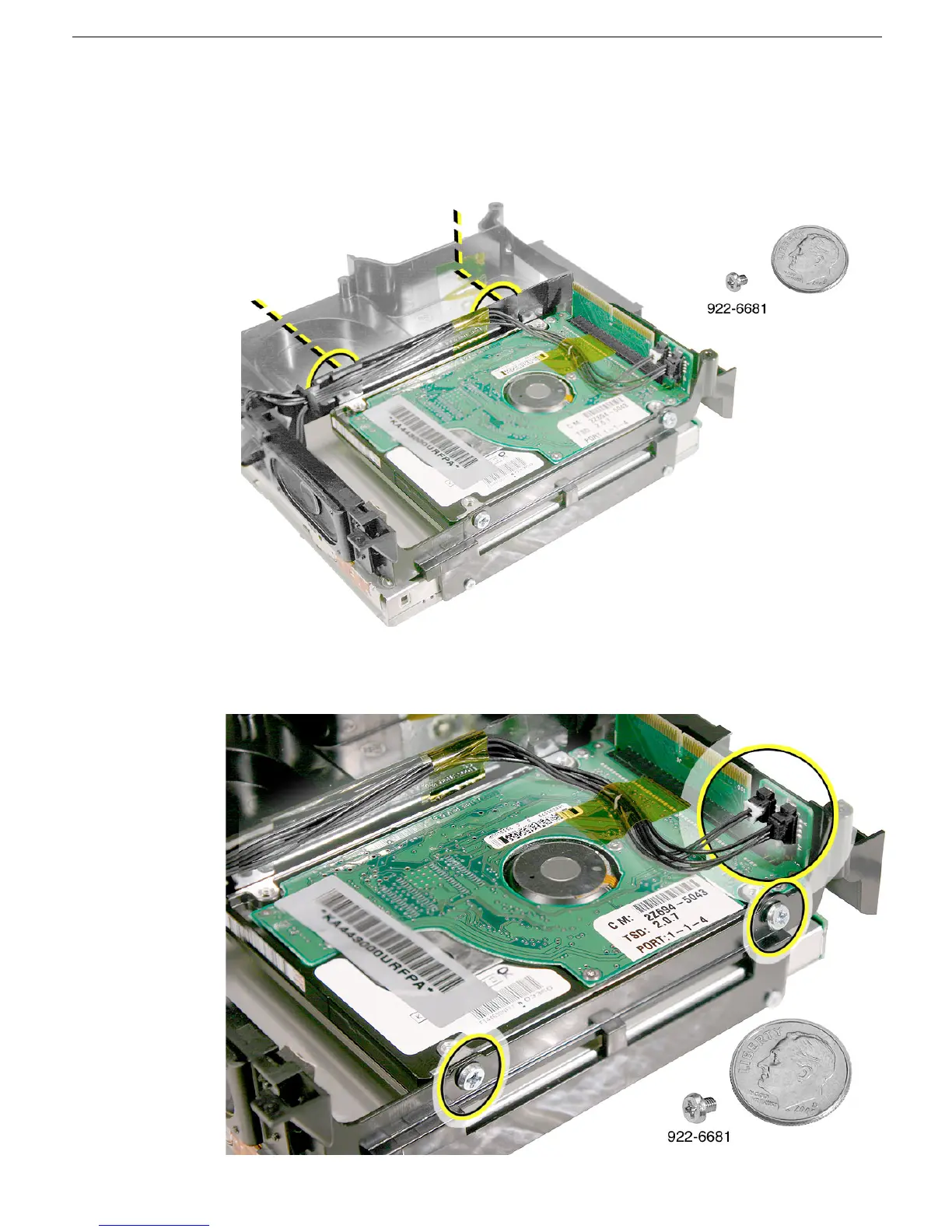
5. Using a #2 Phillips screwdriver, remove the two hard drive screws (shown by the
dotted line) on the internal frame. You may need an angled screwdriver to access the
screw on the right. Important: Don’t remove the kapton tape from the internal frame
near the screw on the right. The hole is covered to direct airflow within the internal
frame.
4. Remove the remaining two hard drive screws and disconnect the fan and speaker
cables.



 To Next Page