Mac Pro (Early 2008) — Opening the Computer 15
Procedure
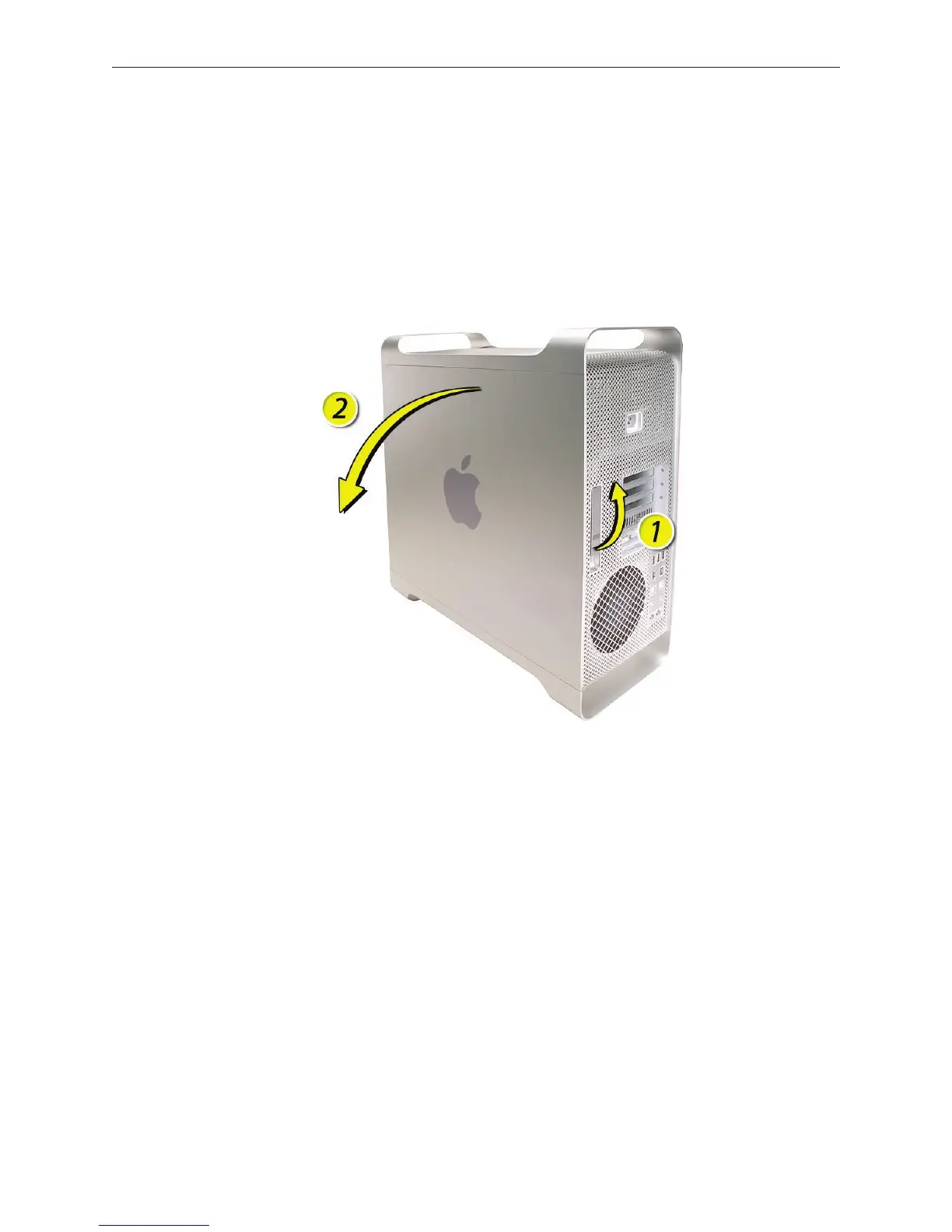
Hold the side access panel and lift the latch on the back of the computer. 1.
Warning: The edges of the access panel and the enclosure can be sharp. Be very careful
when handling them.
Remove the access panel and place it on a at surface covered by a soft, clean cloth. 2.
Replacement Note: Make sure the latch is in the up position before replacing the access
panel. If the latch is down, the access panel will not seat correctly in the enclosure.



 To Next Page