Mac Pro (Early 2008) Take Apart — Processor Heatsink Cover 49
Procedure
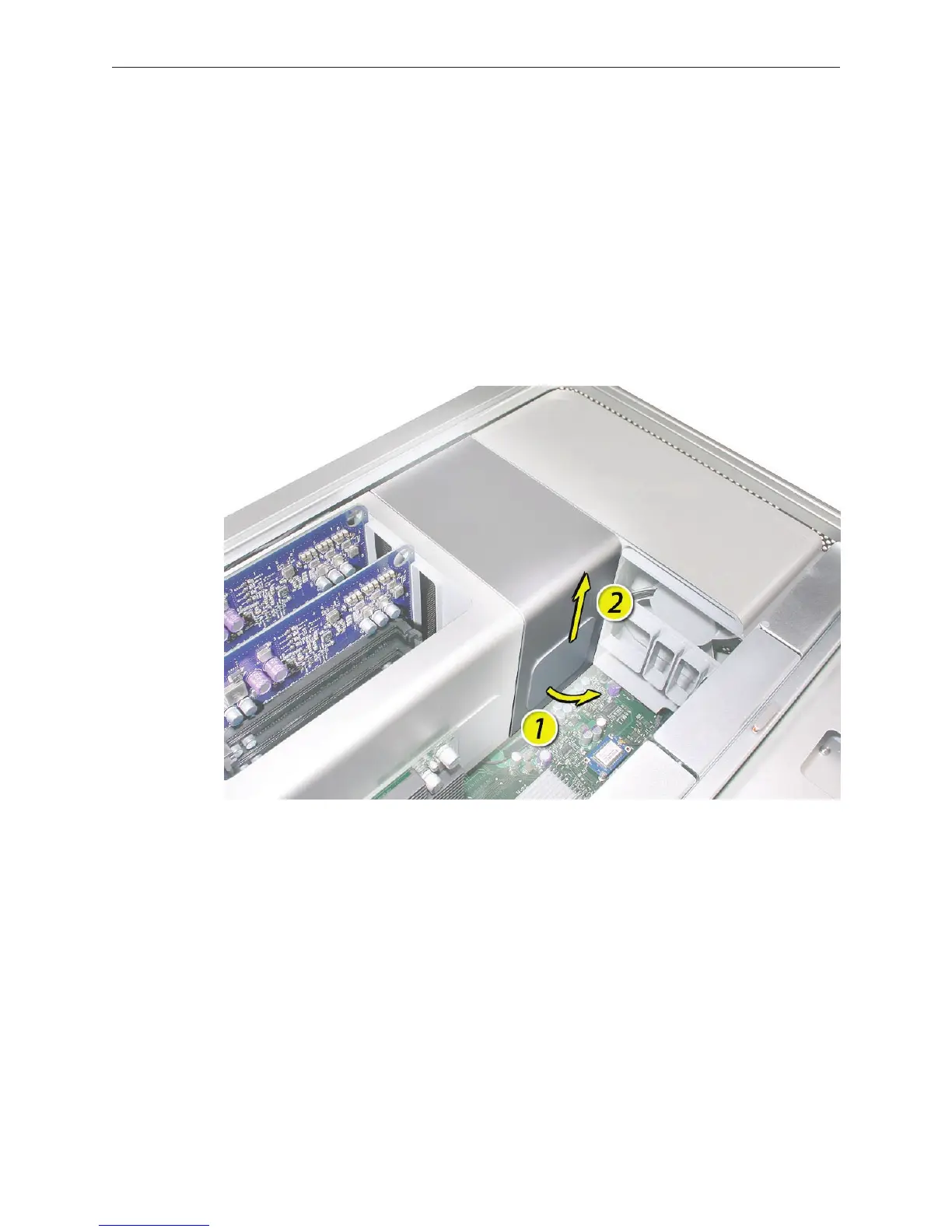
Note: The heatsink cover is held in place by a number of tabs and magnets on the underside of
the cover. You must release the tabs before you can remove the cover from the enclosure.
Place the ngers of one hand under the lip of the heatsink cover nearest the logic board. Lift 1.
the lip slightly toward the media shelf to release the tabs and magnets under the top face of
the cover.
With your ngers still under the cover’s bottom lip, lift the cover straight up to release the 2.
remaining tabs and magnets under the front face of the cover
Remove the cover from the enclosure. 3.



 To Next Page