Mac Pro (Early 2008) Take Apart — Processor Heatsinks for 3.2 GHz Processors 83
Using the pre-measured syringe of Krytox grease from the kit, evenly apply a bead of grease •
around the full perimeter of the heatsink gasket. Apply the full syringe of grease to the
gasket.
Warning: Do not apply more grease than recommended. The grease must not overow the
heatsink and come in contact with the processor connector.
Do not apply any grease to the processor.•
Installing New Processors
Do not apply new grease to either the heatsink or the processor.
Installing New Heatsinks
If you are installing a new heatsink, do not apply new grease to either the heatsink or processor,
as the replacement heatsink comes with the full capacity of grease applied.
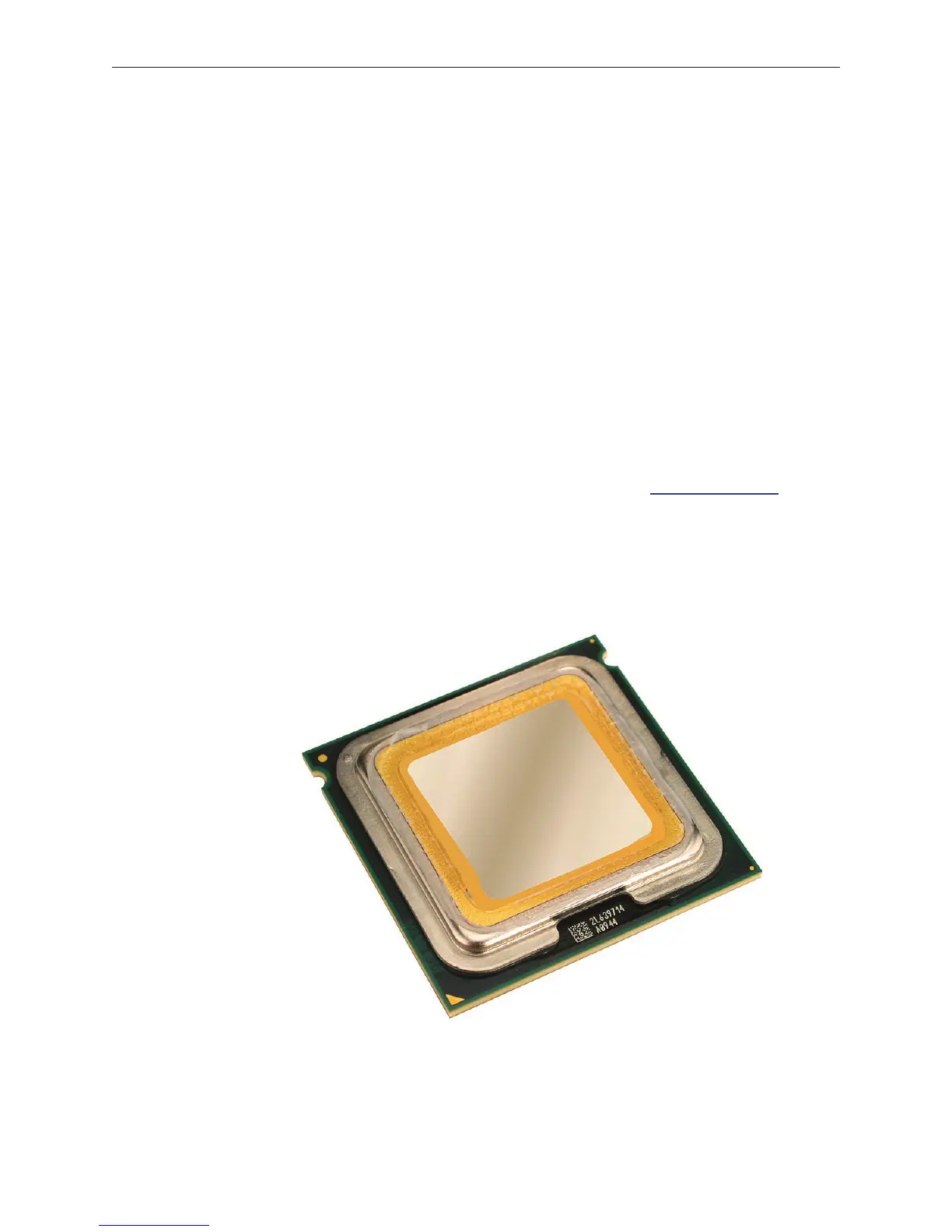
Note: When installing a new heatsink, be sure to remove any residual grease from the top edges
of the heatsink’s processor. To clean o the grease, do the following:
Remove the processor from its holder on the logic board. (See “• Processors, 3.2 GHz” in this
chapter.)
Using rst the lint-free cloth and then the alcohol wipe included with the replacement •
heatsink, carefully clean o any grease from the top edges of the processor. Be very careful
not to touch the silver-colored coating on the top of the processor and the gold pins on the
bottom of the processor.
Use the cloth to carefully wipe the top edges of the processor one more time to clean o any •
remaining grease.


 To Next Page
 Loading...


