114 Chapter 6 Last, but Not Least
Display
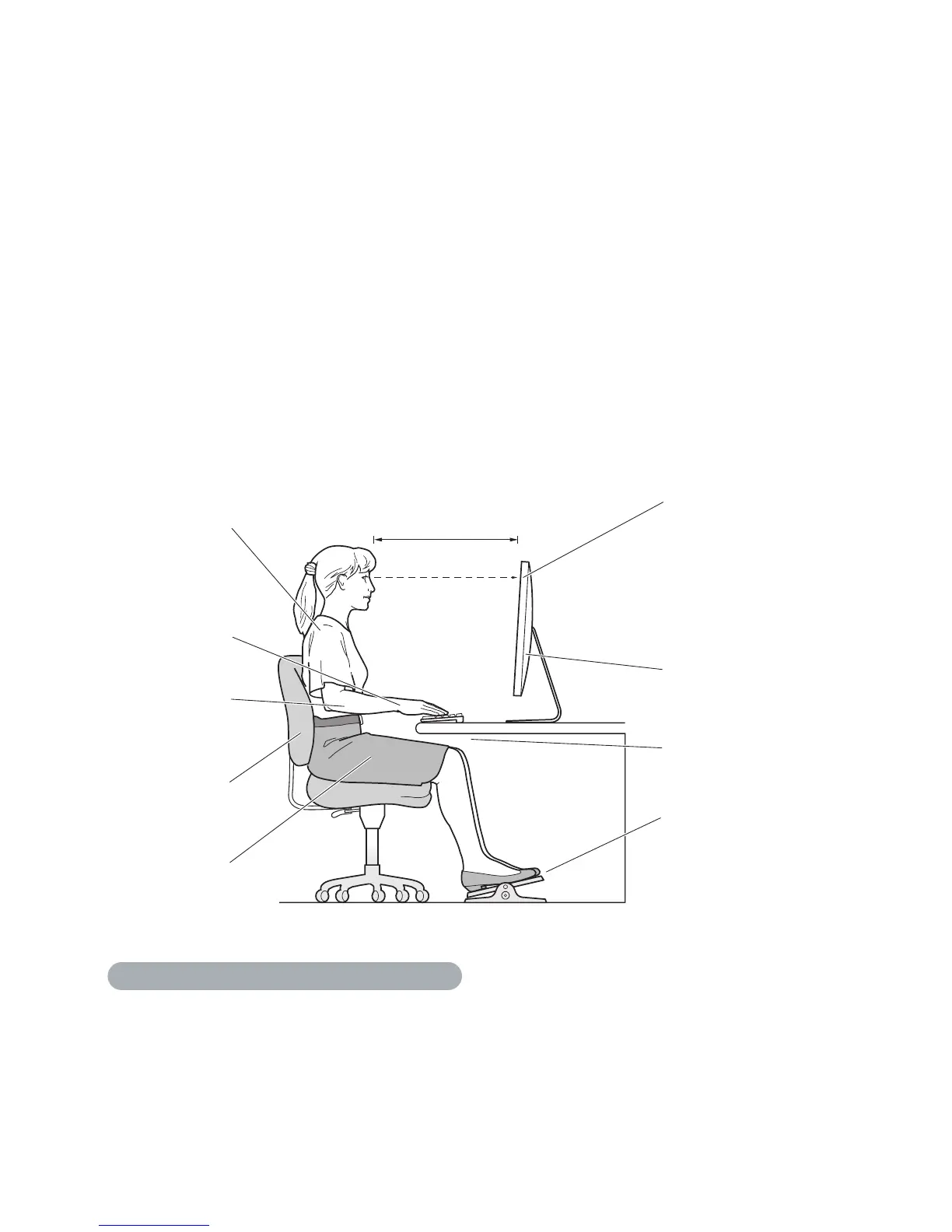
Arrangethedisplaysothatthetopofthescreenisslightlybeloweyelevelwhenyou’re
sittingatthekeyboard.Thebestdistancefromyoureyestothescreenisuptoyou,
althoughmostpeopleseemtoprefer18to28inches(45to70cm).
Positionthedisplaytominimizeglareandreectionsonthescreenfromoverhead
lightsandnearbywindows.Ifpossible,useatiltabledisplaystand.Thestandletsyou
setthedisplayatthebestangleforviewing,helpingtoreduceoreliminateglarefrom
lightingsourcesyoucan’tmove.
Thighs tilted
slightly
Shoulders
relaxed
Screen positioned to
avoid reflected glare
Forearms and
hands in a
straight line
Forearms level
or tilted slightly
Lower back
supported
Feet flat on the floor
or on a footrest
slightly below eye level
(You may need to adjust
the height of your display
by raising or lowering
your work surface)
Clearance under
work surface
18–28 in. (45–70 cm)
Moreinformationaboutergonomicsisavailableontheweb:
www.apple.com/about/ergonomics



 To Next Page